
Realistic AI video: how to make it look like phone footage
Realistic AI video comes from directing the mess a real camera leaves. Decide who's filming and on what device, lock your subject with a sheet of real-looking photos, build the location empty, and only ask for moves that could really happen. That's the method behind my flying Tesla in London, which looks like phone footage and passed 9 million views on Instagram.
Most AI video looks fake for the same reason: it's too perfect. Everyone looks at the camera, the frame is clean, the camera glides like it's on a drone, and nothing has any weight. Real footage is messy, so you direct the mess in on purpose.
Tesla showed its new Roadster driving up a wall and hopping over cars. I took it round London and made it look like phone footage people filmed. Every shot is one Seedance 2.5 generation with two images attached: a sheet of the car, and a photo of the place with no car in it. It's spec work, not affiliated with Tesla, and the posts are tagged as AI. Here's the method in the order I run it.
1. Start with what would really happen
Don't make a cool car video. Ask what would actually happen if the thing turned up on your street. In London, a flying car gets a parking ticket on day one. People share how real life reacts to it.
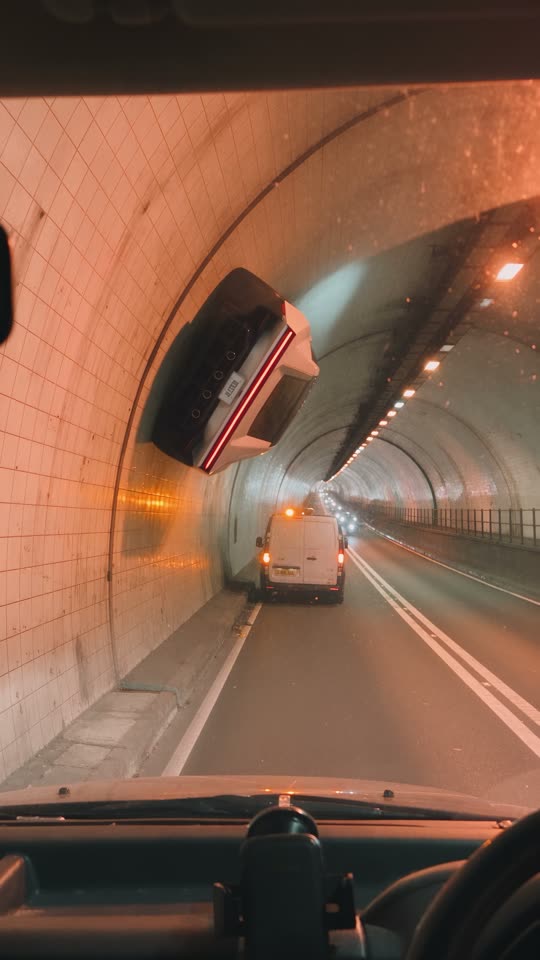
Then build the reason into the scene. My tunnel shot has a broken-down van in our lane and oncoming traffic beside it, so nobody can get round. Now the car has a reason to drive up the wall.
2. Decide who's filming, and on what
The moment the model knows a person is holding the camera, you get what makes footage real: off-centre framing, something blurred in the foreground, nobody posing. Name who's filming and where they are. Mine was a young woman in the passenger seat of her dad's car, filming through a dusty windscreen.
Pick the device before anything else: a phone, a camcorder or CCTV. The device decides the shake, the grain and the colour. Then write the camera like someone is holding it: shaky handheld, focus landing a beat late, never stabilised.
And start late. People get their phone out after something has started, so the action is already happening in the first frame.
3. Lock the subject with real-looking photos
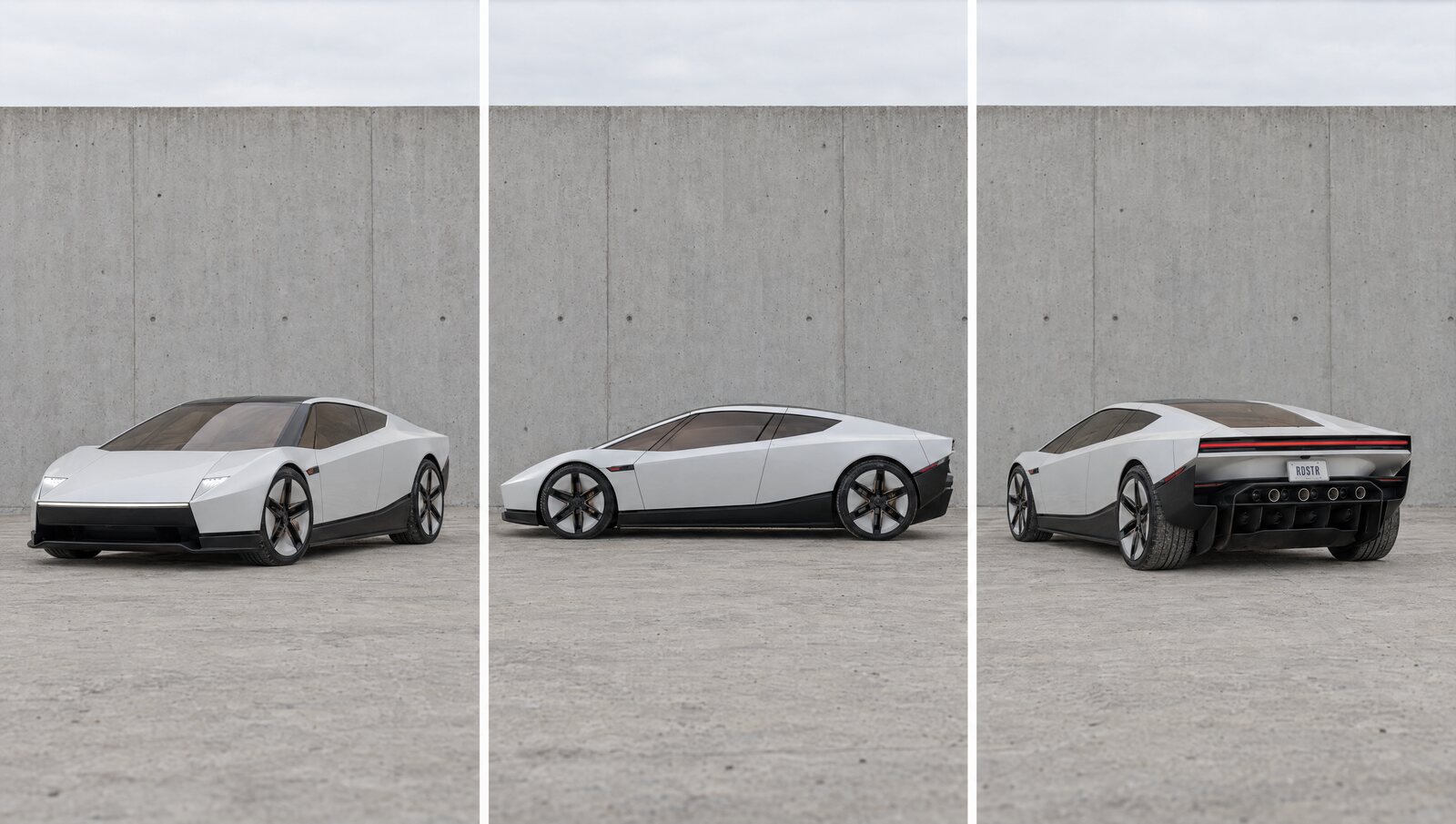
The Roadster is brand new, so no model knows what it looks like. I gave GPT Image 2.5 three of Tesla's press photos and asked for three real-looking photos of the car parked: front three-quarter, side and rear three-quarter.
Three views. More angles confused it, and a grey studio sheet made the car look rendered in every shot after. So the sheet looks photographed: a plain concrete floor, overcast daylight, a little road dust on the tyres.
4. Build the place empty
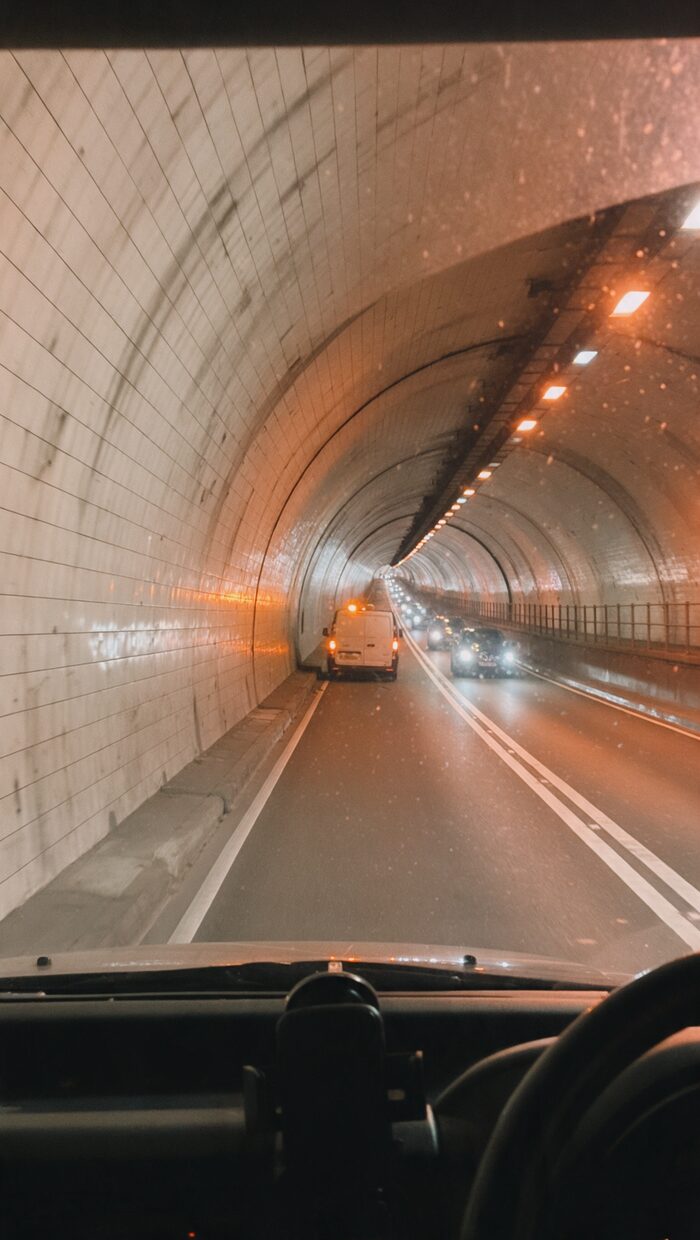
Every location is a photo of the place with nobody and no car in it. Put the car in the location photo and it stops moving like a car. I made mine on Seedream 5.0 Pro, written as an unedited iPhone photo: the lens, the noise, the horizon slightly off, flat grey light.
Check two things before you move on. The local detail: we drive on the left in the UK, so the traffic in the photo has to as well. And the room: leave an empty space where your subject needs to go. I left the railing off the wall the car climbs.
5. Only ask for moves that really happen
My first rounds were rubbish. I described how the car works and Seedance guessed: rocket jets, flying off at speed, parked the wrong way up. The fix was to watch Tesla's real demo frame by frame and only ask for moves the car did, at the speed it did them.
- Say how it moves, once. Fans in the floor hold the car to any surface. The tyres always touch it. It climbs slowly, like a car crawling in traffic.
- Give it weight. AI doesn't know anything is heavy unless you tell it. In my Henry VIII film the king weighs 140 kilos, the mattress compresses and the bed frame drops straight down. Nothing floats.
- One move per shot. Every time I asked the car to land at an exact spot, it landed short. So the tunnel shot never lands. It drives off over the van.
- Write the seconds. Say what happens from 0 to 2, 2 to 5 and 5 to 10, so the model isn't choosing the timing.
6. Write the people like real people
People react late and talk to who they're with. The dad in my tunnel shot has been stuck for twenty minutes, so he doesn't say wow. He says "you're having a laugh." In another shot the bin man doesn't even look up.
Give each person a reason for their line and keep them off the lens. Nobody in real phone footage performs for the camera.
7. Keep the phone's sound and skip the pretty grade
Describe the sound as the device would record it: engines idling, hazards ticking, a laugh close to the mic, no music. Then keep the sound Seedance gives you. Each clip's own mic noise is what makes it feel filmed.
It's meant to look like someone's phone, so don't grade it pretty. Run two to four drafts at 480p, pick the best, and finalise only that one at 1080p. I take it to 4K with Topaz on Higgsfield, then add a light sharpen and a fine grain. Nothing else.
You won't get it in one go. I run a few takes of every shot and keep the one where the physics lands.
The order I run it in
- Find the everyday reaction: what would really happen.
- Choose who's filming and the device.
- Make the subject sheet from real photos. Three views.
- Make the location empty, as an unedited phone photo.
- Write one move per shot, second by second, with real physics.
- Draft at 480p, finish the keeper, keep its sound.
Every prompt from the Tesla is in the flying Tesla breakdown, and the Henry VIII prompts use the same rules for a camcorder look. For one fix per prompt, use the Seedance prompt pack. For stills, run the three passes or read how to make AI images look real.
If a person has to talk to camera, AI UGC ads that look filmed at home covers that. For which model to use on which job, see the best AI video generators in 2026.
Questions
Which AI video generator makes the most realistic video?
I made the flying Tesla with Seedance 2.5 on Higgsfield, using GPT Image 2.5 for the car sheet and Seedream 5.0 Pro for the locations. The direction does most of the work: who's filming, on what device, in a real place, with moves that could really happen.
Why does AI video look fake?
It's too perfect. Everyone looks at the camera, the frame is clean, the camera glides like it's on a drone, and nothing has any weight. Real footage is messy, so write the mess into the prompt: a person holding the camera, late focus, real light and objects with weight.
How do I keep a real car or product looking the same in every AI video shot?
Make a sheet first. Give an image model a few real photos and ask for three real-looking photos of it: front three-quarter, side and rear three-quarter. Attach that sheet to every video generation, with a photo of the location that has nothing in it.
A clip that looks filmed is one shot. Build AI Creative Systems That Win Clients takes it to a whole film a brand would pay for, and to the client who pays for it. Make an Advert Film with Claude is the mini course for this, sold alone or included in the full course.