
SPEEDHACKING VOL. 1 · 10 PROMPTS
Ten relight aesthetics.
One image, ten art directions. Ten Nano Banana Pro relight prompts, from Aerochrome infrared to halation bloom, with no Lightroom.
Tool used: Weavy, with the Nano Banana Pro node.
How it works.
Pro tip: for best results, pair the text prompt with a reference image of the aesthetic you want. The model matches visual references better than text descriptions alone. Search Pinterest or Google for examples of each style and drop them in as the reference.
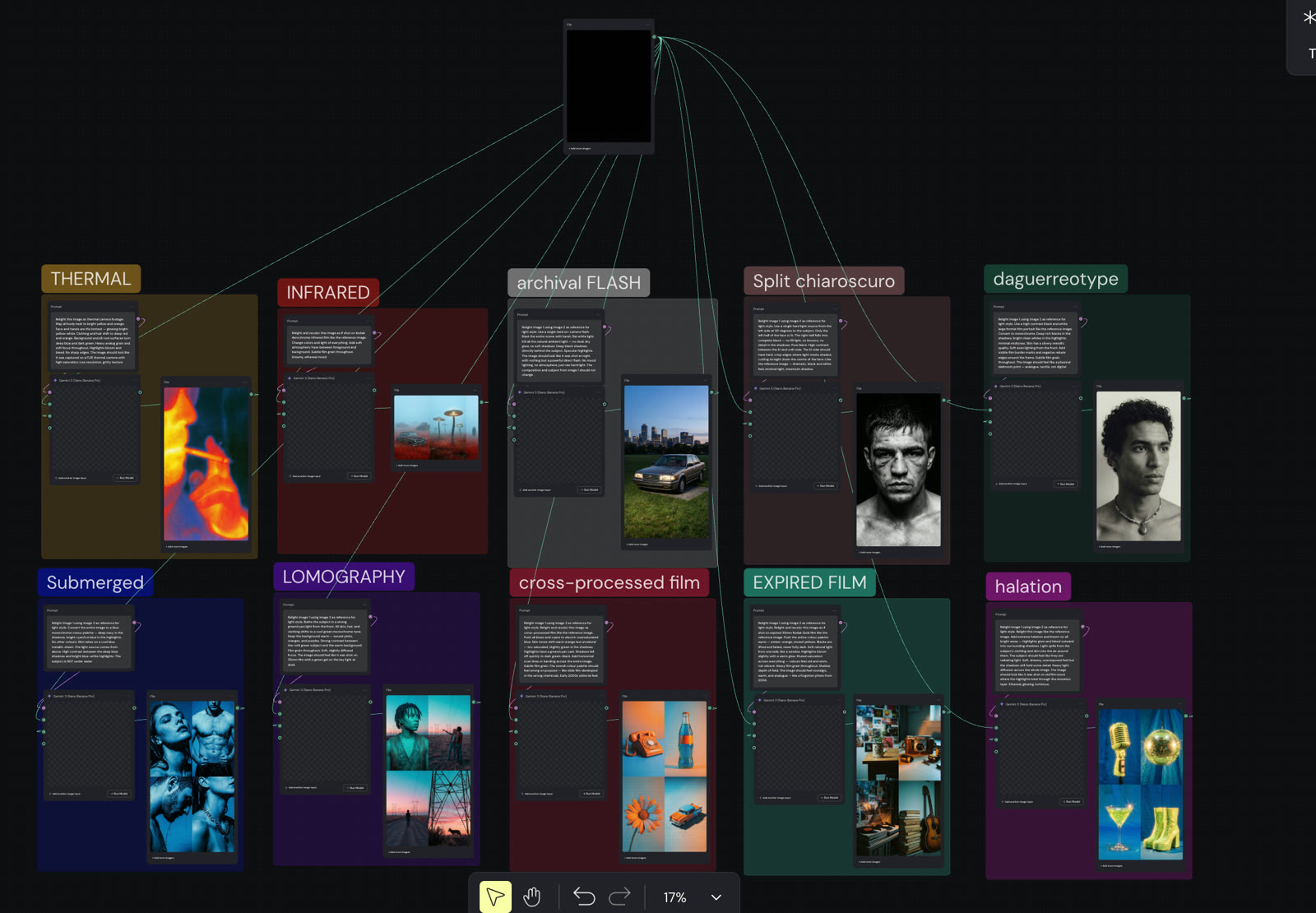
- Open Weavy and add 10 Nano Banana Pro nodes.
- Drop your image in.
- Paste any of the prompts below into the prompt field.
- Optionally add a reference image to push the aesthetic further.
- Hit generate. Each aesthetic takes seconds.
- One image. Ten art directions. No Lightroom.
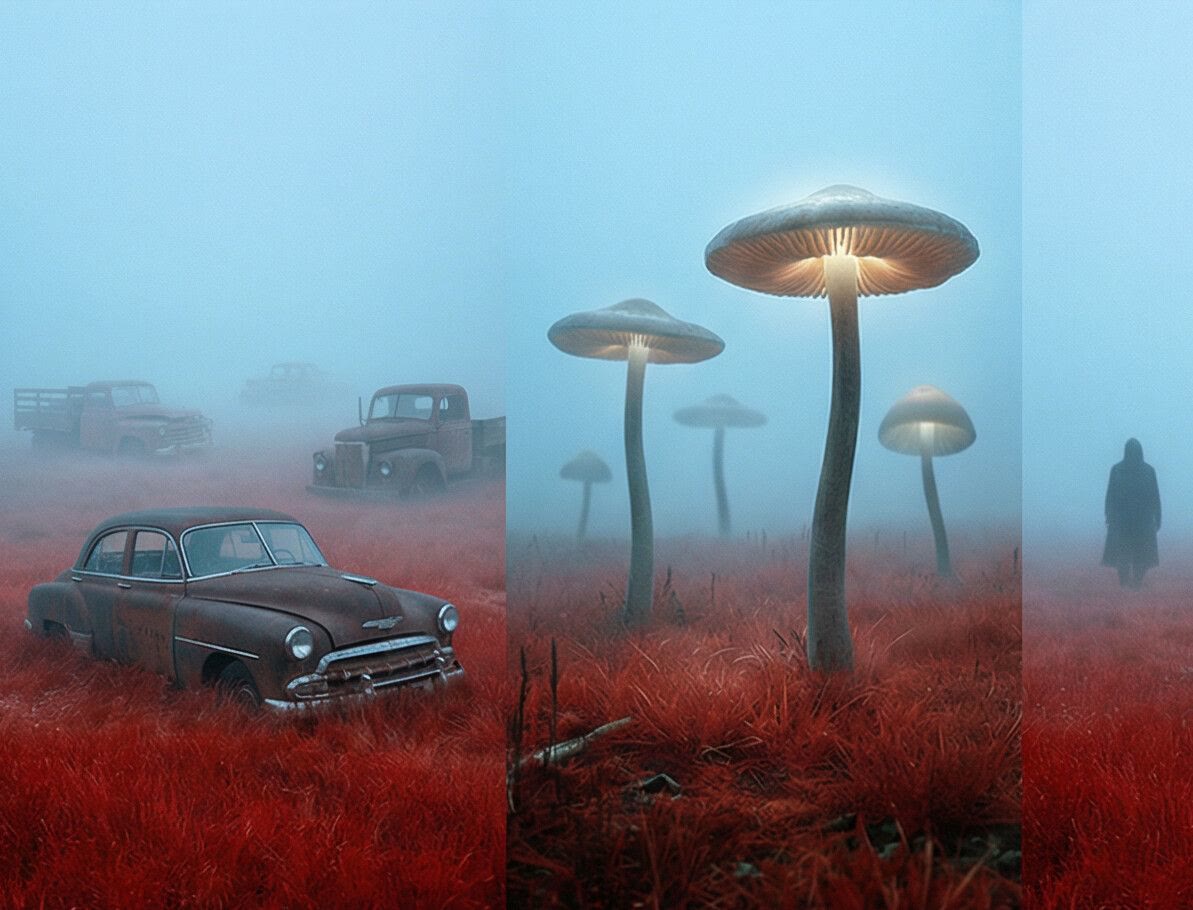
1. Infrared (Aerochrome).
The look: all greens flip to deep red and crimson. Skin stays natural. Sky stays blue-grey. Dreamy, ethereal, otherworldly.
You see this in editorial fashion shoots, album covers and fine art photography.
Infrared prompt
Relight and recolor this image as if shot on Kodak Aerochrome infrared film like the reference image. Change colors and light of everything. Add soft atmospheric haze between foreground and background. Subtle film grain throughout. Dreamy, ethereal mood
2. Archival flash (direct flash).
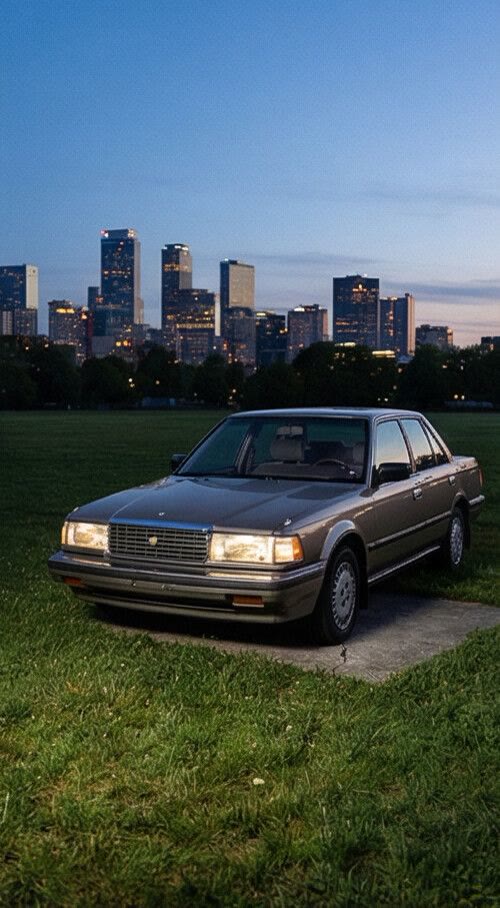
The look: hard, flat, on-camera flash. No shadows. Raw, confrontational. Like a disposable camera or a paparazzi shot.
You see this in zines, drop announcements, streetwear lookbooks and Terry Richardson-era editorial.
Archival flash prompt
Relight image 1 using image 2 as reference for light style. Use a single hard on-camera flash. Blast the entire scene with harsh, flat white light. Kill all the natural ambient light, no dusk sky glow, no soft shadows. Deep black shadows directly behind the subject. Specular highlights. The image should look like it was shot at night with nothing but a powerful direct flash. No mood lighting, no atmosphere, just raw hard light. The composition and subject from image 1 should not change.
3. Thermal (FLIR).
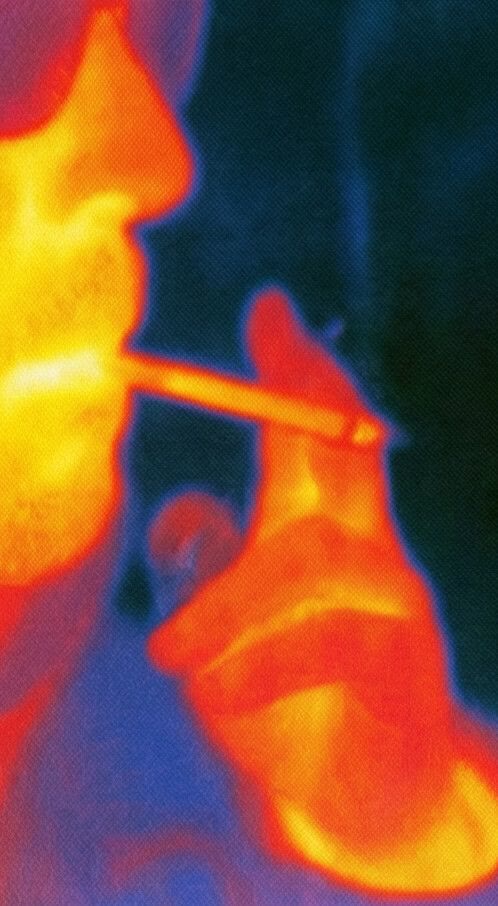
The look: heat map colours. Face and hands glow bright yellow and orange, cool areas go deep blue and green. Gritty, analog, surveillance.
You see this in music videos, experimental fashion and avant-garde editorials.
Thermal prompt
Relight this image as thermal camera footage. Map all body heat to bright yellow and orange. Face and hands are the hottest: glowing bright yellow-white. Clothing and hair shift to deep red and orange. Background and all cool surfaces turn deep blue and dark green. Heavy analog grain and soft focus throughout. Highlights bloom and bleed. No sharp edges. The image should look like it was captured on a FLIR thermal camera with high saturation. Low resolution, gritty texture
4. Split chiaroscuro.
The look: half the face lit, half in total darkness. High contrast. Dramatic. A classic portrait technique.
You see this in A24 film posters, high-end portrait photography and gallery exhibitions.
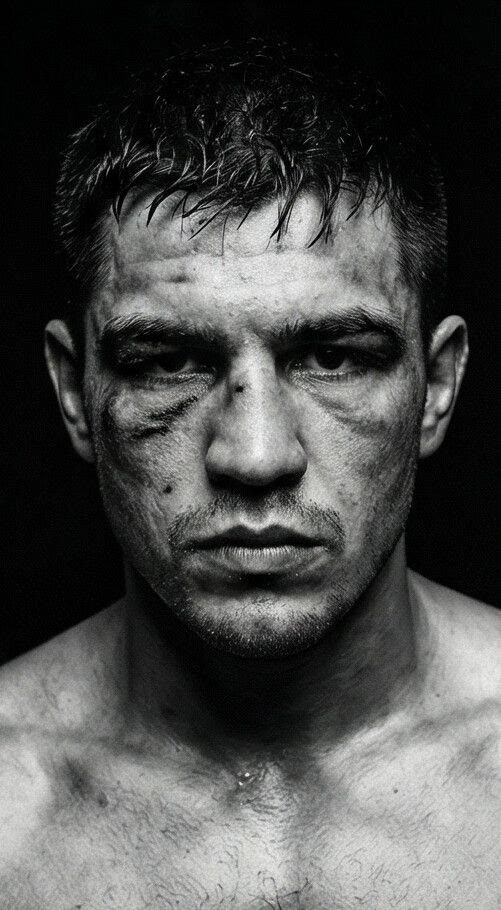
Split chiaroscuro prompt
Relight image 1 using image 2 as reference for light style. Use a single hard light source from the left side at 90 degrees to the subject. Only the left half of the face is lit. The right half falls into complete black, no fill light, no bounce, no detail in the shadows. Pure black. High contrast between the lit and unlit side. The lit side should have hard, crisp edges where light meets shadow cutting straight down the centre of the face. Like the reference image: dramatic, black and white feel, minimal light, maximum shadow.
5. Cyanotype (submerged).
The look: deep blue monochrome with water texture. Rippling caustic light. Bubbles. Feels like the subject is underwater.
You see this in Tiffany & Co campaigns, fragrance ads and editorial beauty work.
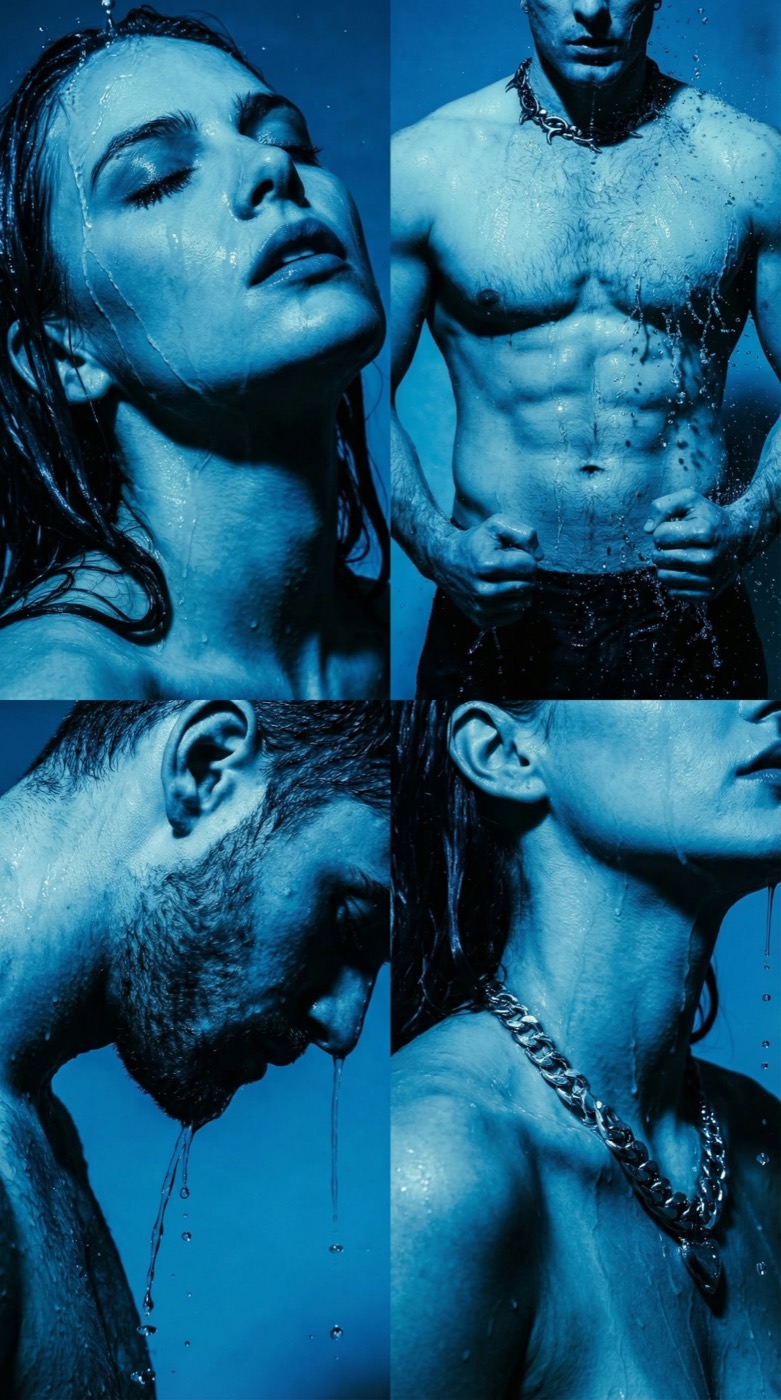
Cyanotype prompt
Relight image 1 using image 2 as reference for light style. Convert the entire image to a blue monochrome colour palette: deep navy in the shadows, bright cyan/ice blue in the highlights. No other colours. Skin takes on a cool blue metallic sheen. The light source comes from above. High contrast between the deep blue shadows and bright blue-white highlights. The subject is NOT under water.
6. Large format (darkroom print).
The look: high contrast black and white. Silvery metallic skin. Visible film borders. Feels like a physical darkroom print.
You see this in Richard Avedon portraits, gallery-grade photography and fashion monographs.
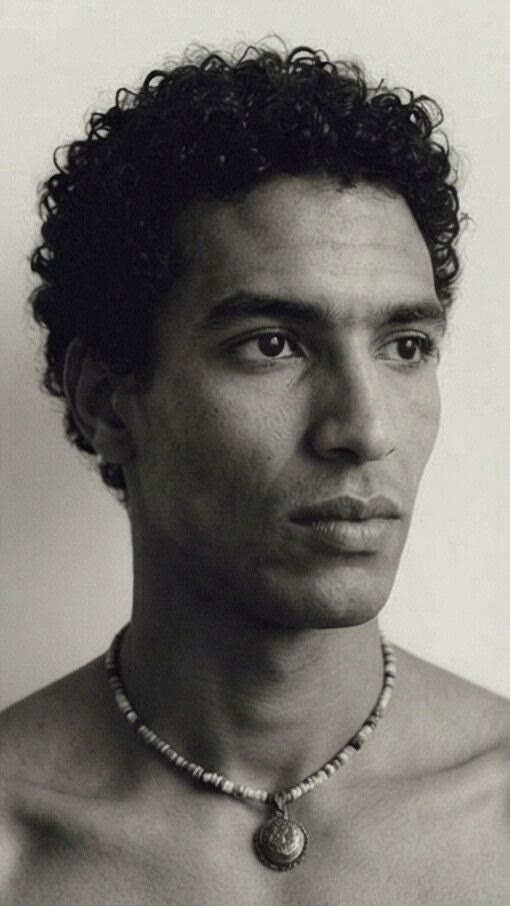
Large format prompt
Course membersRelights your image as a high-contrast black and white darkroom print. Course members run it in Hotline. In Hotline, ask for “the locked Large format prompt prompt from the Ten relight aesthetics freebie”.
7. Lomography (green gel).
The look: subject bathed in eerie green and cyan light. Background stays warm. Film grain. Feels cinematic and surreal.
You see this in music videos, avant-garde fashion editorials and campaign teasers.
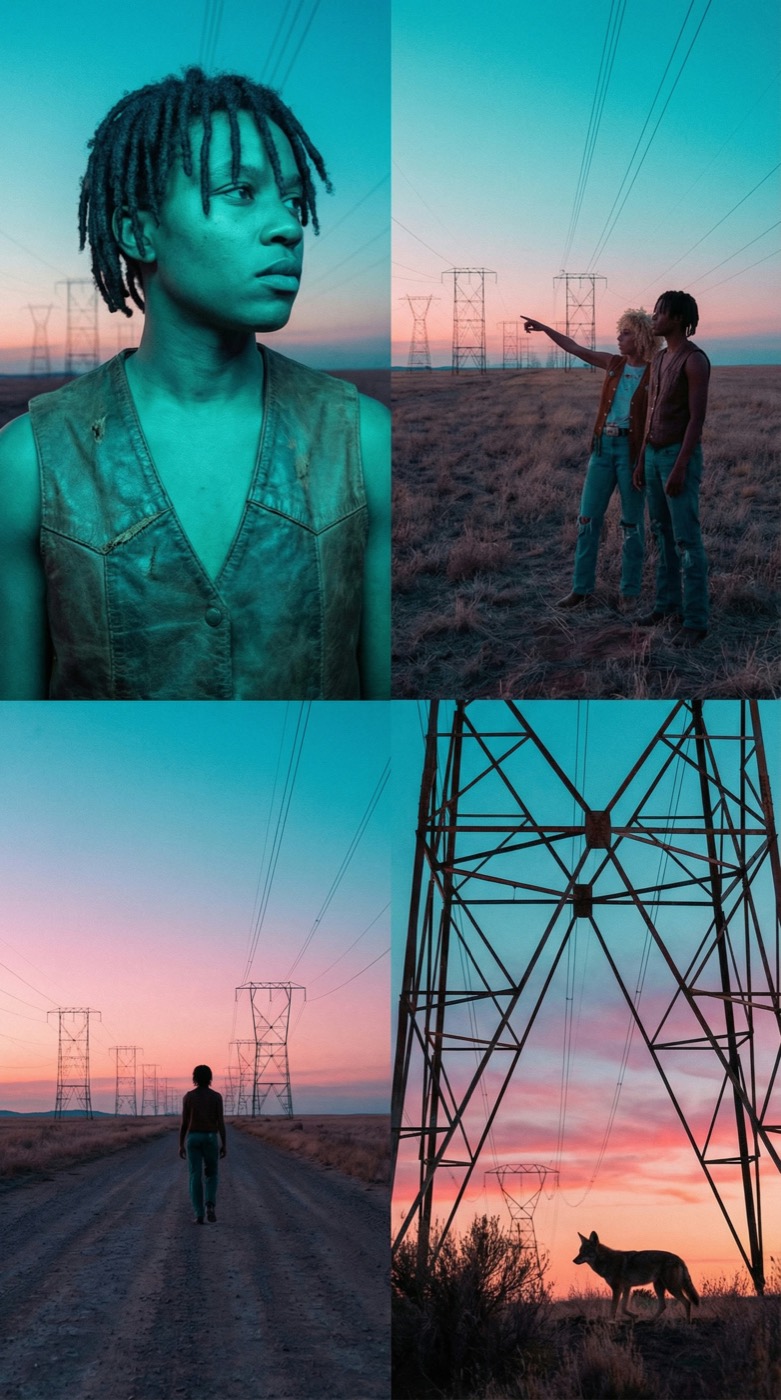
Lomography prompt
Course membersBathes your subject in green and cyan gel light against a warm background. Course members run it in Hotline. In Hotline, ask for “the locked Lomography prompt prompt from the Ten relight aesthetics freebie”.
8. Cross-processed.
The look: wild colour shifts. Oversaturated blues, unnatural warm skin, green and cyan highlights. Feels wrong on purpose.
You see this in The Face magazine, early 2000s streetwear editorial and Sleazenation.
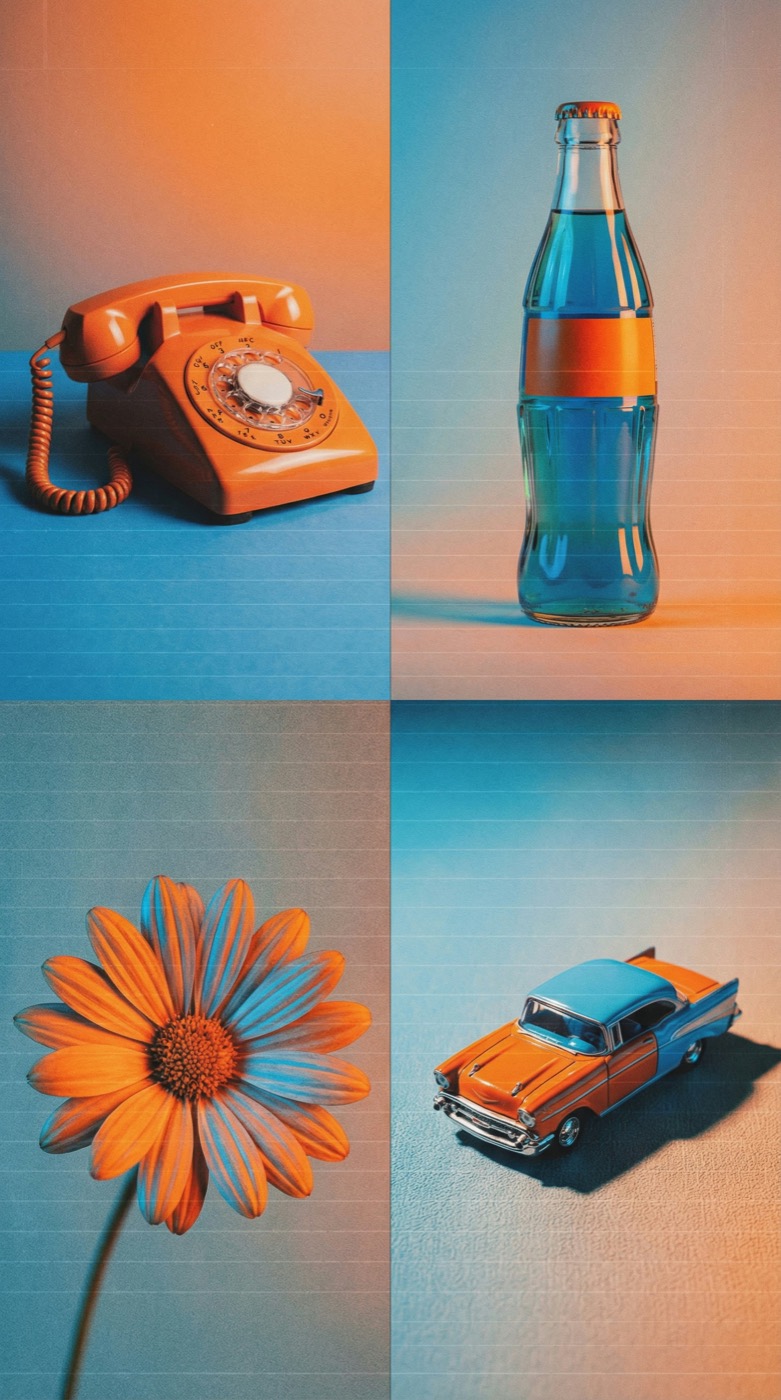
Cross-processed prompt
Course membersGives your image wild cross-processed colour shifts. Course members run it in Hotline. In Hotline, ask for “the locked Cross-processed prompt prompt from the Ten relight aesthetics freebie”.
9. Expired film.
The look: warm amber cast. Faded blacks. Heavy grain. Soft bloom on highlights. Nostalgic, analogue.
You see this in indie music press, Converse campaigns and Urban Outfitters catalogues.
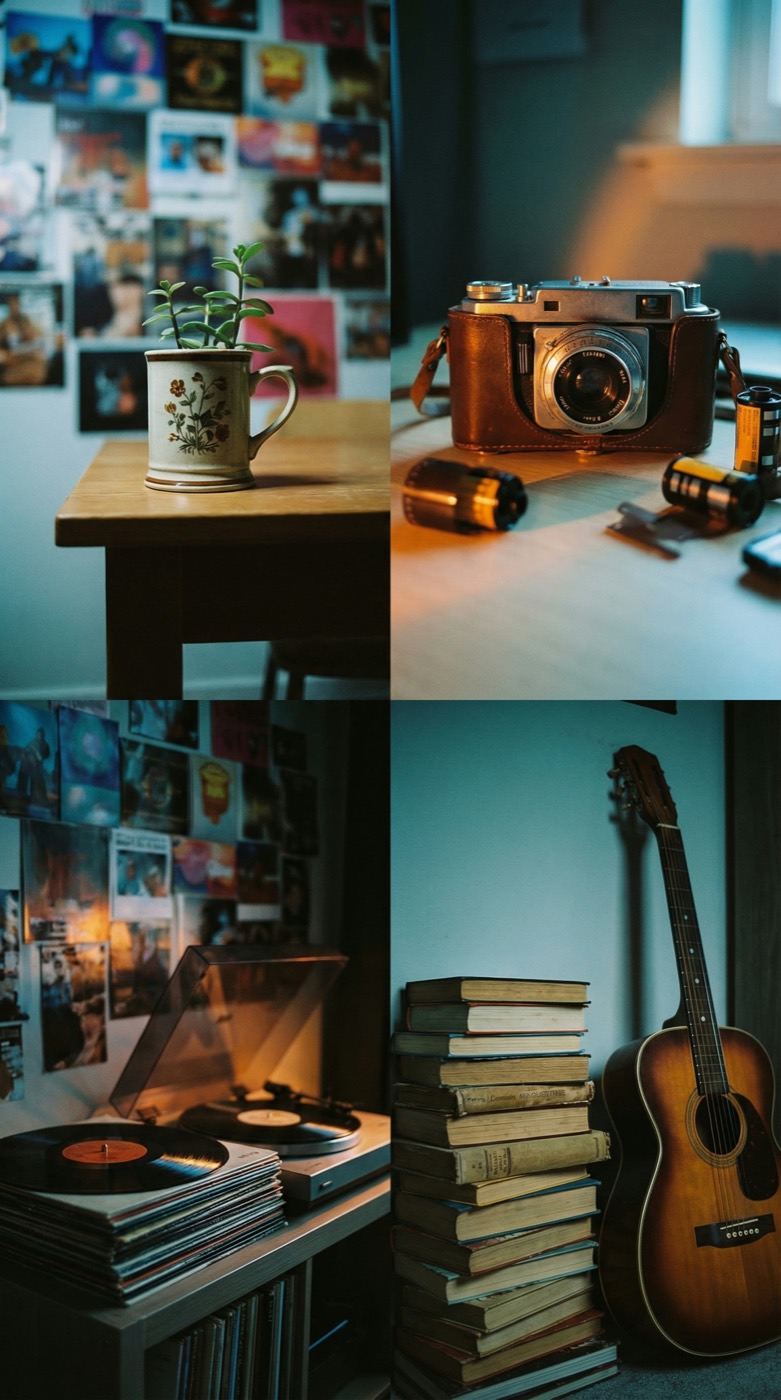
Expired film prompt
Course membersGives your image a warm amber expired-film look with grain and soft bloom. Course members run it in Hotline. In Hotline, ask for “the locked Expired film prompt prompt from the Ten relight aesthetics freebie”.
10. Halation (bloom).
The look: highlights glow and bleed outward. The subject radiates light. Dreamy, overexposed, ethereal. Like old film stock where light bled through the emulsion.
You see this in Gucci campaigns, Petra Collins's work, stage photography and music visuals.
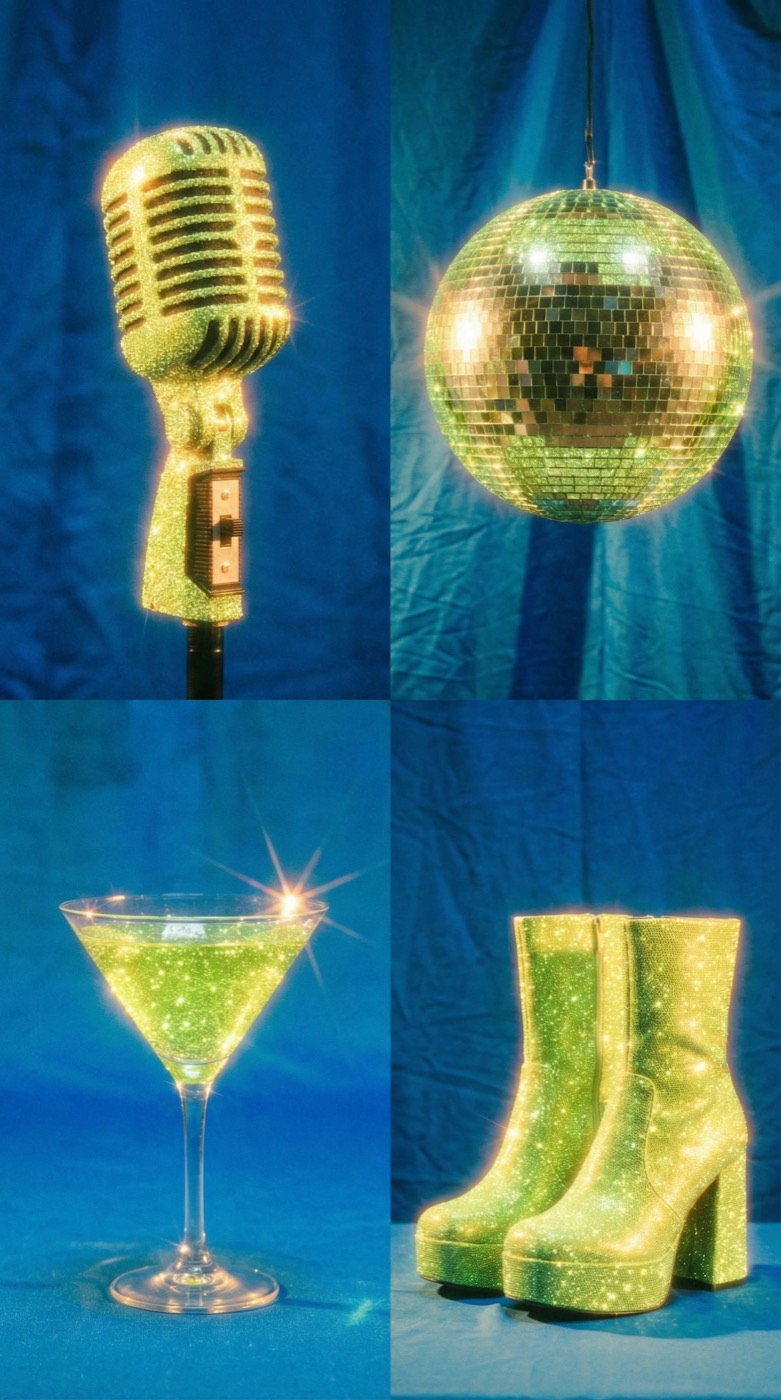
Halation prompt
Course membersMakes the highlights glow and bleed outward like old film stock. Course members run it in Hotline. In Hotline, ask for “the locked Halation prompt prompt from the Ten relight aesthetics freebie”.
Take it with you.
The full pack, plus 90+ skillsEvery locked prompt on this page, plus 90+ ready-made skills running in your own Claude or ChatGPT through Hotline.Unlock with the courseBUILD AI CREATIVE SYSTEMS · 2027 EDITION
Start your one-person studio.
Make the campaigns, ads and films brands pay agencies thousands for. On your own, from your bedroom, with AI doing a team’s job. Then get paid for it.
800+ creatives trained37 countries225K+ follow along
The full 2027 Edition
$797$597
Founding rate until 9 Dec
Get the courseOne payment. Instant access. The 2027 Edition is yours for life.
- Make an advert film
- Shoot a product campaign
- Build a fashion campaign
- Make a music video
- Cast like a director
- Build your AI studio
Everything inside
- The full course. Brief to paid job, in the order I use it on real work.
- 6 mini courses inside. Advert film, product campaign, fashion campaign, music video, casting, your AI studio.
- Hotline: 90+ ready-made skills. The course running inside your own Claude or ChatGPT.
- The locked prompts and skills from freebies like this one. New freebies land in the course first, in full.
- Get paid. What to sell, what to charge, and the proposal that wins the job.
- Lessons in 15 languages. Captions and text in yours.
- Quarterly updates for 12 months. What changed in the tools, tested first.
- One payment. The 2027 Edition is yours for life.
On this freebie
Free here
- 5 relight prompts: infrared, flash, thermal, chiaroscuro, cyanotype
- The Weavy setup
Course members
- 5 more looks: large format, lomo, cross-processed, expired film, halation
- 90+ ready-made skills in Hotline