
FREE WORKFLOW · 7 STEPS
The AI lookbook workflow.
From one reference shot to a full campaign with SOUL 2, Nano Banana, Freepik Spaces, Magnific and Kling.
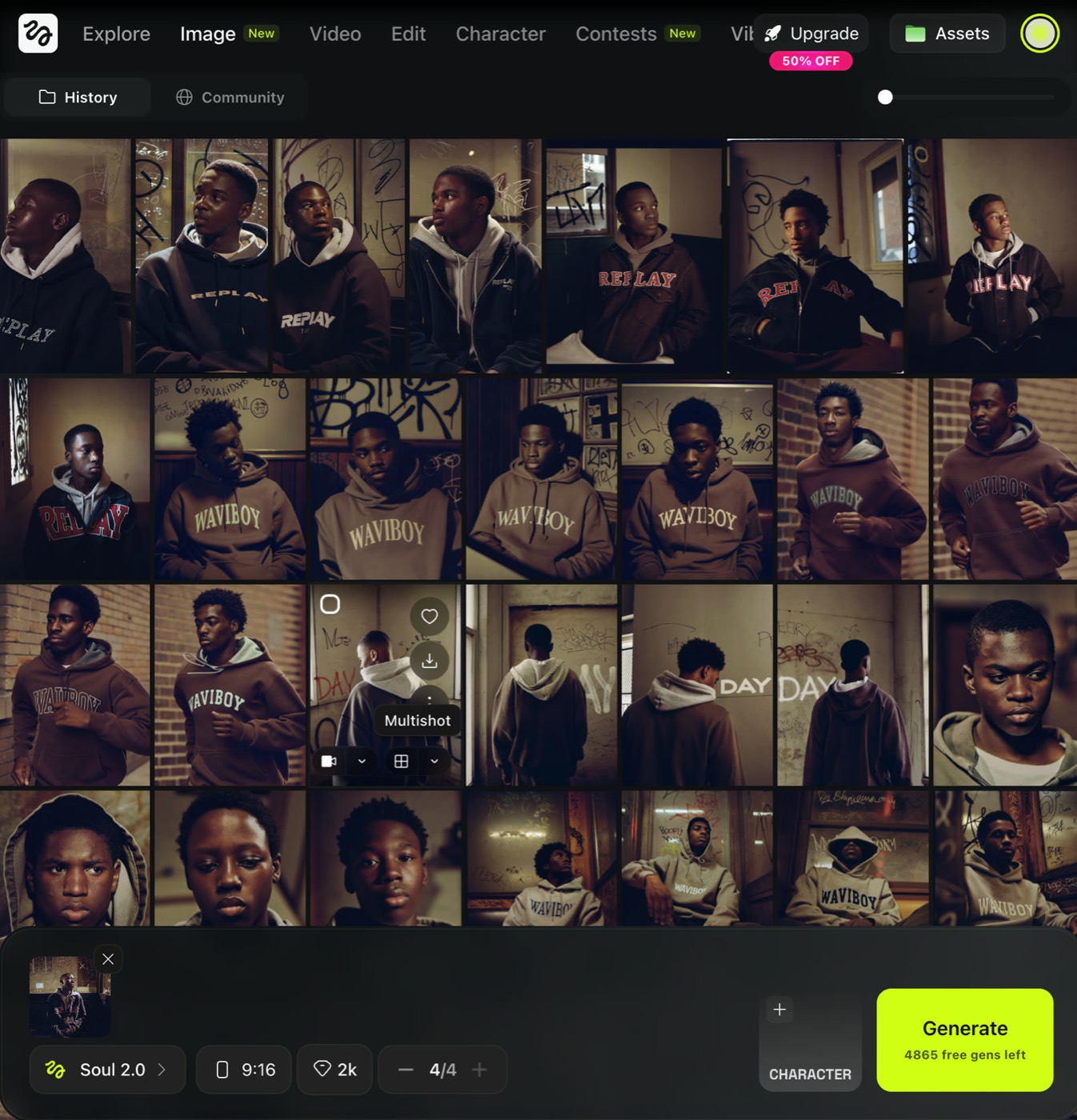
Tools used: SOUL 2, Nano Banana, Freepik Spaces, Magnific and Kling. Start with a reference shot, run it through SOUL 2 to set the model and the look, art direct it with Nano Banana, get more compositions from Freepik Spaces, upscale with Magnific, animate the hero shots in Kling and edit it together. One reference, a full campaign, no photographer.
1. The reference shot.
What it does: Sets the foundation for your entire lookbook.
Why it matters: Every great creative project starts with a reference. You're directing instead of guessing.
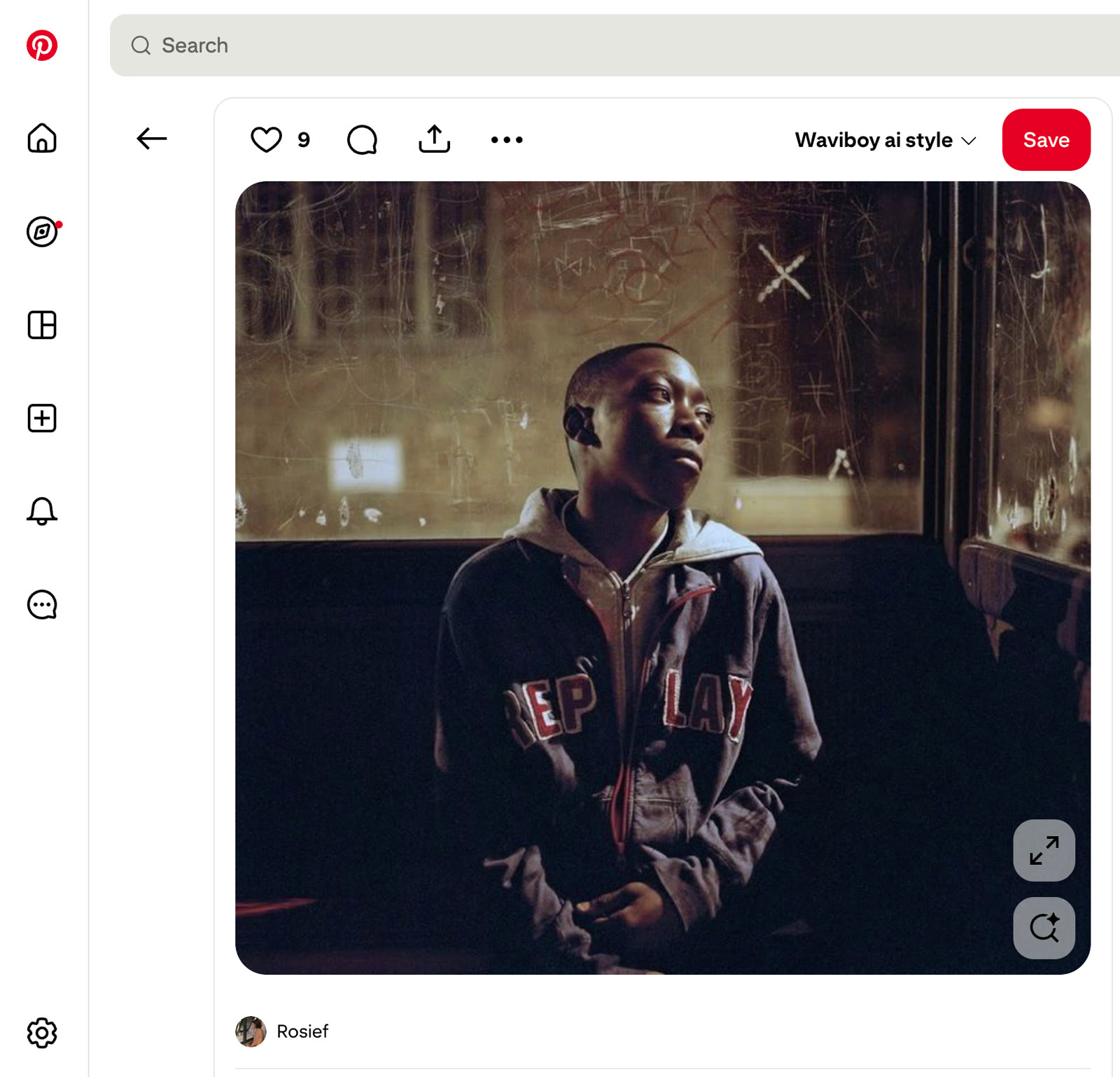
How to do it: Find or shoot a reference image that captures the energy you want. Think about pose, composition, and setting. Pull from Pinterest, shoot on your phone, or use a previous AI generation. The reference is your brief to the AI.
Director's tip: Spend 80% of your time here. A strong reference means every tool after this does the heavy lifting for you.
2. SOUL 2: generate your image.
What it does: Takes your reference and generates a photorealistic image with consistent identity. Locks in the aesthetic from the ref image but builds something original.
Why it matters: This is what makes an AI lookbook feel like a real campaign.
How to do it: Upload your reference to SOUL 2. Generate 4+ variations.
Director's tip: Generate more than one shot. Real campaigns have 8 to 12 images minimum. Generate more than you need and curate down.
3. Nano Banana: art direct the output.
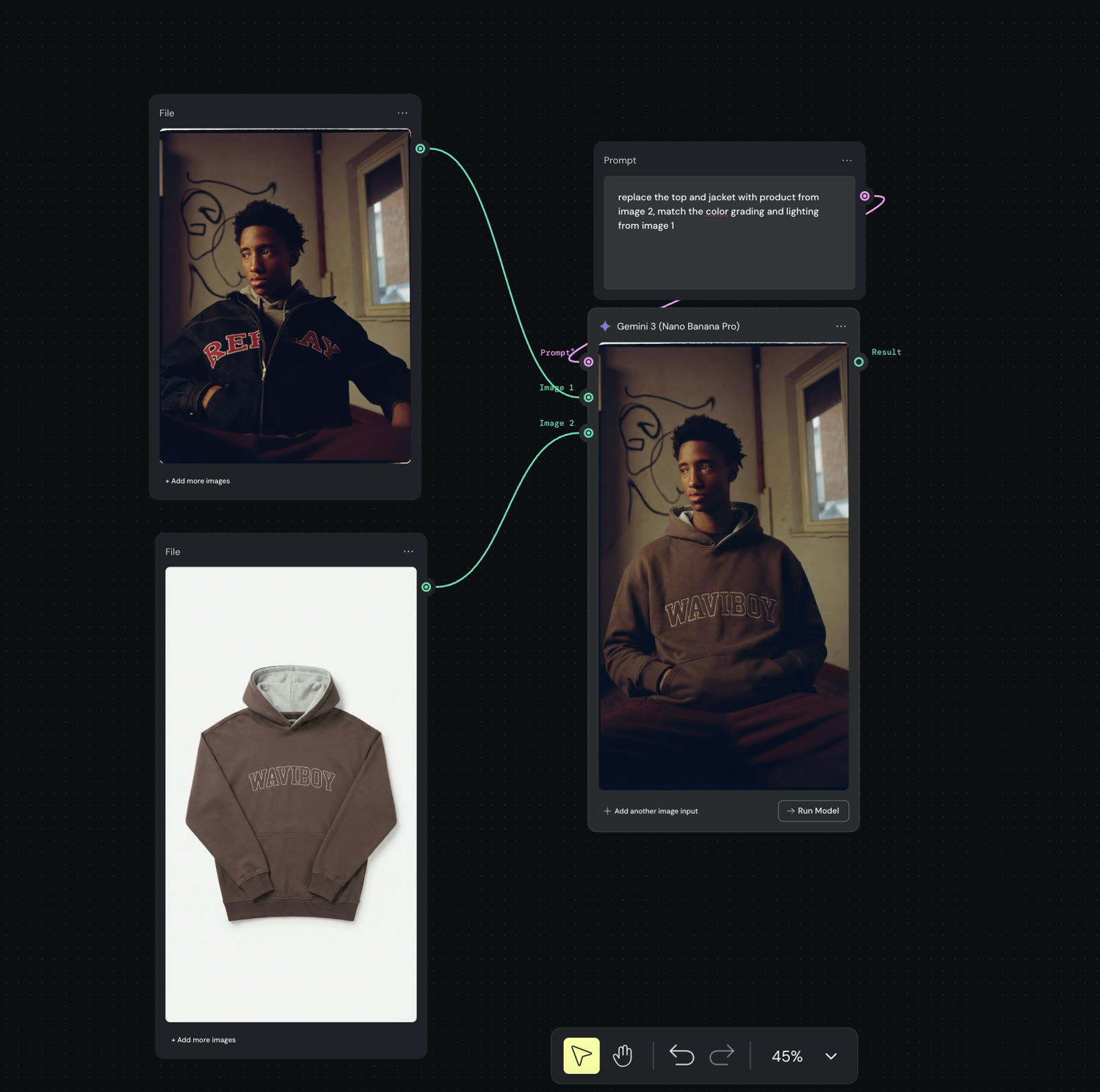
What it does: Lets you push the aesthetic. Change the lighting, shift the colour grade, adjust the mood, add your product, without losing the core image.
Why it matters: This is where your taste shows. Art direction is what separates "AI content" from campaign-quality work.
How to do it: Drop your SOUL 2 output into Nano Banana. Use text prompts to push the lighting, colour, and mood. Try different aesthetics on the same shot. Use reference images to guide the model.
Director's tip: This is the step most people skip, and it's the step that makes the biggest difference. One image through three different treatments gives you three completely different campaign directions.
4. Freepik Spaces: create more compositions.
What it does: Takes one image and makes multiple different camera angle shots in under 2 minutes.
Why it matters: Iterate different shots, build a story, create different angles to build a more cohesive brand world.
How to do it: Upload your art-directed image to Freepik Spaces. Choose the ‘variations’ button and select ‘reframe’.
Director's tip: Try custom prompts too, beyond their standard options. Press ‘Custom’ on the variations node.
5. Magnific: final polish.
What it does: The premium upscaler. Adds photorealistic skin detail, fabric texture, and material quality.
Why it matters: This is the difference between "that's cool AI" and "wait, that's not real?"
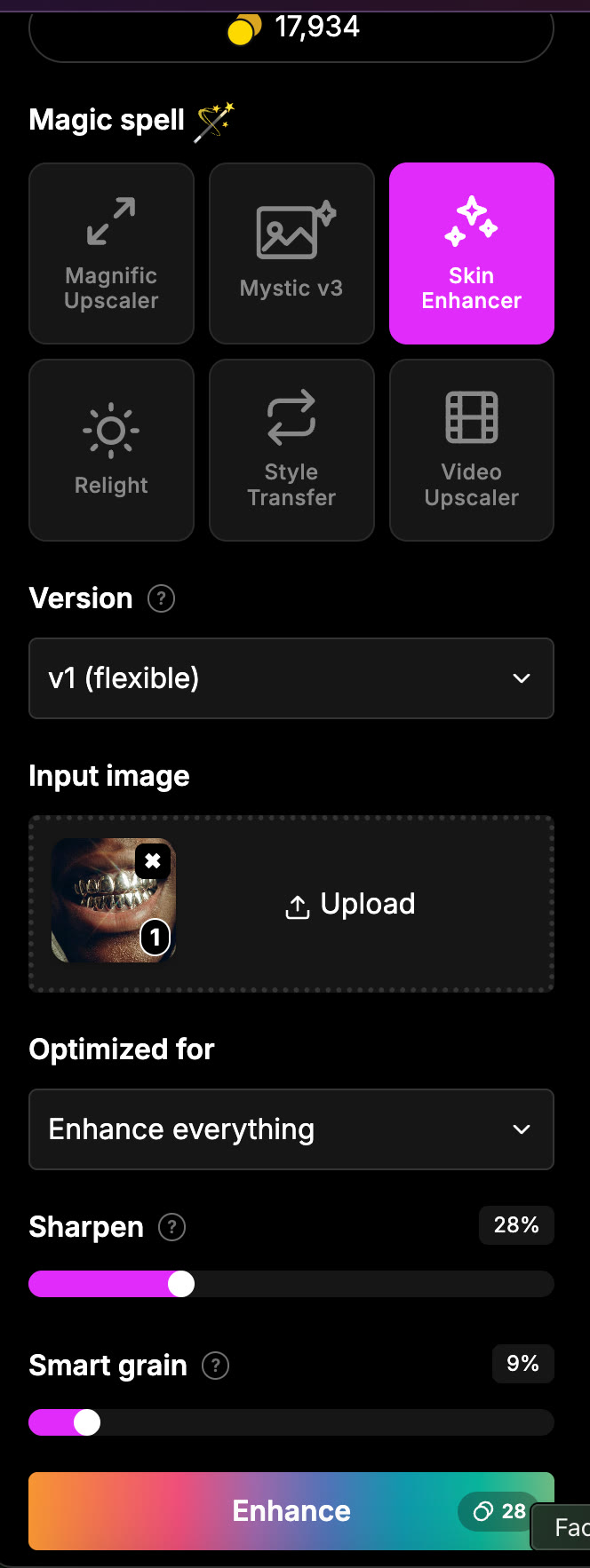
How to do it: Run your Freepik output through Magnific for the final polish. I tend to prefer upscale precision if the original image quality is already good. Or use their ‘skin enhancer’ mode and select ‘optimised for: enhance everything’ (but note that usually takes away the color grading or lighting you have).
Director's tip: Don't over-process. One pass through Magnific is usually enough. Two passes can start to look plasticky.
6. Kling: animate the hero shots.
What it does: Takes your static lookbook images and turns them into video. Hair movement, fabric flow, subtle motion.
Why it matters: Video content gets 2 to 3 times the engagement of stills. One lookbook becomes stills for your portfolio, video for social and motion for presentations.
How to do it: Select your 2-3 strongest shots and upload to Kling. Use image-to-video mode. Keep prompts simple, like the one below. Generate 5-second clips.
Director's tip: Less is more with AI video. Subtle movement reads as premium. Big movements look like AI. Think fashion film, never action movie.
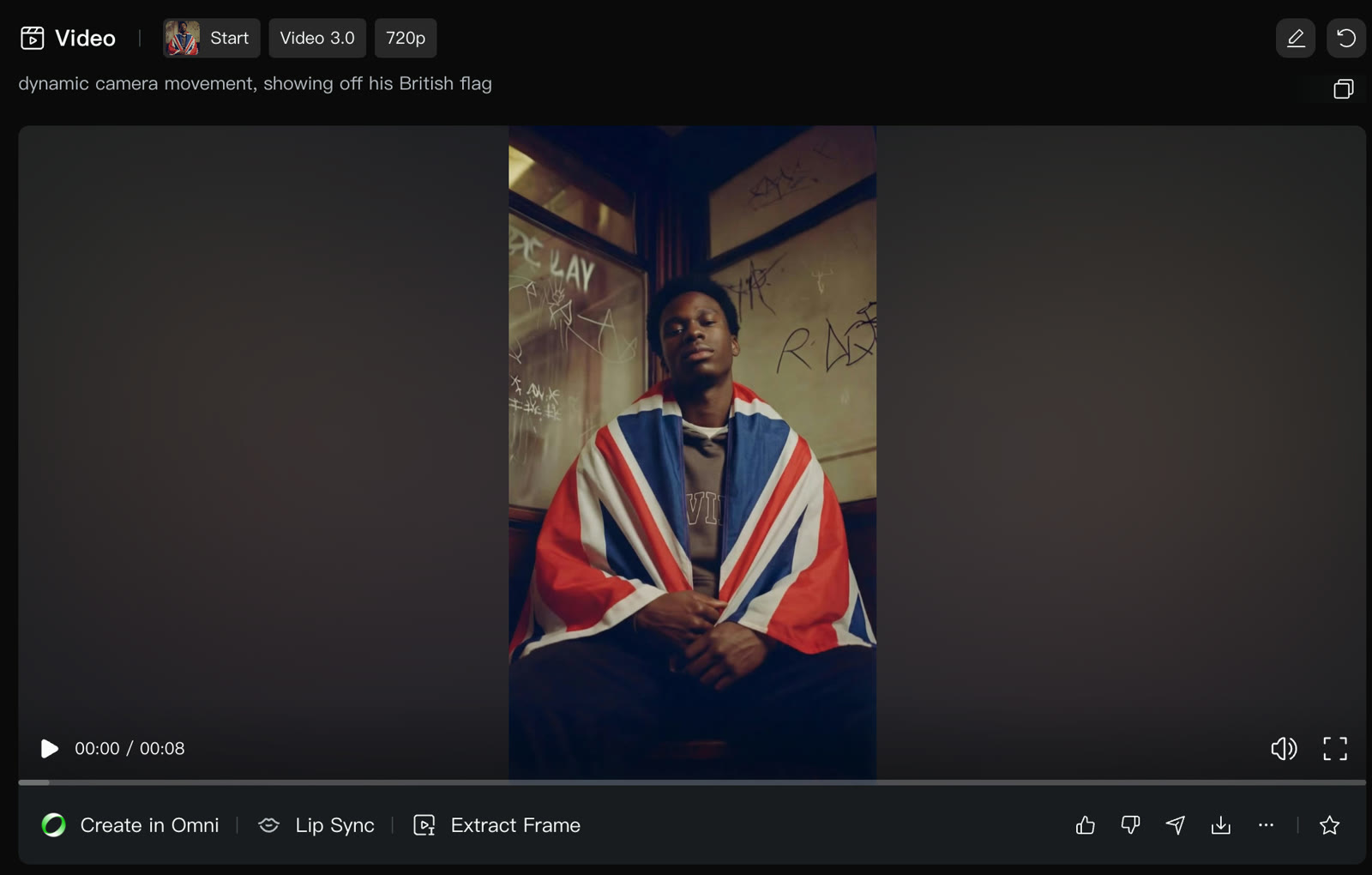
Kling motion prompt
subtle wind blowing hair and fabric, gentle movement
7. Edit: bring it all together.
What it does: Final assembly. Cut your clips together, add music, grade the colour, export.
Why it matters: The edit is what makes it feel professional and intentional.
How to do it: Import your Kling clips and polished stills into your editor. Cut to music. Keep each shot on screen for 2-4 seconds. Add a subtle colour grade for consistency. Export 9:16 for Reels and 16:9 for portfolio.
Director's tip: The music sets the pace. Pick your track first, then cut to the beat. A 30-second lookbook with the right music hits harder than a 2-minute one with no rhythm.
Who pays for lookbooks.
Pro tip: the whole workflow takes about 10 minutes once you've done it twice. By the third lookbook, you'll have a system that produces campaign-quality content faster than most studios can brief a photographer.
This workflow works for client projects too. Here's who pays for lookbook content:
- Independent fashion brands: need lookbooks every season but can't afford a full production.
- E-commerce brands: need product-on-model shots at scale.
- Creative agencies: need concept visuals and mood boards for pitches.
- Musicians and artists: need visual identity content for releases.
- Personal brands and influencers: need consistent, high-quality content.
BUILD AI CREATIVE SYSTEMS · 2027 EDITION
Start your one-person studio.
Make the campaigns, ads and films brands pay agencies thousands for. On your own, from your bedroom, with AI doing a team’s job. Then get paid for it.
800+ creatives trained37 countries225K+ follow along
The full 2027 Edition
$797$597
Founding rate until 9 Dec
Get the courseOne payment. Instant access. The 2027 Edition is yours for life.
- Make an advert film
- Shoot a product campaign
- Build a fashion campaign
- Make a music video
- Cast like a director
- Build your AI studio
Everything inside
- The full course. Brief to paid job, in the order I use it on real work.
- 6 mini courses inside. Advert film, product campaign, fashion campaign, music video, casting, your AI studio.
- Hotline: 90+ ready-made skills. The course running inside your own Claude or ChatGPT.
- The locked prompts and skills from freebies like this one. New freebies land in the course first, in full.
- Get paid. What to sell, what to charge, and the proposal that wins the job.
- Lessons in 15 languages. Captions and text in yours.
- Quarterly updates for 12 months. What changed in the tools, tested first.
- One payment. The 2027 Edition is yours for life.