
FREE GUIDE · ENHANCOR 3.0
Guide to Enhancor's new update.
Most AI enhancers wax the skin. Enhancor 3.0 pushes detail instead: pores, freckles, stray hairs.

Before and after.
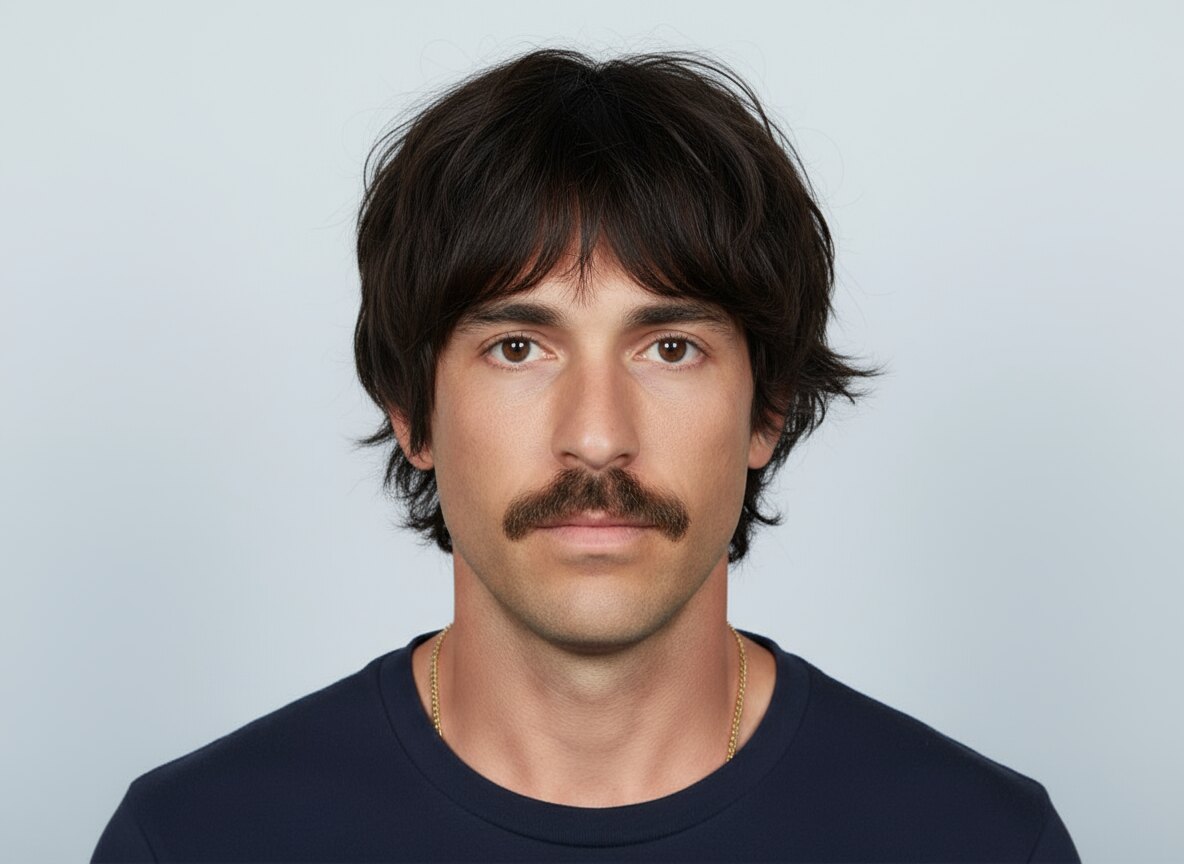
The problem.
Most AI enhancers smooth skin into oblivion. They blur pores, erase texture and turn you into a wax figure.
It's the uncanny valley look: technically flawless, and deeply unsettling.
The issue: Aggressive AI retouching removes all detail, good and bad.
You lose freckles, natural texture and everything that makes a face look human. The result is plastic.
How Enhancor 3.0 is different.
Enhancor sharpens.
Instead of airbrushing reality away, it cranks the detail up to absurd levels. Every pore. Every freckle. Every stray hair. It's trying to make you look real. Sometimes brutally so.
Settings.
For this image: skin editor, version 3.0, Detailed mode. That's it.
Pro move.
Use Enhancor selectively. Apply it to specific areas (eyes, products, textures) rather than the whole image. Brutal honesty often works better in small doses.
Find Enhancor at app.enhancor.ai.
BUILD AI CREATIVE SYSTEMS · 2027 EDITION
Start your one-person studio.
Make the campaigns, ads and films brands pay agencies thousands for. On your own, from your bedroom, with AI doing a team’s job. Then get paid for it.
800+ creatives trained37 countries225K+ follow along
The full 2027 Edition
$797$597
Founding rate until 9 Dec
Get the courseOne payment. Instant access. The 2027 Edition is yours for life.
- Make an advert film
- Shoot a product campaign
- Build a fashion campaign
- Make a music video
- Cast like a director
- Build your AI studio
Everything inside
- The full course. Brief to paid job, in the order I use it on real work.
- 6 mini courses inside. Advert film, product campaign, fashion campaign, music video, casting, your AI studio.
- Hotline: 90+ ready-made skills. The course running inside your own Claude or ChatGPT.
- The locked prompts and skills from freebies like this one. New freebies land in the course first, in full.
- Get paid. What to sell, what to charge, and the proposal that wins the job.
- Lessons in 15 languages. Captions and text in yours.
- Quarterly updates for 12 months. What changed in the tools, tested first.
- One payment. The 2027 Edition is yours for life.