
FREE PROMPT · SKIN REALISM
Skin realism prompt.
An image prompt that adds real pores, texture and eye detail without smoothing.
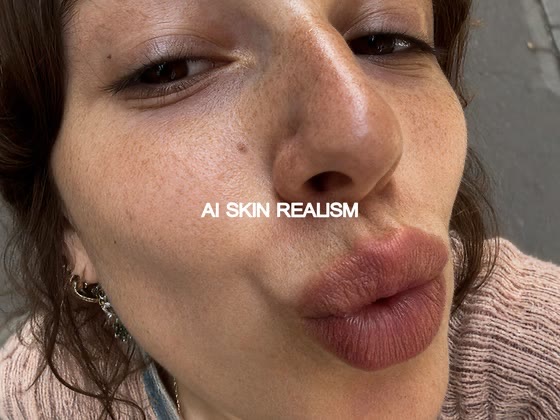
The skin realism prompt.
It works on the face, the eyes and the hair, and keeps the original colour grade. The reel also covers the animation step: people often get realism into the image, then lose it in the video.
Skin realism prompt
Enhance all facial imperfections with high-accuracy micro-detail: authentic pores, subtle texture variation, fine lines, micro-creases, natural asymmetry, faint scars, freckles, vellus hairs, and true surface irregularities. Strengthen realistic material response - matte vs. oily zones, natural specularity, and micro-shadows - without introducing smoothing, softening, or plastic artifacts. Correct only elements that appear broken or AI-distorted while preserving the subject’s identity. KEEP the original colour grading exactly as it is.
Enhance the eyes with high-fidelity micro-detail: crisp iris texture, natural radial patterns, subtle chromatic variation, and accurate subsurface light response. Refine eyelids, lashes, and tear ducts with true anatomical detail - fine lash separation, natural moisture levels, micro-shadows, and realistic translucency. Preserve authentic asymmetry and avoid artificial glow, over-sharpening, or plastic shine. Correct only distorted or broken elements while maintaining the subject’s identity. KEEP the original colour grading exactly as in the input image.
Enhance all hair with high-fidelity micro-detail: individual strand definition, natural clumping patterns, subtle flyaways, root-to-tip texture variation, and accurate light response. Strengthen realistic specularity, micro-shadows between strands, and true-to-material softness or coarseness. Preserve natural density without adding artificial shine, plasticity, or unnatural smoothing. Correct only distorted or broken areas of the hairstyle while maintaining the subject’s identity and silhouette. KEEP the original colour grading exactly as in the input image.
Keep everything in the image the same
BUILD AI CREATIVE SYSTEMS · 2027 EDITION
Start your one-person studio.
Make the campaigns, ads and films brands pay agencies thousands for. On your own, from your bedroom, with AI doing a team’s job. Then get paid for it.
800+ creatives trained37 countries225K+ follow along
The full 2027 Edition
$797$597
Founding rate until 9 Dec
Get the courseOne payment. Instant access. The 2027 Edition is yours for life.
- Make an advert film
- Shoot a product campaign
- Build a fashion campaign
- Make a music video
- Cast like a director
- Build your AI studio
Everything inside
- The full course. Brief to paid job, in the order I use it on real work.
- 6 mini courses inside. Advert film, product campaign, fashion campaign, music video, casting, your AI studio.
- Hotline: 90+ ready-made skills. The course running inside your own Claude or ChatGPT.
- The locked prompts and skills from freebies like this one. New freebies land in the course first, in full.
- Get paid. What to sell, what to charge, and the proposal that wins the job.
- Lessons in 15 languages. Captions and text in yours.
- Quarterly updates for 12 months. What changed in the tools, tested first.
- One payment. The 2027 Edition is yours for life.