
Where to find aesthetic references
Find aesthetic references where the algorithm can't flatten them: Are.na for what people with taste chose to keep, FILMGRAB and ShotDeck for film stills, eyecannndy.com for camera moves, the Meta Ad Library for ads that actually ran, and Fonts In Use for type. Save work a real business paid for, file it by the look, then decode each picture into words you can prompt.
Most people start on Pinterest and Instagram. That's fine to get moving, but both run on an algorithm. They show you more of what you've already liked, and they show the same work to everybody. So everyone ends up with the same references, and their AI work ends up looking the same too.
Your job with AI is direction. You can only direct what you can name, and references are where you find the decisions and learn what they're called. Here's where I look, and what I do with what I find.
The one question before you save anything
Did a real business pay for this, and did it actually go out? A product page someone had to approve. An ad someone put money behind. A magazine shoot, a film still, a shop window. Work like that was made to do a job, so every decision in it was made on purpose. Those are the decisions worth taking.
The sites
- Are.na. Pinterest with no algorithm and no likes. You save pictures, links and notes into channels and follow other people's. A lot of designers, photographers and studios keep their research there, so you're looking at what people with taste chose to keep. It also has an official Claude connector: sign in with your own account and Claude can search your channels while you work. Use it on your own boards. Are.na doesn't allow scraping or bulk downloading.
- FILMGRAB. Free film stills you can browse by director or cinematographer. Film is where light gets taken most seriously.
- ShotDeck. Paid, and searchable by lighting, lens and camera angle. Find a frame with the light you want and you've got the words for your prompt.
- Eyecandy (eyecannndy.com, three n's). A free library of short film clips filed by technique: split screen, match cut, whip pan, dolly zoom. Every clip names the film and the director. Video models understand the names of camera moves, so once you know what a move is called, you can ask for it.
- The Meta Ad Library. Free, and it shows every ad running right now on Facebook and Instagram. Look up your client's category before you make anything, so you know what everyone else is doing. The ads that have run for months are usually the ones that work.
- Fonts In Use. Real jobs with every typeface named, so when a campaign needs type you pick from what working designers chose.
And look away from the screen. Books, magazines, your camera roll, the light on a café wall, a hand-painted shop sign. You're training your eye to notice decisions everywhere.
Learn the names
Every look you love already has a real name, a date and a lineage. "Frutiger Aero" or "punk zine xerox" in a prompt beats three sentences of adjectives, because the model already knows the name. So build a glossary: each time something stops you, find out what it's called and write it down.

Two places to start your glossary: twenty aesthetics you've never heard of, each with the prompt behind the picture, and the aesthetics pack, thirty-three looks the internet invented, from Y2K chrome to webcam JPEGs. For fashion and art, the niche reference list gives you ten to search, from Cindy Sherman's Untitled Film Stills to Tadao Ando's concrete.
Look past the obvious names
If Petra Collins is the only photographer on your moodboard, your moodboard looks like everyone else's. Photographers who move different gives you ten with worlds you can build on, and what to take from each one: Viviane Sassen's shadow as the subject, Ren Hang's hard frontal flash. Describe their qualities in your prompt. Leave their names out.
File them by the look
The watch is rarely why a watch picture is good. Save what stops you and sort it by the look: hard light from one side, real people at night, flash in busy rooms. Rough names are fine. Next month, when a skincare client comes in, you open "hard light, one side" and the decisions are already there.
Filing by brand or by vibe means you can only find what you already remember. Filing by property (light, colour, lens, texture, composition, mood) means the library answers questions you haven't asked yet. Disgustingly good taste has the folder structure I use.
Give each reference a job
For any project, pick five: one for the light, one for the person, one for the place, one for the product moment and one for the feeling. Five pictures, five decisions, and you know why each one is on the board.
Decode them into words
In good work, very little is an accident. "Moody" is a description. "One hard light from the side, the rest falling to black" is a decision, and a model can follow a decision. Hand any still to Claude, ChatGPT or Gemini and ask for a visual breakdown.
Do it across a few images of one aesthetic and you've got a keyword library ready for your prompts. Not sure what's holding a picture up? Cover one thing at a time with your hand: the light, the person, the place. When the picture stops working, that's the decision your prompt needs.
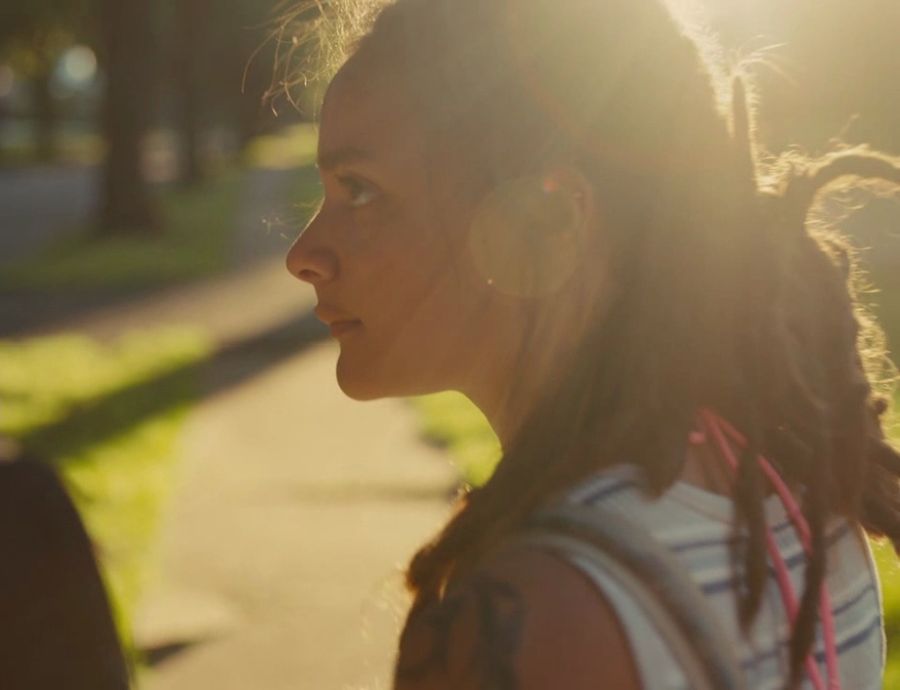
Fifty frames, decoded does this for you on fifty of the best-lit films ever shot: where the light comes from, three hex colours measured from the frame, the film stock it resembles, and one line to paste into a prompt. It ends with the decoder prompt, so you can break down any frame you find.
Take decisions, never the whole picture
Asking a model to remake someone's whole picture (the face, the location, the clothes, the composition) leaves you with their work. Take single decisions: the flash from one picture, the crop from another, the way a product sits in a hand from a third. Put those into your own brand and your own brief, and the work is yours. That's how every director learned: watch the frames, decode the light, the lens and the movement, then go shoot your own.
Once you have your five, brief the shot with a creative brief for AI images, then run it with how to direct AI like a creative director.
Questions
Where do creatives find references besides Pinterest?
Are.na for boards with no algorithm, FILMGRAB and ShotDeck for film stills, eyecannndy.com for camera moves, the Meta Ad Library for ads running now, and Fonts In Use for type. Books, magazines and the street count too.
How do I turn a reference into an AI prompt?
Decode it into decisions: where the light comes from, the lens, who's in the frame and how the camera moves. Ask Claude or ChatGPT for a visual breakdown, write the named decisions into your prompt, and attach one real reference picture.
How much of a reference should I take?
One decision at a time. Take the light from one frame and the crop from another, then put them into your own brand and brief. Asking a model to remake the whole picture leaves you with someone else's work.
Finding and decoding references is where the work starts. Training the eye that picks them is the mini course Direct AI Like a Creative Director, sold alone or included in Build AI Creative Systems That Win Clients, which takes you from a five-picture board to a campaign a client pays for.