
FREE PACK · 33 AESTHETICS + EVERY PROMPT
The aesthetics pack.
Thirty-three of the visual languages the internet actually invented: the chrome that sold the millennium, the gloss that sold Vista, the dead pixels, the webcam JPEGs, the bootleg DVDs. Your photo, rebuilt in a different era.
Before you run them.
- Use image edit. You're rebuilding a photo you already have. Nano Banana Pro (Gemini 3 Pro Image), on higgsfield.ai or fal.ai. Upload, paste, run.
- Never delete the last line. Every prompt ends by locking subject, pose, framing and composition. That line keeps your picture and changes only the era around it. Cut it and you get a different photo.
- Name the failure. Don't ask for a Y2K vibe. Say the texture mapping is affine and the vertices wobble because the console had no subpixel precision. The mechanism is the only thing the model can actually build from.
- Watch for the safe play. If an output looks like your photo with a colour cast, the model played safe. Add: abandon the original rendering entirely. If the look still fights the photo, swap the photo and keep the prompt.
Y2K Chrome.
Metalheart was raytraced. Name the liquid chrome, the warped reflections and the lens flare and the model rebuilds the render itself.
Image edit · Nano Banana Pro.
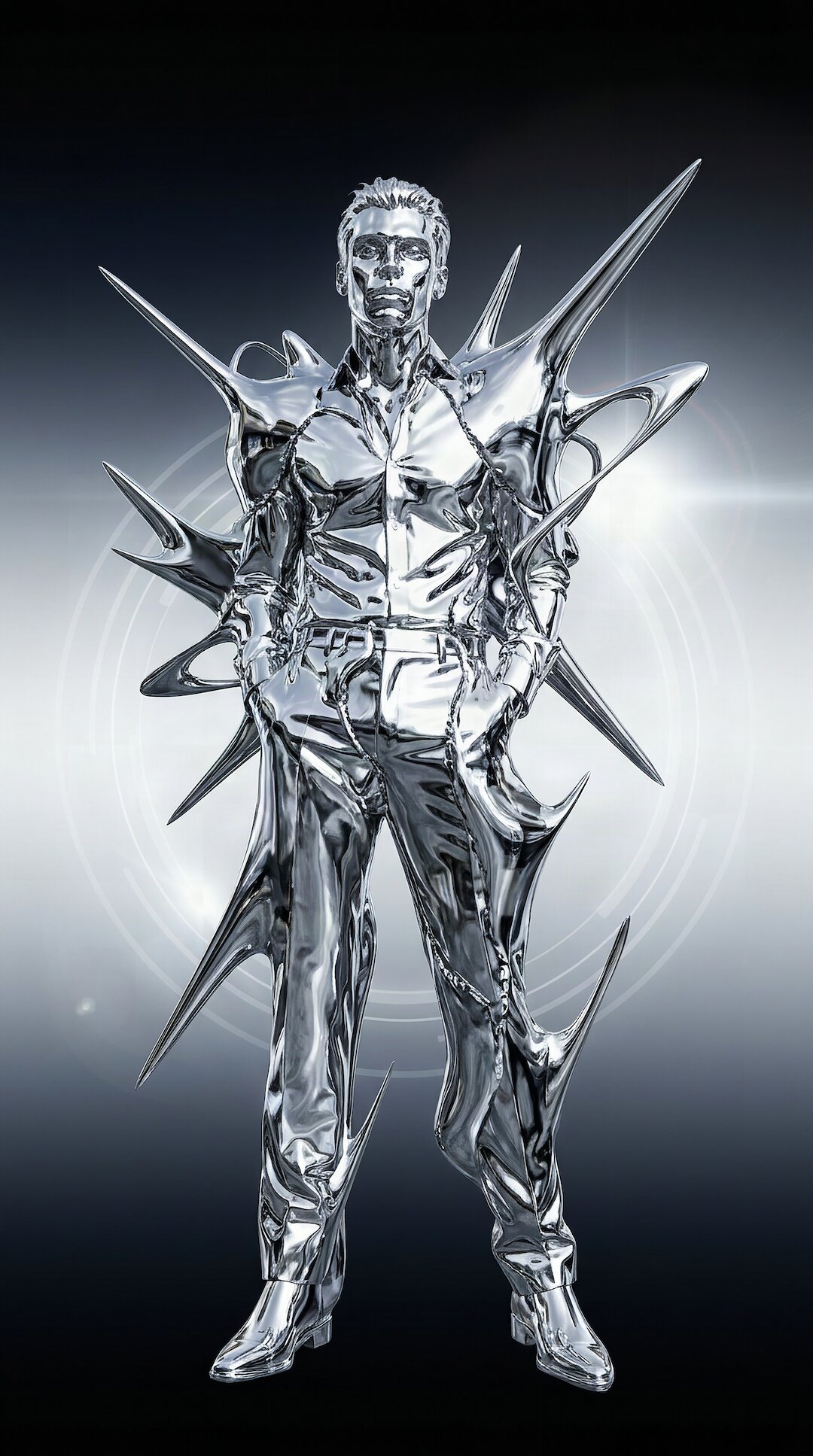
Y2K Chrome
Transform this photograph into a metalheart graphic from a 1999 design annual, the school of liquid chrome built on early raytracing workstations. The subject is rebuilt as polished liquid metal: mirror chrome with warped environment reflections, blobby organic curves pulled into sharpened spikes and fins, seams where separate metal forms fuse. The render sits on a clean gradient void with one hard white lens flare and faint concentric tech ringforms behind it. Highlights blow to pure white, reflections bend wrong the way cheap raytracers bent them, and edges are impossibly crisp against soft ambient falloff. Keep the subject, pose, framing and composition exactly as they are.
Frutiger Aero.
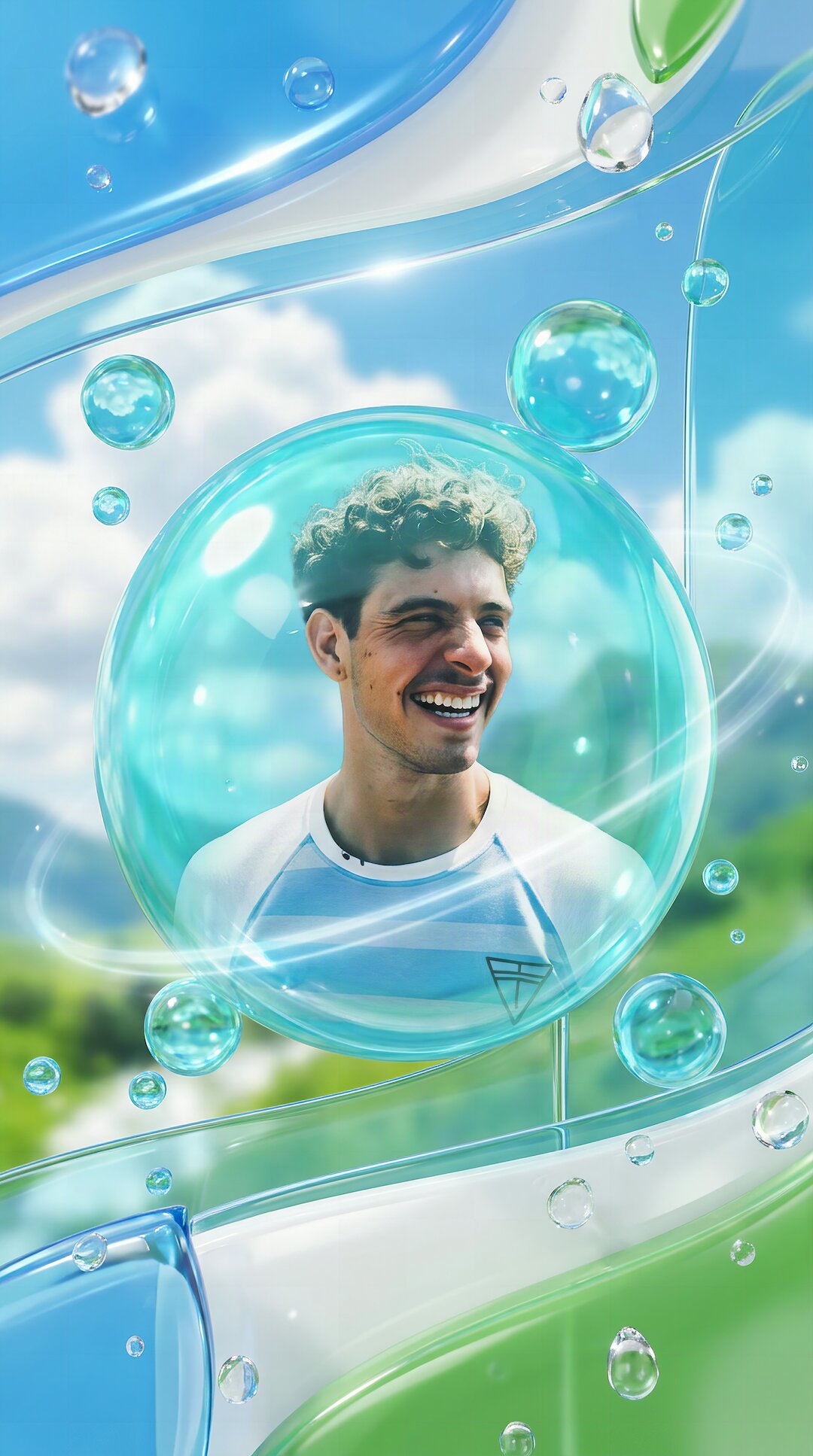
Frutiger aero is a material world: glass, water and gloss. Ask for bubbles and specular highlights. "2000s optimism" gives the model nothing to build.
Image edit · Nano Banana Pro.
Frutiger Aero
Transform this photograph into a frutiger aero promotional render from a mid-2000s operating system launch. The world turns glossy and humid: the subject is encased in and surrounded by transparent aqua bubbles, floating water droplets and curved glass panels with bright specular highlights. Colours are saturated sky blue, clean white and fresh grass green, lit like a stock-photo heaven with soft depth of field. Surfaces are skeuomorphic plastic and glass with reflections and subtle lens glow, and a faint sweeping light streak crosses the frame. Everything feels optimistic, hydrated and slightly too clean. Keep the subject, pose, framing and composition exactly as they are.
Vaporwave.
Vaporwave is collage. The bust, the grid and the dialog box are load-bearing; the pink and cyan alone are just a grade.
Image edit · Nano Banana Pro.
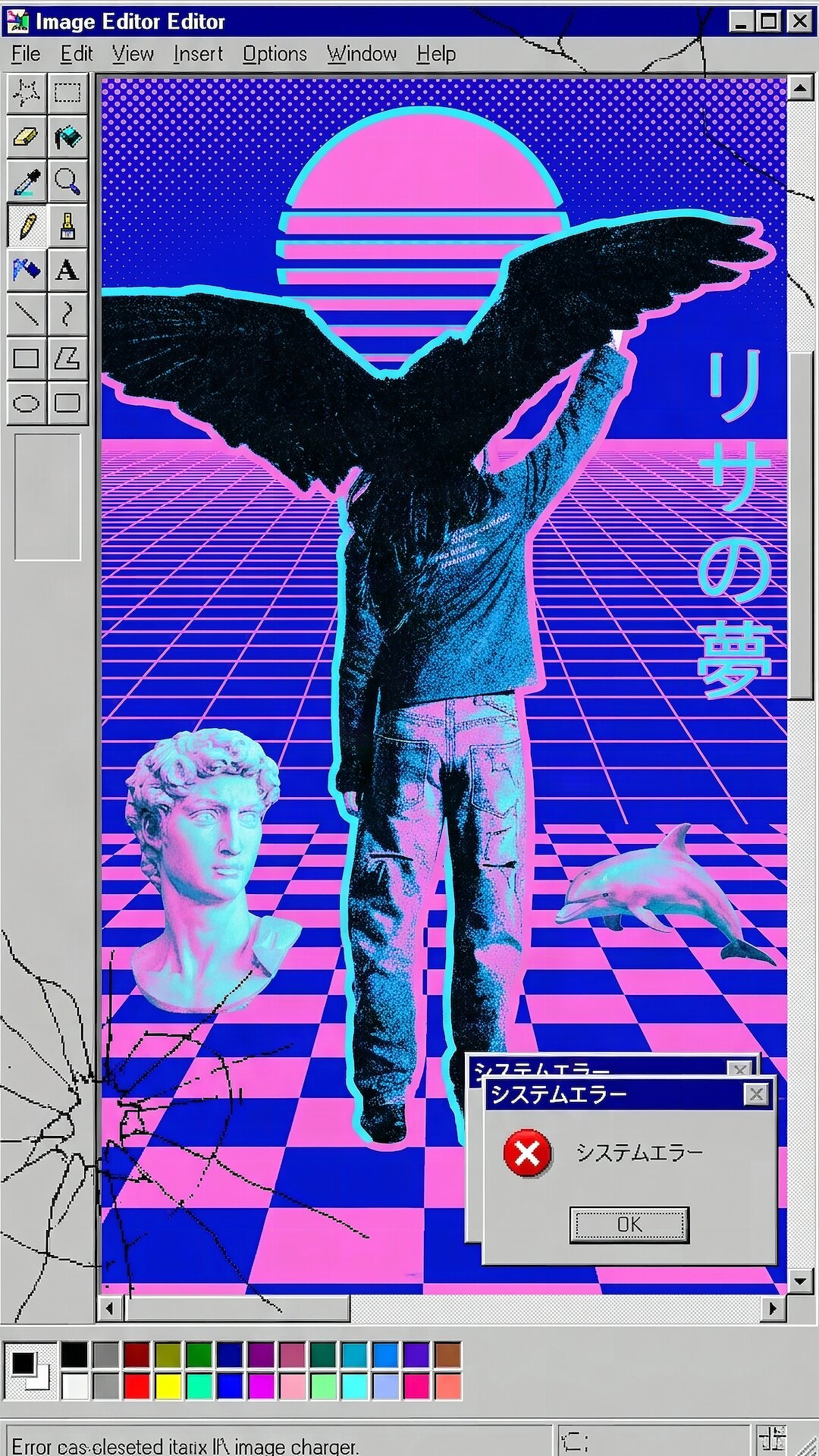
Vaporwave
Transform this photograph into a vaporwave composition assembled in a cracked copy of a 1990s image editor. The subject is posterised and duotoned into pink and cyan, cut out and placed against a checkerboard-floored void with a low sun made of horizontal slices, a wireframe grid running to the horizon and a scattering of clip-art props: a classical marble bust, a stray dolphin, an early window dialog box. Halftone banding and JPEG blockiness sit in the gradients, and a short string of invented katakana runs vertically down one side. It is collage, not photography. Keep the subject, pose, framing and composition exactly as they are.
PS1 Graphics.
The PS1 look is a list of hardware failures: affine texture warp, vertex wobble, draw-distance fog. Name the failures and you get the console.
Image edit · Nano Banana Pro.
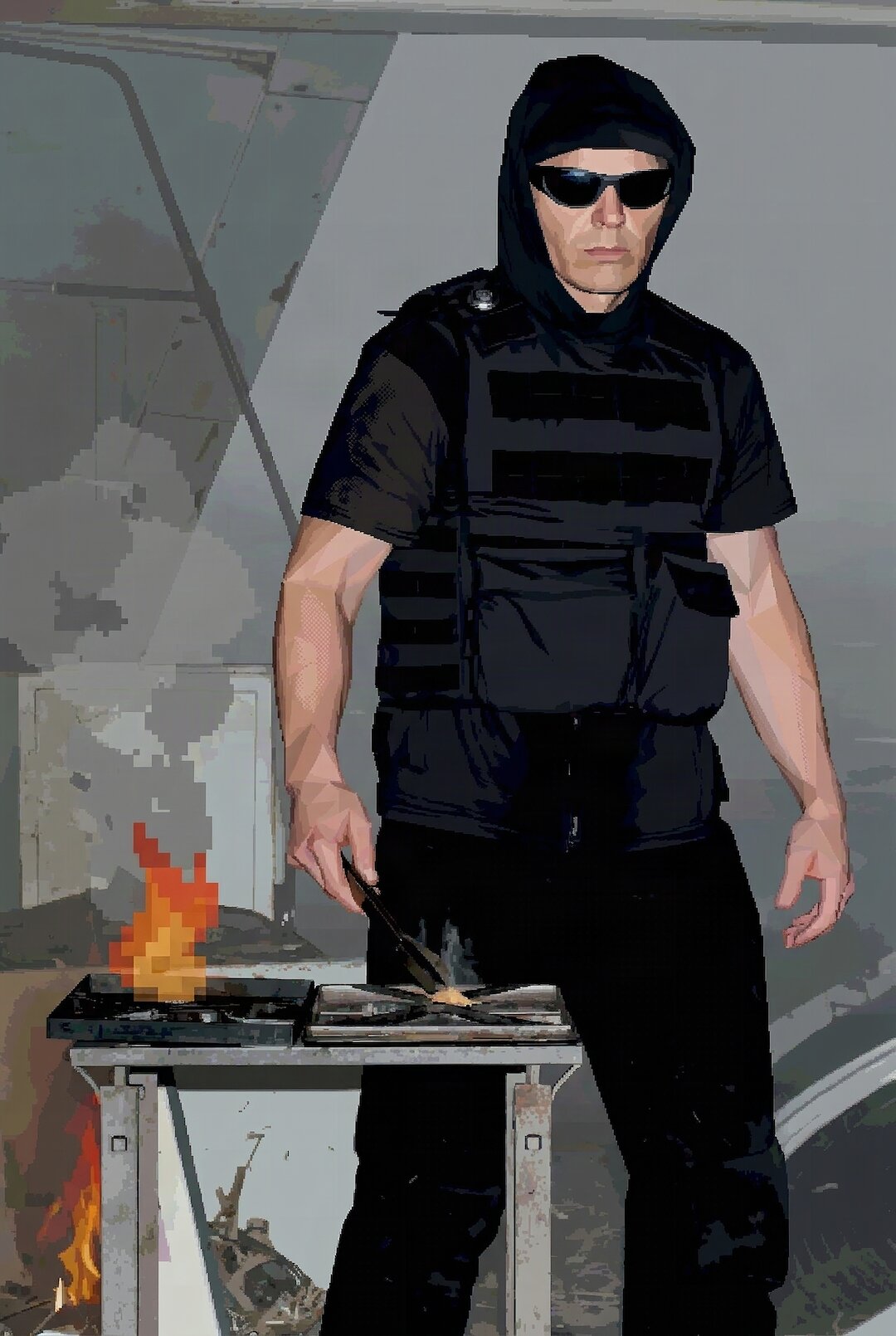
PS1 Graphics
Transform this photograph into a screenshot from a 1997 32-bit console game. Abandon the original photographic rendering entirely: nothing may remain smooth, painted or illustrated, every surface must become visible hard-edged 3D geometry. The subject is rebuilt from a few hundred visible polygons with hard triangulated edges, wrapped in low-resolution textures that warp and swim where the affine mapping fails. Vertices wobble, faces shade flat, and the whole frame renders at brutally low resolution with jagged unantialiased edges and dithered gradients, filling the entire vertical frame edge to edge in the same portrait format as the source, with no letterboxing and no black bars. Distance dissolves into grey fog because the console cannot draw that far. Colours are slightly muddy from composite video output. It should look like a paused cutscene, not a photograph. Keep the subject, pose, framing and composition exactly as they are.
Old Web.
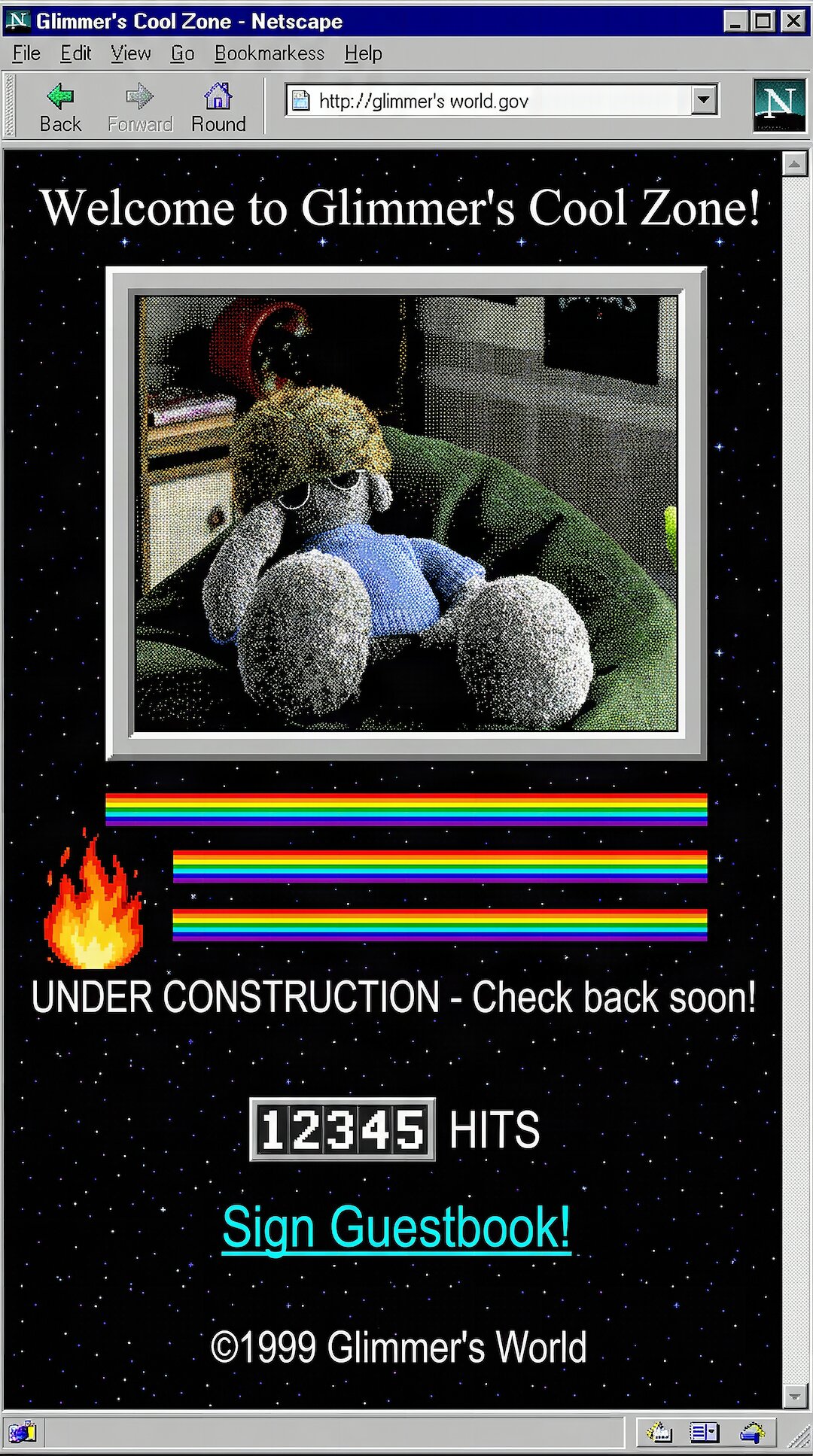
The old web looks like a page. Embedding the image inside the browser furniture is the whole trick.
Image edit · Nano Banana Pro.
Old Web
Transform this photograph into a personal homepage from 1999, shown as a full browser screenshot. The photograph sits embedded in the page at low resolution with a thick bevelled border, surrounded by the furniture of the old web: a tiled starfield background, rainbow horizontal rule GIFs, a hit counter, a guestbook link in bright blue underlined text, an under-construction banner and at least one animated flame. Type is default serif and pixel-edged, laid out in a clumsy centred table. Everything is compressed, dithered and saved for a 56k modem. All words are invented. Keep the subject, pose, framing and composition exactly as they are.
Digicam Flash.
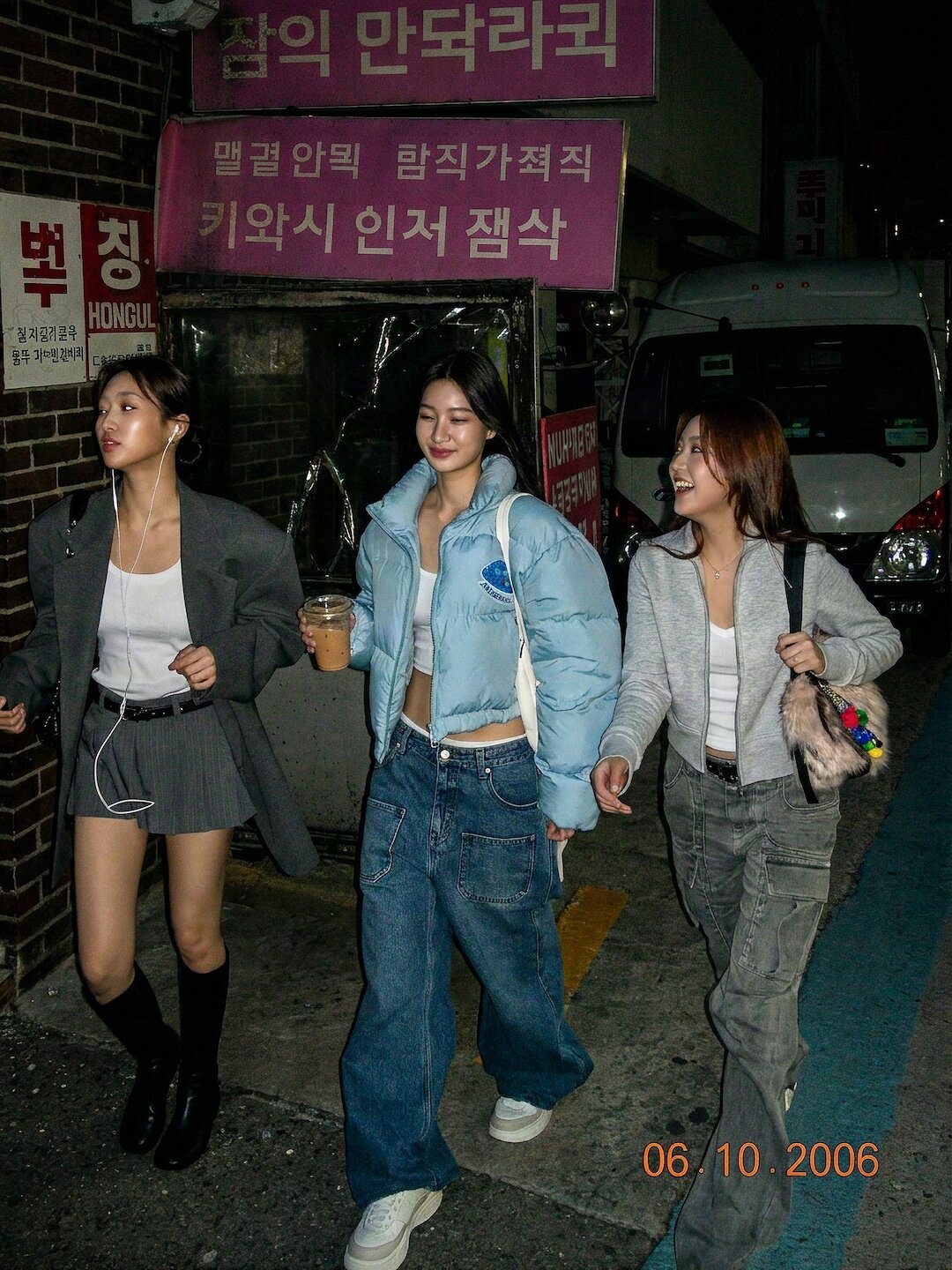
Direct flash plus a tiny sensor is a physical recipe. The date stamp is what tells your brain "memory card", so keep it.
Image edit · Nano Banana Pro.
Digicam Flash
Transform this photograph into a frame from a 2006 compact digital camera fired with direct on-board flash at night. Abandon the original lighting entirely and relight the whole scene from the flash alone. The flash flattens everything: harsh white light falls off fast into underexposed darkness behind the subject, skin and surfaces go slightly shiny, and red-eye threatens. The sensor is small and noisy, so shadows fill with colour speckle, highlights clip hard, and the JPEG engine smears fine detail into plastic patches. White balance runs cool and slightly green. A date stamp in orange seven-segment digits sits in the lower right corner. It should feel pulled off a memory card, not shot on purpose. Keep the subject, pose, framing and composition exactly as they are.
Pixel Art.
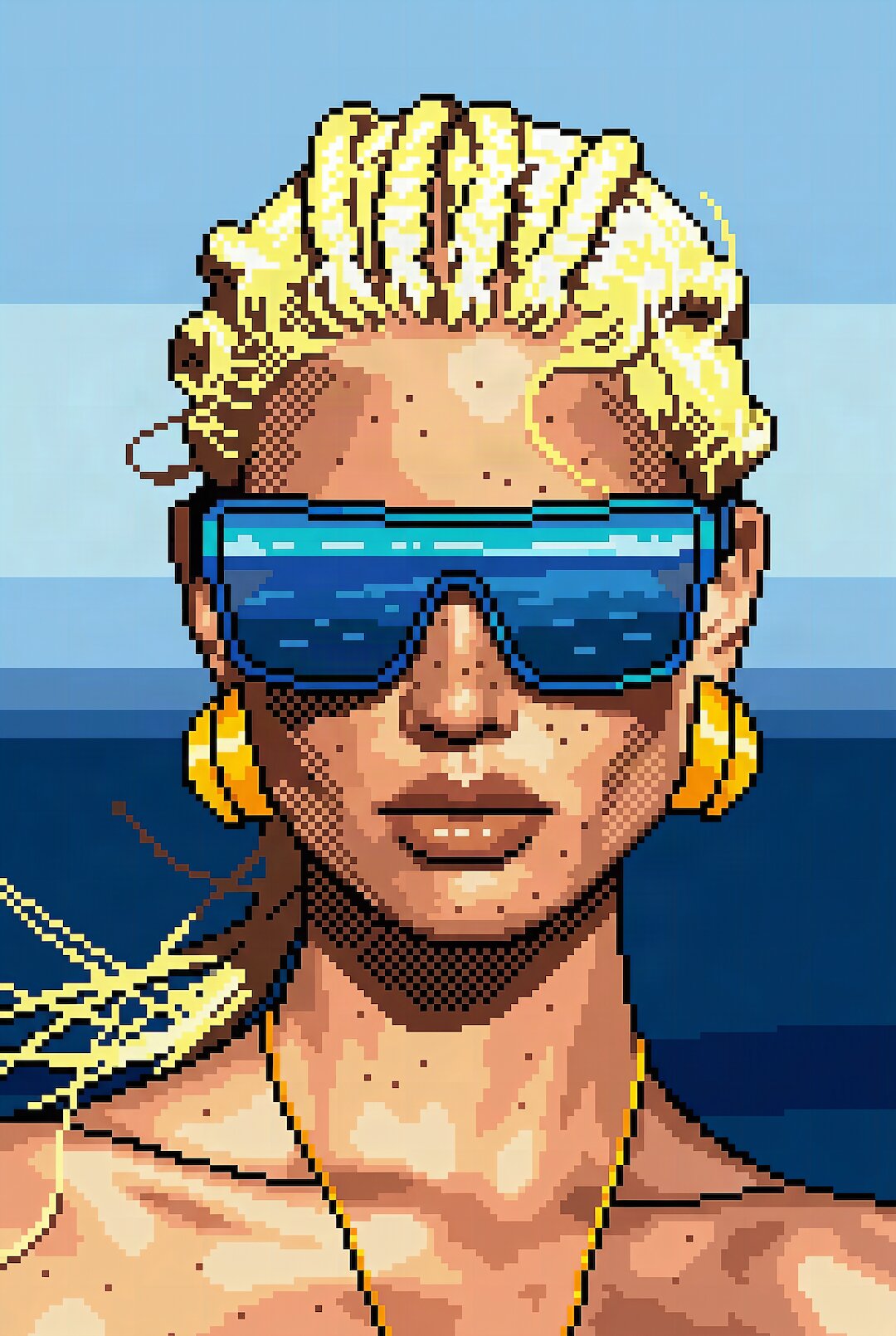
Pixel art is placed by hand. Demand a hard grid, a small palette and hand dithering or you get a blur with squares.
Image edit · Nano Banana Pro.
Pixel Art
Transform this photograph into hand-placed pixel art for a 16-bit era video game. The subject is redrawn on a coarse pixel grid, every block visible and deliberate, using a limited palette of at most thirty-two colours with dithered checkerboard patterns standing in for gradients. Outlines are single-pixel and dark, shading steps in hard bands, and anti-aliasing exists only where an artist placed intermediate pixels by hand. The background simplifies into flat banded shapes. Nothing is smooth and nothing is photographic; it reads as sprite work from a cartridge. Keep the subject, pose, framing and composition exactly as they are.
Dreamcore.
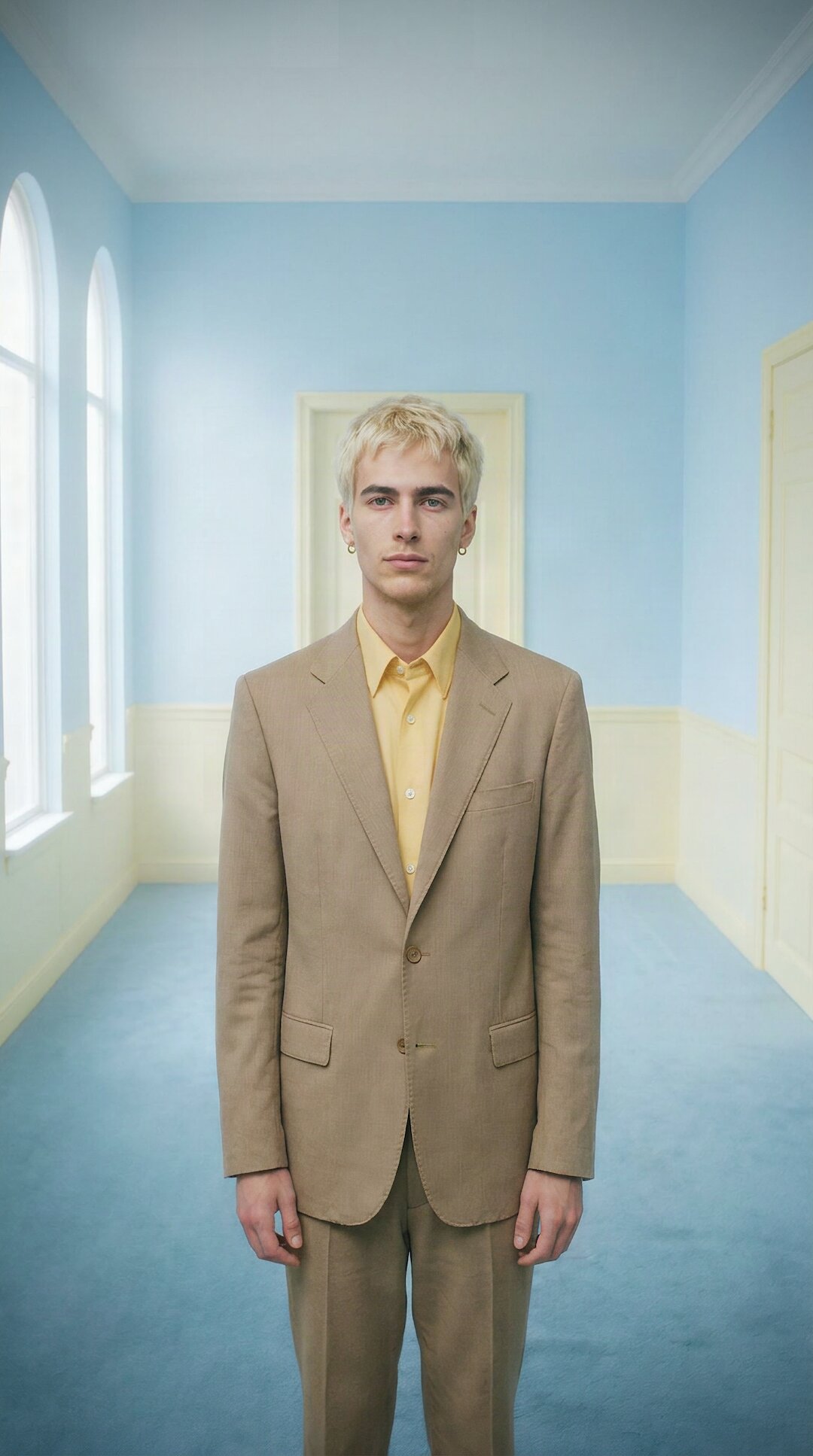
Dreamcore is subtraction. Empty the scene and overexpose the sky; the unease comes from what is missing.
Image edit · Nano Banana Pro.
Dreamcore
Transform this photograph into a dreamcore image that feels like a memory of a place that never existed. The scene is relit into overcast fluorescent softness with a hazy bloom, colours drifting toward washed pastel blue and yellowed white. The surroundings empty out and simplify: blank walls, endless carpet or grass, a sky that is slightly too bright, doorways that lead nowhere. Fine detail dissolves as if resaved a hundred times, with soft JPEG artifacts and gentle vignetting from a cheap lens. The subject remains, calm and slightly too still, the only anchor in the emptiness. Keep the subject, pose, framing and composition exactly as they are.
Windows 98.
The window chrome does the work: title bar, bevels, taskbar, 256 colours. The photo is just cargo inside the OS.
Image edit · Nano Banana Pro.
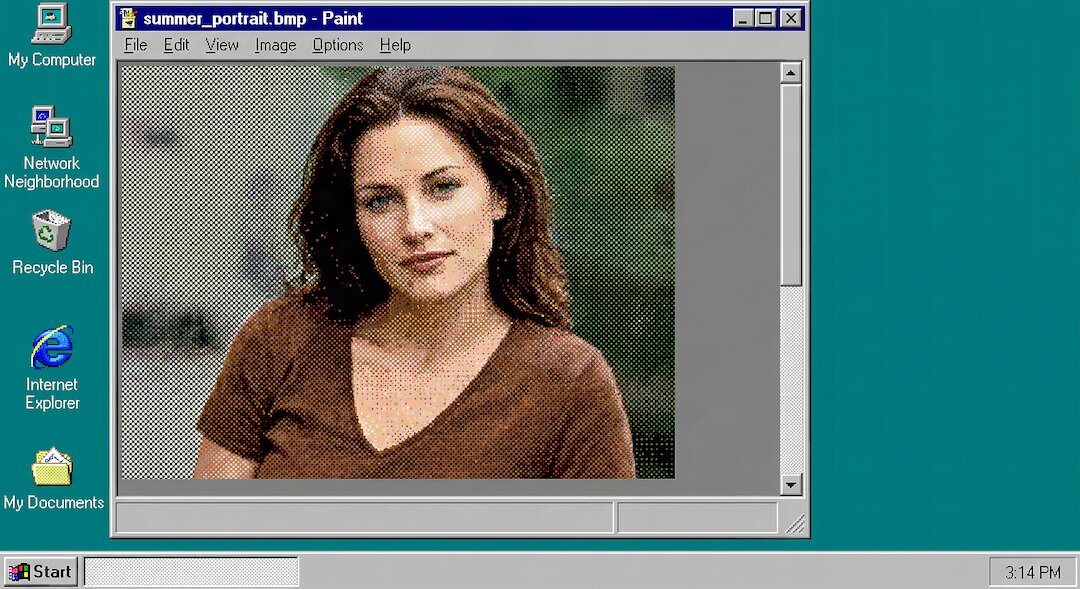
Windows 98
Transform this photograph into a desktop screenshot from a 1998 home computer. The photograph becomes the image open inside a grey system window with a blue title bar, white invented filename text, minimise, maximise and close buttons, a chunky menu bar and bevelled 3D borders two pixels deep. Around it sits the desktop: teal background, a column of pixel icons with invented labels, a grey taskbar with a start button and a clock reading an invented time. The photo itself is dithered down to a 256 colour palette. Everything renders at chunky low resolution with no smoothing anywhere. Keep the subject, pose, framing and composition exactly as they are.
VHS.
VHS is tape physics: interlacing, chroma bleed, head-switching noise at the bottom. Name the mechanism. "Retro" means nothing to the model.
Image edit · Nano Banana Pro.
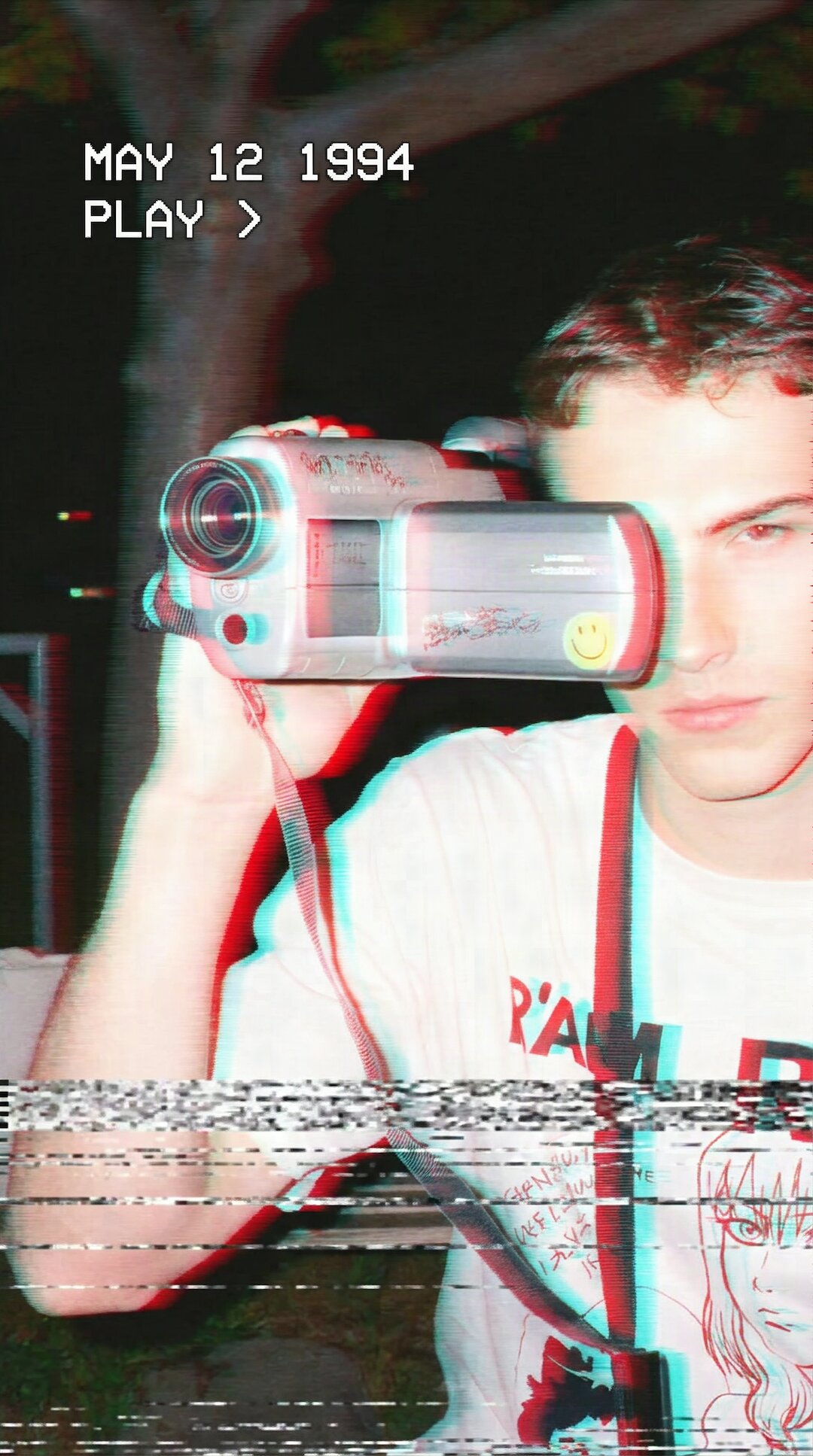
VHS
Transform this photograph into a paused frame from a home VHS tape recorded in 1994 and rewound a thousand times. The image is interlaced, with visible scanlines and combing on any edge. Colour bleeds sideways, reds smear, and the chroma sits slightly out of register with the luma. A band of tape noise and head-switching tearing runs across the bottom of the frame, and a white timestamp and PLAY indicator in a rounded monospace overlay sit in the corners. Softness is total: nothing is truly sharp, and bright areas ghost a trail to the right. Keep the subject, pose, framing and composition exactly as they are.
Vectorheart.
Vectorheart survives because paths have no texture. Everything must retrace as flat fills and swirls or the spell breaks.
Image edit · Nano Banana Pro.
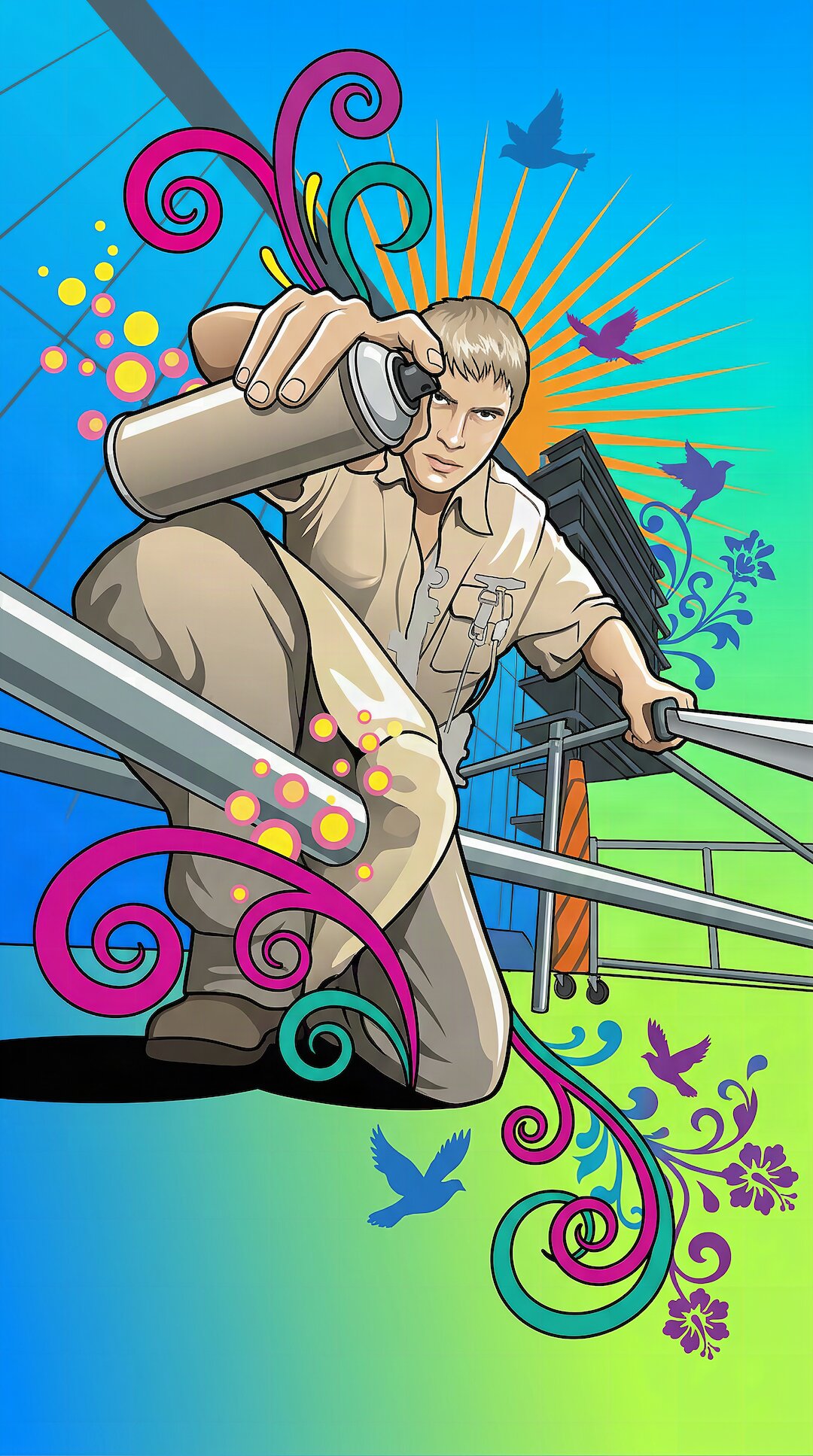
Vectorheart
Transform this photograph into a 2004 vector illustration from a design portfolio site. The subject is retraced entirely in clean vector shapes: flat fills, crisp bezier outlines and smooth two-tone gradients, with no photographic texture surviving anywhere. Around the subject bloom the era's ornaments: curling swirls, sprays of circles, radiating sunburst lines, silhouetted birds and florals, all in candy colours on a saturated gradient background. Highlights are hard-edged white shapes, shading is a single darker flat tone, and the whole frame has the lacquered flatness of art made entirely from paths. Keep the subject, pose, framing and composition exactly as they are.
ASCII Art.
ASCII carries every tone with type density. Dark glyphs heavy, light glyphs thin, and the subject appears out of text.
Image edit · Nano Banana Pro.
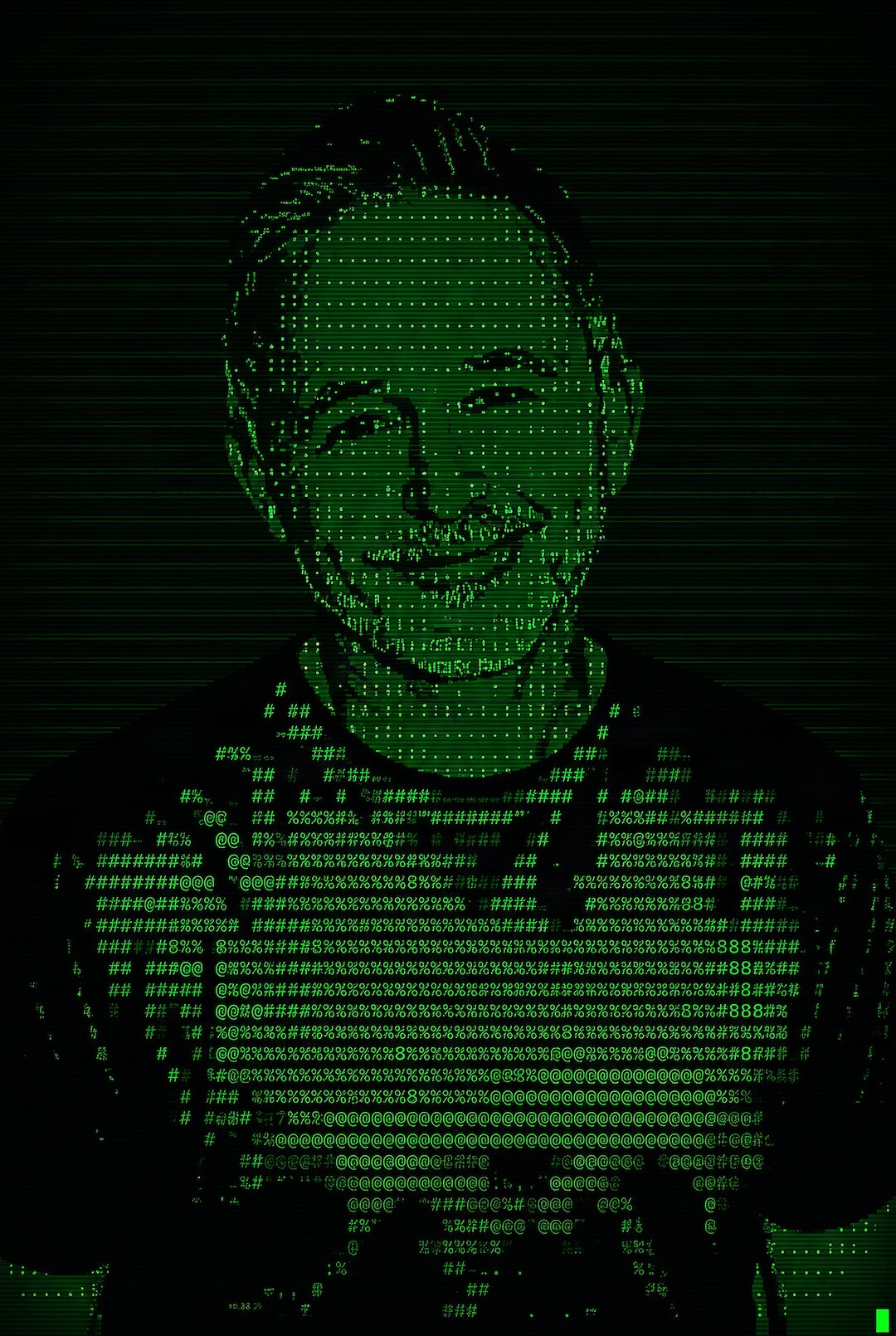
ASCII Art
Transform this photograph into ASCII art rendered on a black terminal screen. The entire image is rebuilt from monospace text characters: dense glyphs like @ and # where the image is dark, thin ones like dots and dashes where it is light, so the subject emerges from the character grid alone. The type is a green phosphor terminal font with a faint glow and slight scanline flicker, rows perfectly aligned, and a blinking block cursor resting at the bottom of the screen. Nothing photographic remains; every tone is carried by text. Keep the subject, pose, framing and composition exactly as they are.
Y2K CGI.
Early CGI is uncanny because materials are wrong: waxy skin, shell hair, stiff cloth. Ask for the wrongness on purpose.
Image edit · Nano Banana Pro.
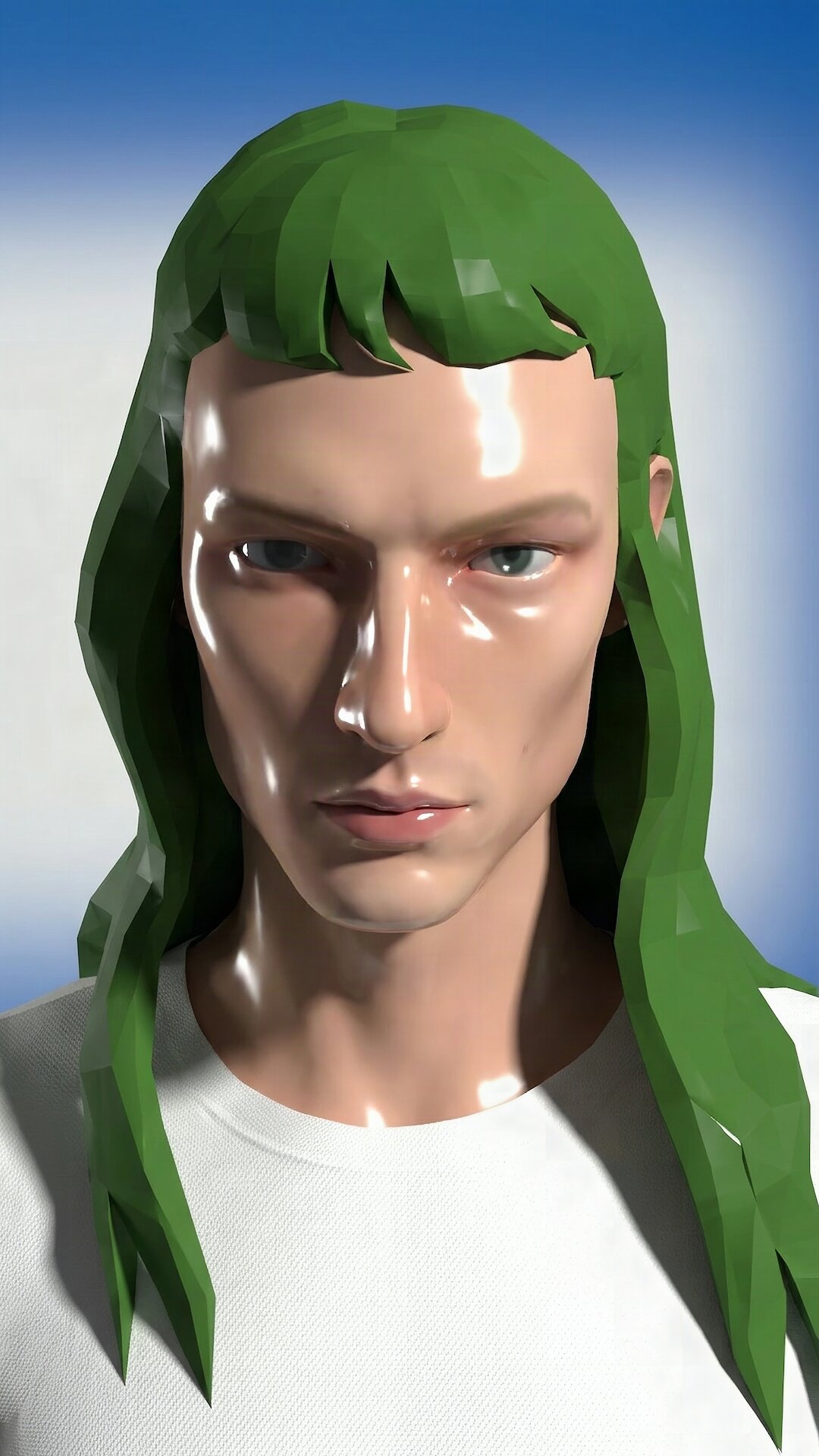
Y2K CGI
Transform this photograph into a computer-generated character render from a 2001 CD-ROM, made in early 3D software with too few polygons and too much ambition. Skin and surfaces become smooth shiny plastic with waxy specular highlights, hair becomes a solid sculpted shell, and fabric becomes stiff textured geometry. Lighting is a hard key with a blue fill, shadows are sharp-edged and slightly wrong, and everything sits against a simple gradient studio void. The uncanny almost-realism of the era is the point: confident, glossy and dead behind the eyes. Keep the subject, pose, framing and composition exactly as they are.
Glitter Graphics.
Glitter graphics are decoration in front of the photo, frozen mid-sparkle. The rough cutout edge is part of the authenticity.
Image edit · Nano Banana Pro.
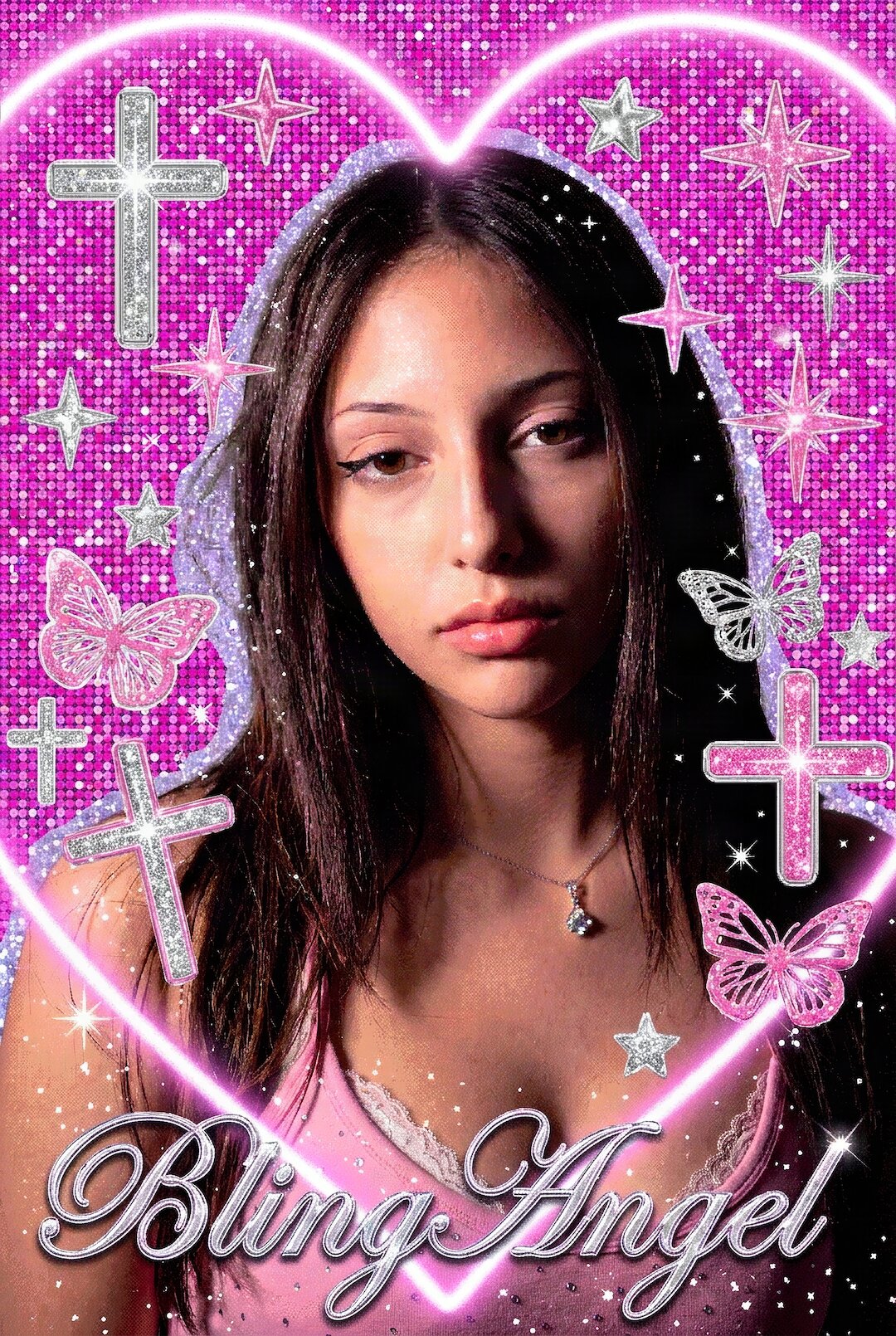
Glitter Graphics
Transform this photograph into a glitter graphic from a 2007 profile-decoration site. The graphic fills the entire vertical frame edge to edge, the same portrait format as the source, with no letterboxing and no black bars. The subject is cut out with a rough magic-wand edge and buried in animated-sticker ornament frozen mid-sparkle: tiled glitter texture filling the background, oversized sparkle crosses and stars, a glowing heart border, butterfly and star stickers layered on thick. Colours are hot pink, lilac and silver, everything twinkles with white speck highlights, and a curly invented word in a bling chrome script sits along the bottom. The image is small, compressed and joyful, with GIF dithering visible in every gradient. Keep the subject, pose, framing and composition exactly as they are.
CCTV.
CCTV is a medium: grey-green, blocky shadows, monospace timecode. The overlay text sells it alone.
Image edit · Nano Banana Pro.
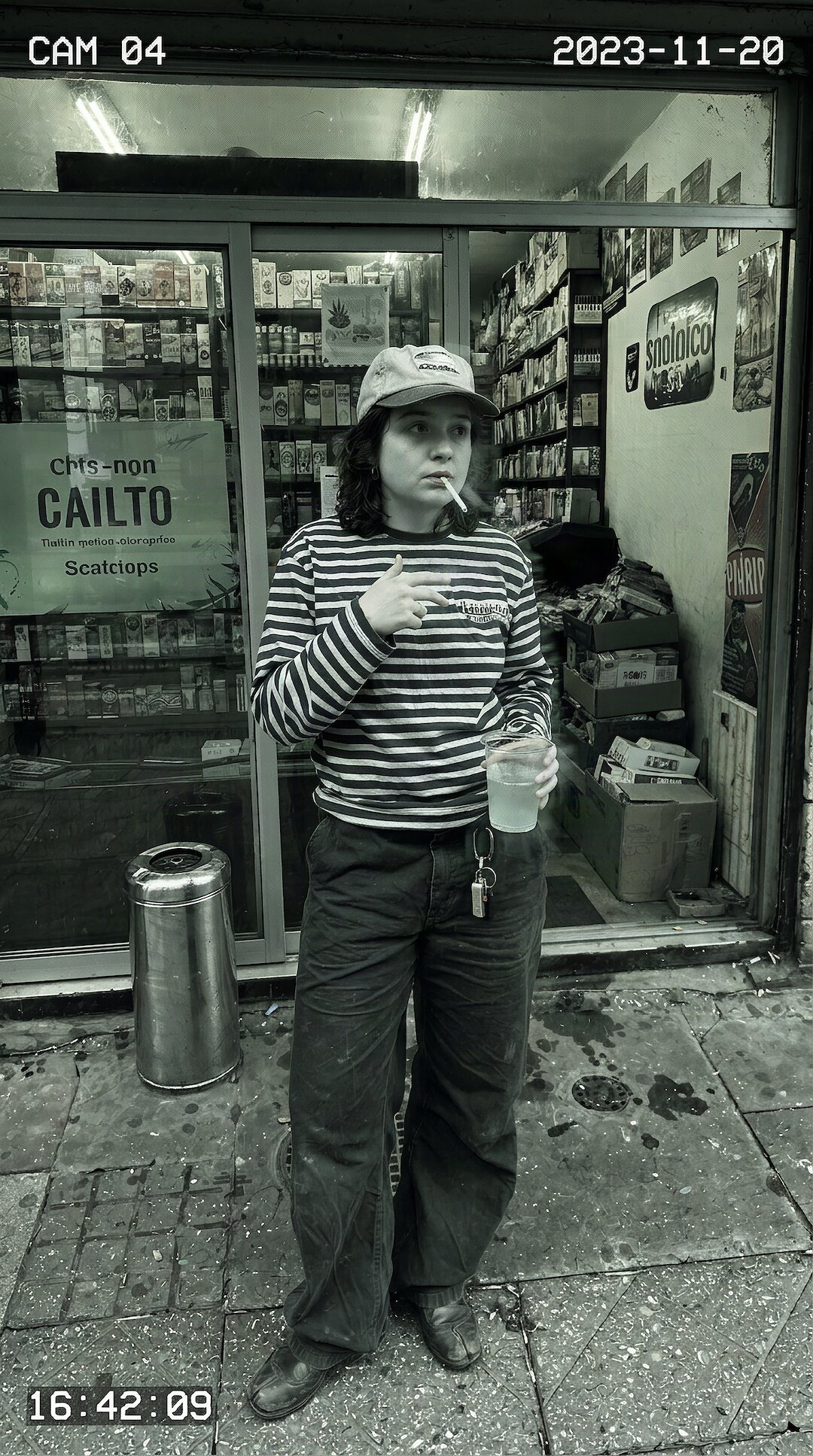
CCTV
Transform this photograph into a frame from a ceiling-mounted security camera, pulled from a digital video recorder. The view re-renders in washed grey-green monochrome with a slight wide-angle stretch, low resolution and heavy compression blocking in the shadows. A white overlay in a plain monospace font marks the corners: an invented camera number, date and running timecode. Highlights bloom and smear, motion ghosts faintly, and a fine interference pattern sits in the flat areas. The framing angle stays exactly as it is; only the medium changes to surveillance footage. Keep the subject, pose, framing and composition exactly as they are.
Acid Graphics.
Acid graphics is chrome gone toxic: oil-slick gradients and barbed ornament. It reads as evil metalheart, and the model knows both parents.
Image edit · Nano Banana Pro.
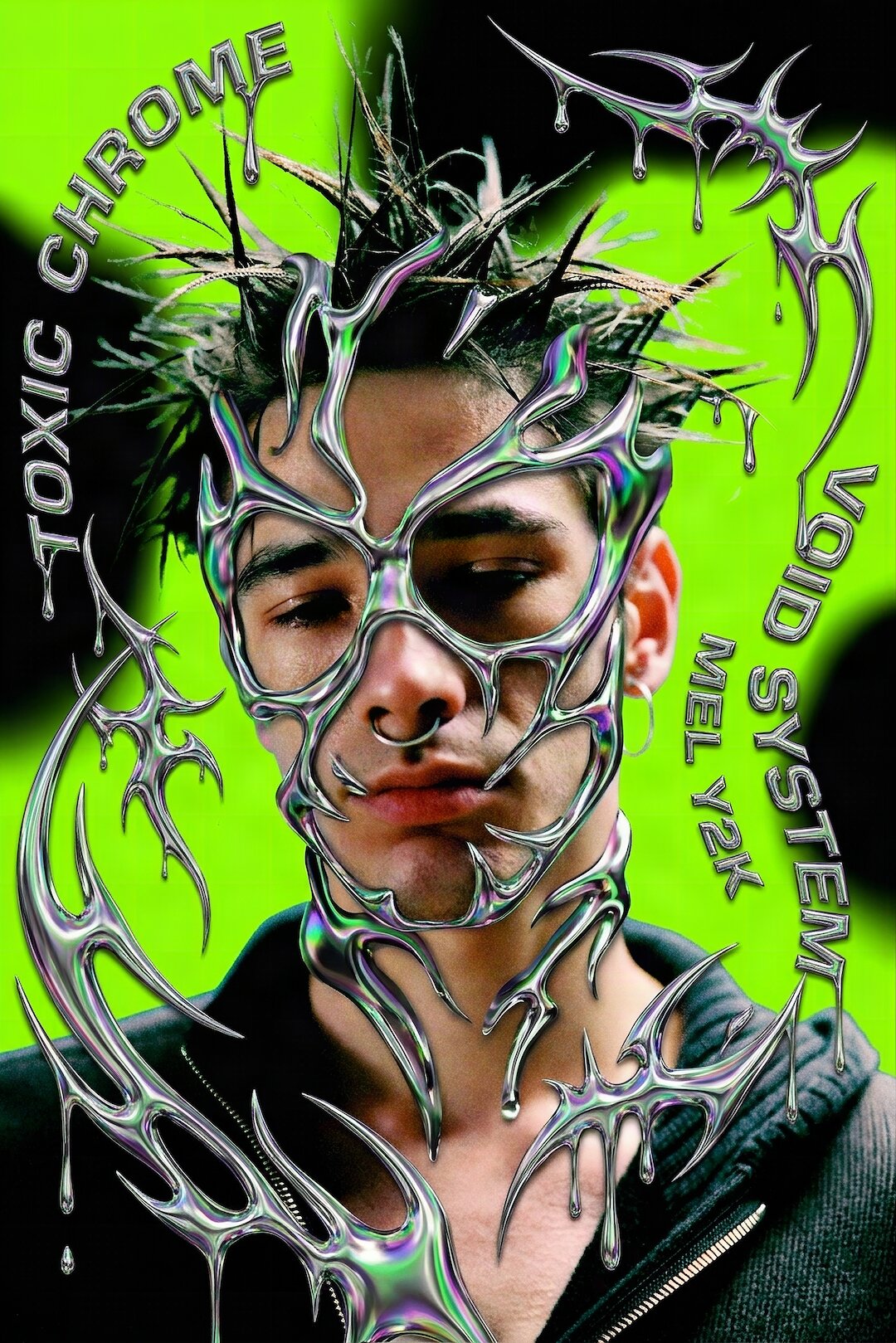
Acid Graphics
Transform this photograph into an acid graphics artwork from a 2019 club poster, the style that melted Y2K chrome into something toxic. The subject is wrapped and pierced by warped liquid chrome forms with iridescent oil-slick gradients shifting green, purple and silver. Gothic ornaments and barbed tribal shapes float around it, rendered in the same wet metal. The background is a harsh acid green or void black, and a few strands of invented text bend along curved paths, half readable. Everything is high contrast, slightly evil and shinier than physics allows. Keep the subject, pose, framing and composition exactly as they are.
Flash Cartoon.
Flash cartoons were built for tweening: thick outlines, flat fills, one shading tone. Simplicity is the style, so demand it.
Image edit · Nano Banana Pro.
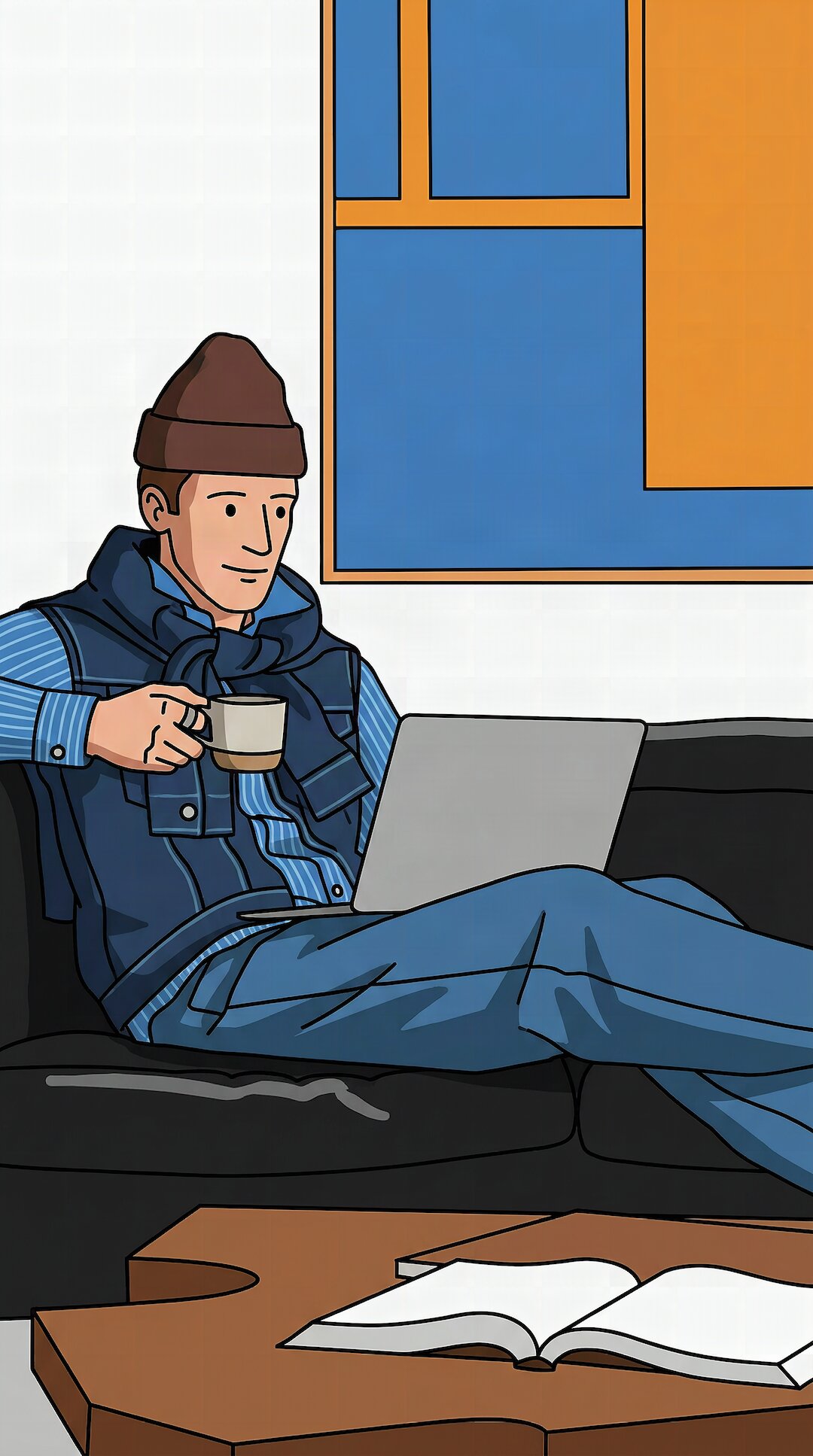
Flash Cartoon
Transform this photograph into a frame from a 2003 browser cartoon animated in vector software. The subject is redrawn with thick uniform black outlines and flat colour fills, at most one hard-edged shading tone per surface, with simplified hands, faces and props the way a lone animator simplifies everything. The background flattens into basic shapes with two or three colours. Edges are crisp vector curves at low frame-rate stiffness, mouths and joints look built for cheap tweening, and the whole frame has the cheerful roughness of something made at 2am for a portal site. Keep the subject, pose, framing and composition exactly as they are.
Weirdcore.
Weirdcore is a found image plus one wrong thing. The crude red arrow pointing at nothing does more than any filter.
Image edit · Nano Banana Pro.
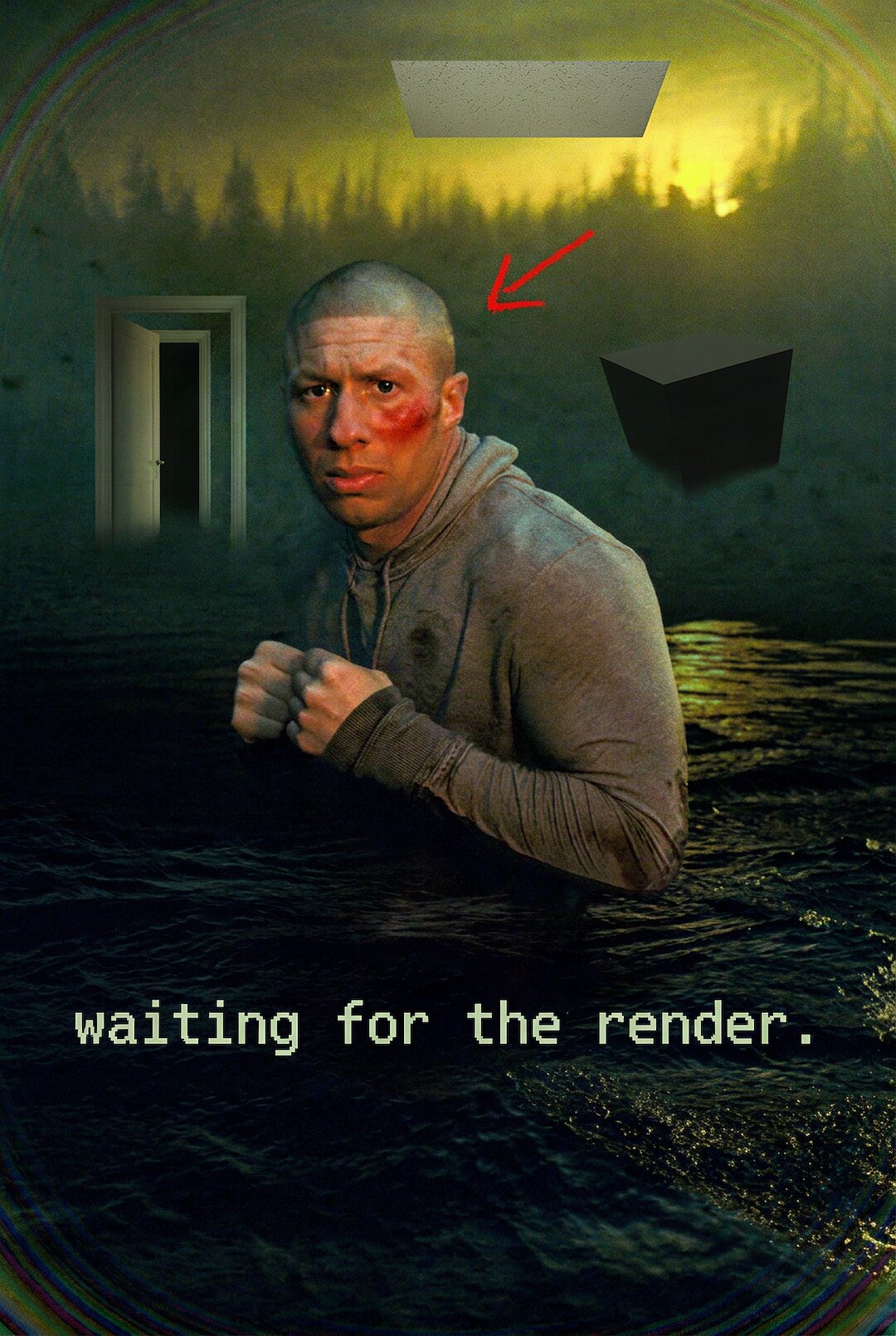
Weirdcore
Transform this photograph into a weirdcore image that looks found on a dead hard drive. The image is degraded to early-2000s snapshot quality, resaved until the JPEG artifacts ring around every edge, colours slightly wrong in a way that is hard to name. Elements of the scene are subtly displaced: a duplicated doorway, a floating shape that casts no shadow, a patch of sky where there should be ceiling. Somewhere in the frame sits a small crude editing mark, an arrow or a circle in flat red digital pen, pointing at nothing, and a short invented caption in lowercase system font. The mood is unease, not horror. Keep the subject, pose, framing and composition exactly as they are.
Brushed Metal UI.
Skeuomorphic player skins were pixel-painted objects. The screwheads and the LCD readout make it hardware.
Image edit · Nano Banana Pro.
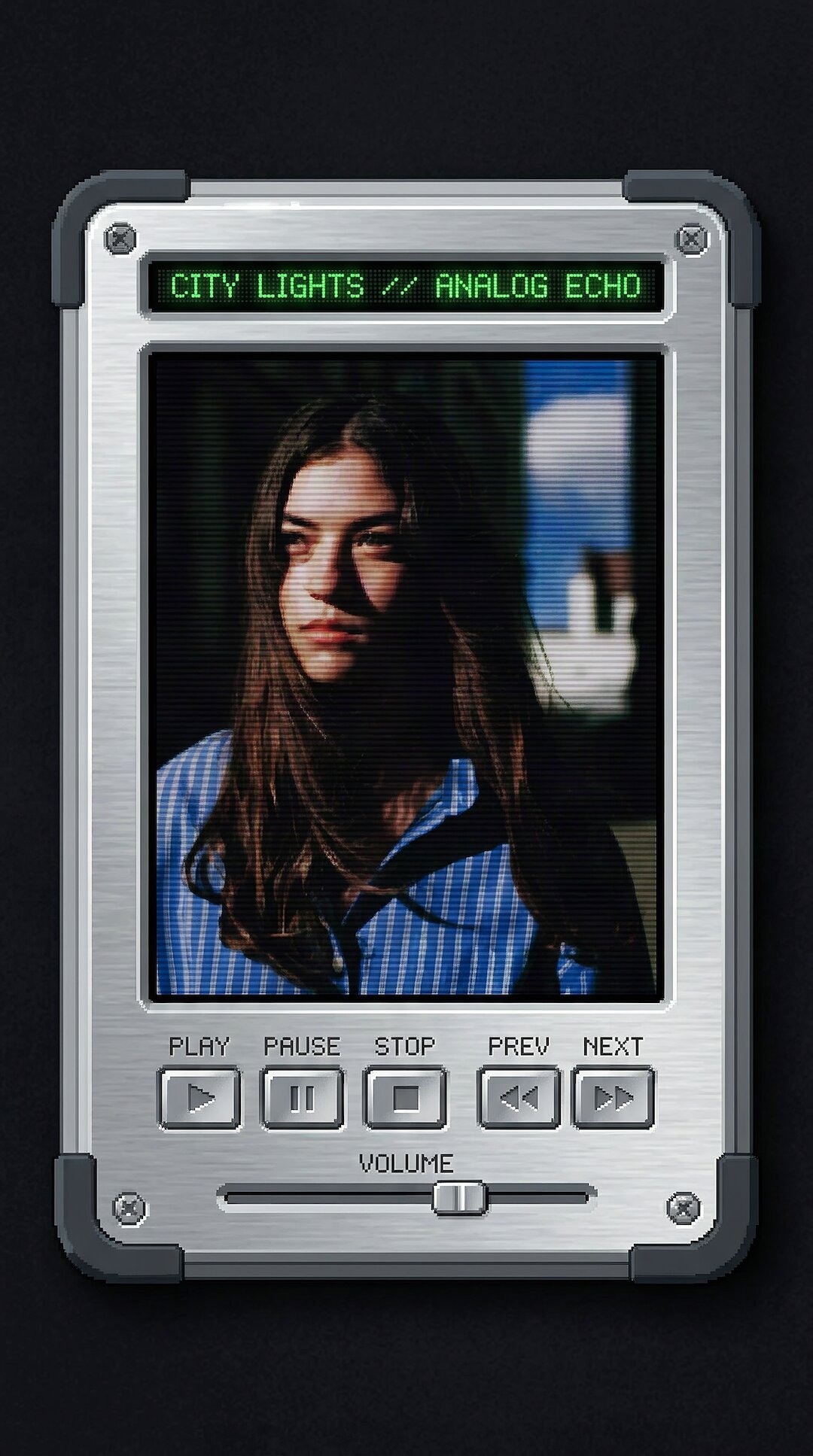
Brushed Metal UI
Transform this photograph into the interface of a 2002 media player skin. The photograph plays inside a small screen set into a moulded brushed-aluminium case rendered in loving pixel detail: screwheads in the corners, rubberised end caps, a green LCD readout strip above showing an invented track name in dot-matrix type, and a row of embossed metallic buttons and a slider below. The metal has fine horizontal brushing, deep bevels and specular pixel highlights. The photo on the little screen is slightly darkened and scanlined like an LCD. The whole object floats on a dark desktop. Keep the subject, pose, framing and composition exactly as they are.
Rave Flyer.
Rave flyers are centrifugal: everything radiates. Solarise the photo, pack the corners and let the print misregister.
Image edit · Nano Banana Pro.
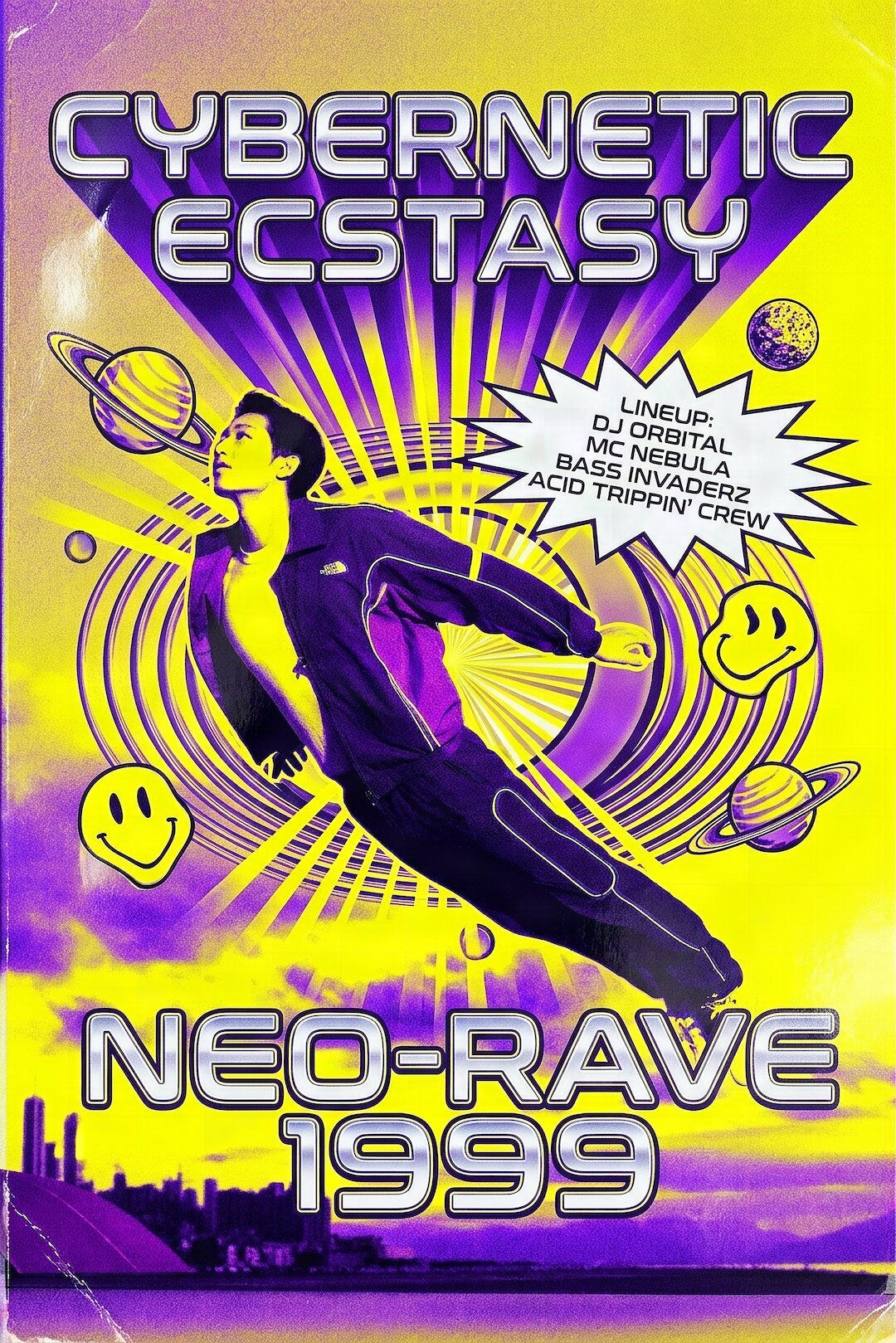
Rave Flyer
Transform this photograph into a 1999 rave flyer printed on cheap glossy stock. The subject is solarised and duotoned in ultraviolet purple and acid yellow, sitting inside an explosion of era graphics: radiating rays, orbiting rings, chrome sci-fi typography spelling invented party names, a starburst promising an invented lineup, and scattered planet and smiley motifs. The layout is dense and centrifugal, every corner working. The print is slightly misregistered with dot gain in the darks, and the gloss catches a highlight. It is a flyer that was on a record shop counter, not a photograph. Keep the subject, pose, framing and composition exactly as they are.
Wireframe.
A wireframe is structure with zero surface. Contour lines that follow the form prove the model understood the volume.
Image edit · Nano Banana Pro.
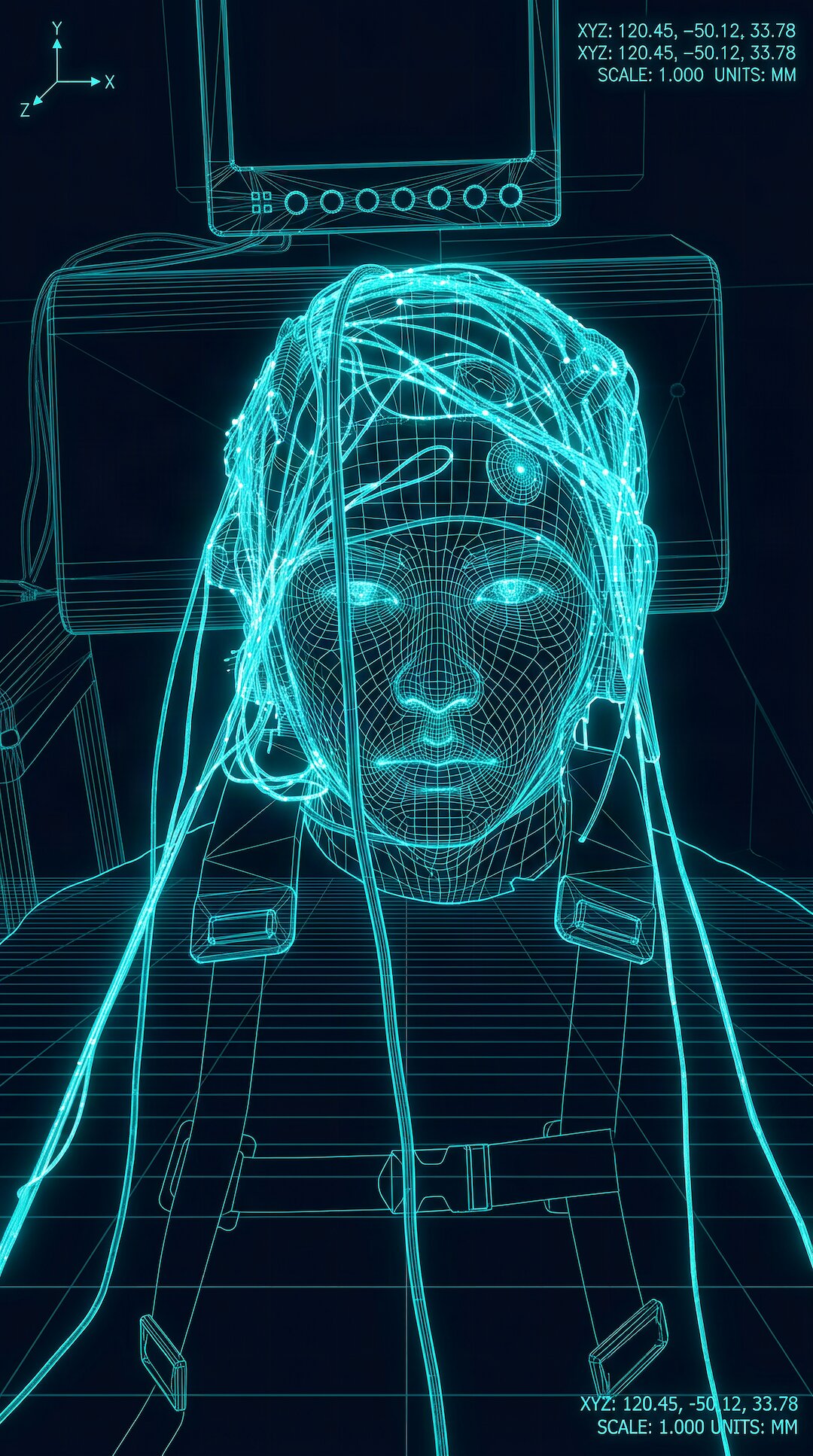
Wireframe
Transform this photograph into a wireframe render on a CAD workstation monitor. The subject is rebuilt as a 3D mesh drawn only in glowing cyan edges on a deep blue-black void: contour polylines follow every surface, denser where the form curves, with vertices as faint bright points. Hidden lines show dimmer through the form. A ground grid recedes below, small axis markers and invented coordinate readouts sit in the corners in a thin technical font, and the phosphor glow blooms slightly on the brightest lines. No surfaces, no textures, only structure. Keep the subject, pose, framing and composition exactly as they are.
Holo Sticker.
Foil is an object property. Ask for the sticker photographed crooked with a lifting edge and it becomes a thing you could hold.
Image edit · Nano Banana Pro.
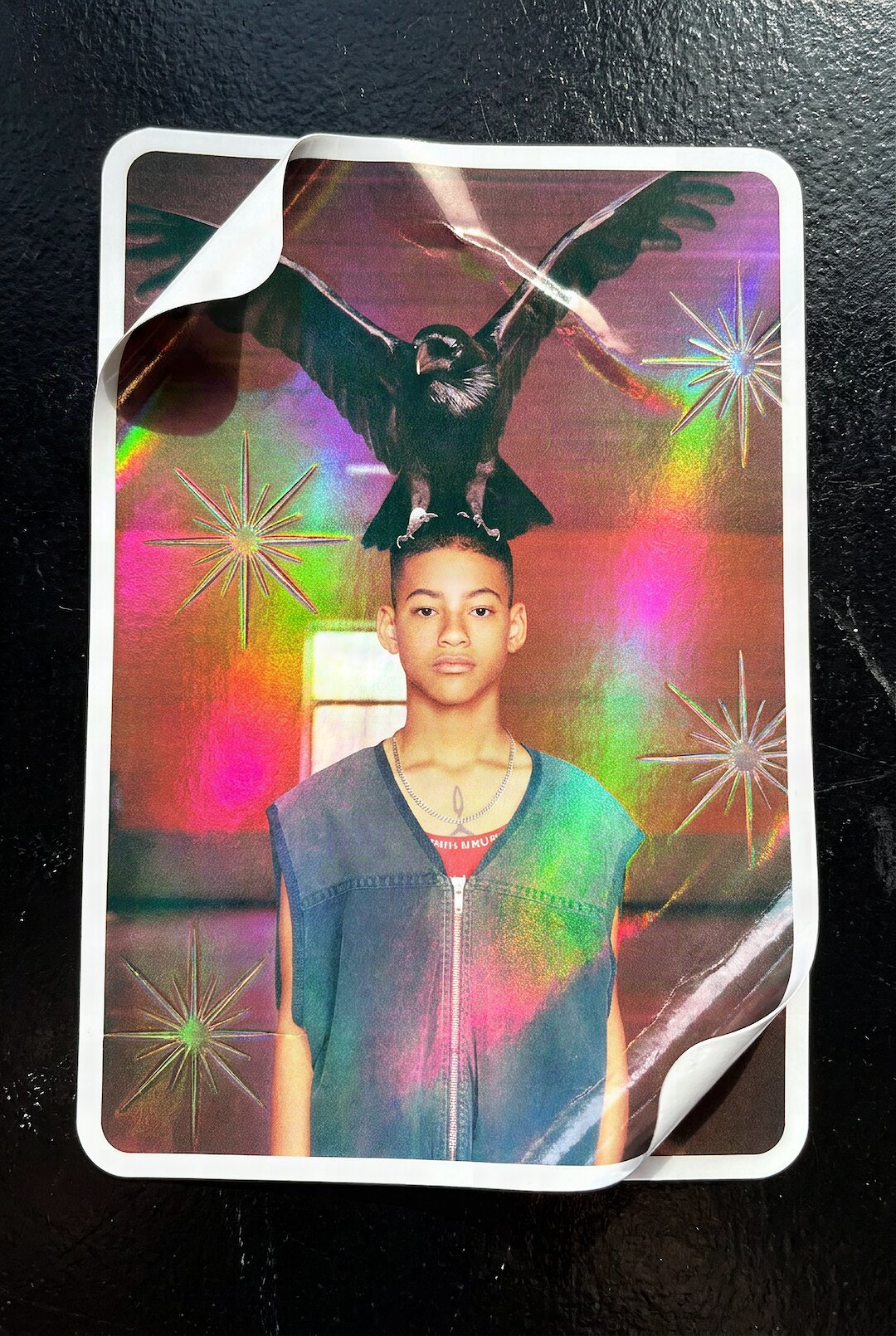
Holo Sticker
Transform this photograph into a holographic foil sticker stuck slightly crooked on a dark surface. The image prints on rainbow diffraction foil: the whole picture shifts through spectral pink, green and gold depending on angle, with a starburst sparkle pattern embossed in the foil catching hard white glints. The sticker has a thick white die-cut border, softly rounded corners, one edge lifting and a small crease catching light. Fine print detail sits on top of the shifting rainbow underneath. It is an object photographed, not an image displayed. Keep the subject, pose, framing and composition exactly as they are.
Webcam 2004.
The 2004 webcam is light-starved: monitor glow, orange lamp, drowning sensor. The username overlay dates it to the minute.
Image edit · Nano Banana Pro.
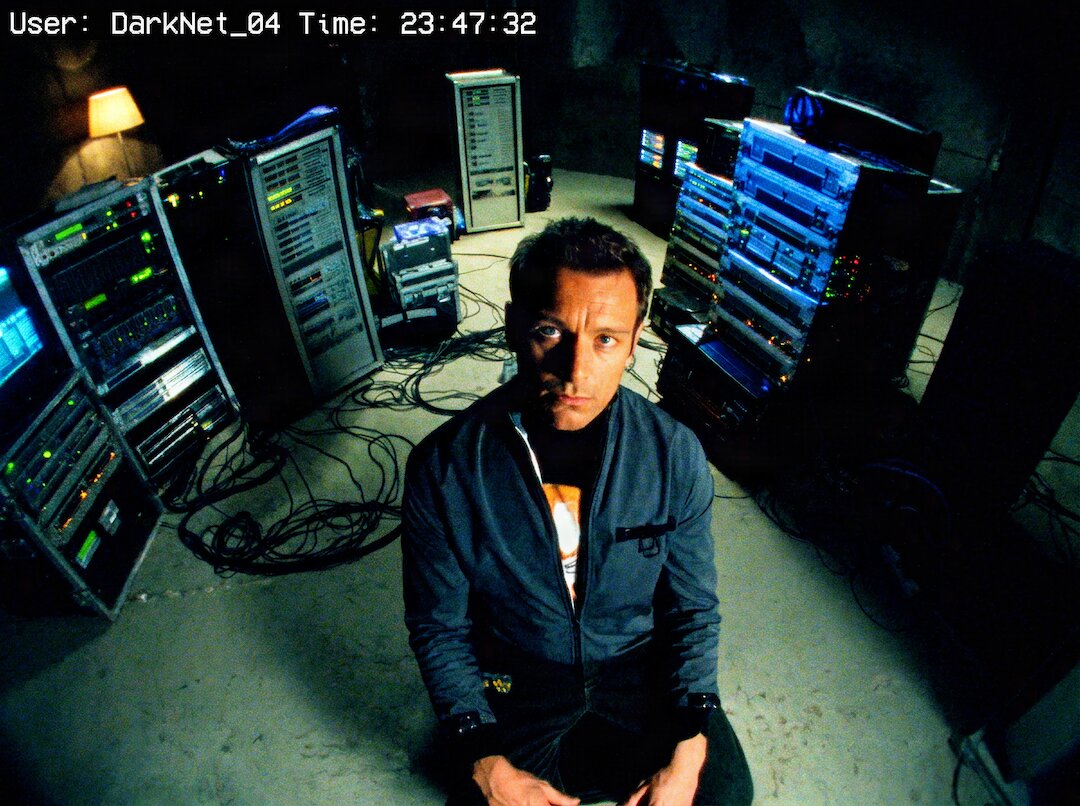
Webcam 2004
Transform this photograph into a still captured on a 2004 clip-on webcam in a dim bedroom. Resolution collapses to 640 by 480, lit only by monitor glow and one warm lamp, so the sensor drowns in coloured noise and smears anything that moves. White balance is confused, skin goes orange and shadows go blue. The lens is plastic and slightly misted, highlights bloom, and the JPEG compression carves the image into soft blocks. A tiny invented username and timestamp overlay sits in one corner in aliased white type. It should feel like a frame saved from a late-night video call. Keep the subject, pose, framing and composition exactly as they are.
Outrun.
Outrun predates the internet but the internet canonised it. Airbrush gradients and the banded chrome sun are the two tells.
Image edit · Nano Banana Pro.
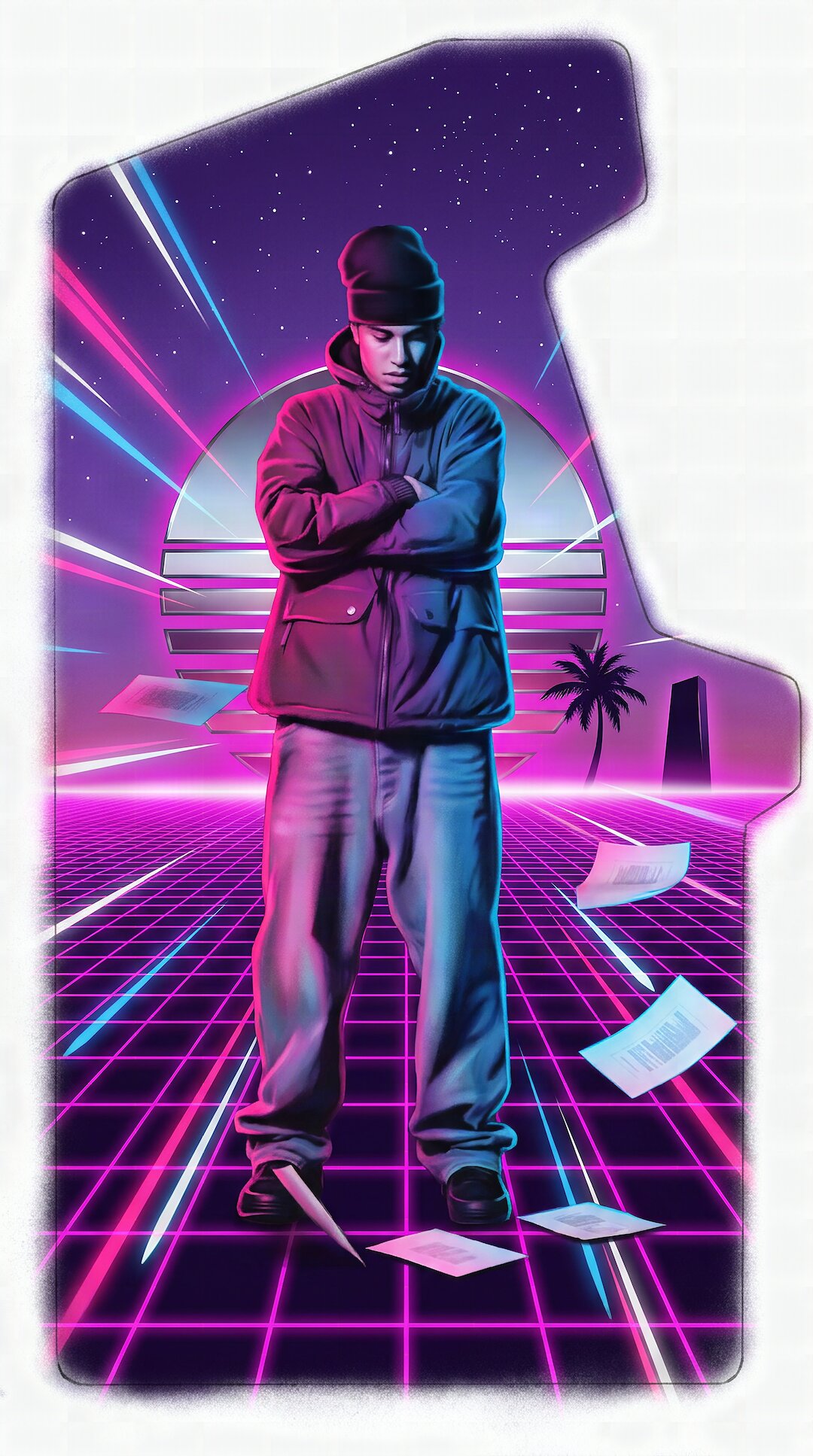
Outrun
Transform this photograph into an outrun airbrush artwork for a 1985 arcade cabinet side panel. The subject is repainted in smooth airbrushed gradients, rim-lit in hot pink and electric blue against a purple dusk. Behind it a chrome sun banded with horizontal stripes sinks into a glowing magenta grid that runs to the horizon, with a silhouetted palm or monolith on the skyline. Highlights streak into long speedline glints, stars prick the upper sky, and the paint has the soft overspray edges of real airbrush work on metal. Keep the subject, pose, framing and composition exactly as they are.
Deep Fried.
Deep fried is compression as culture. The 8 by 8 blocks and sharpening halos are the aesthetic; there is no subtle version.
Image edit · Nano Banana Pro.
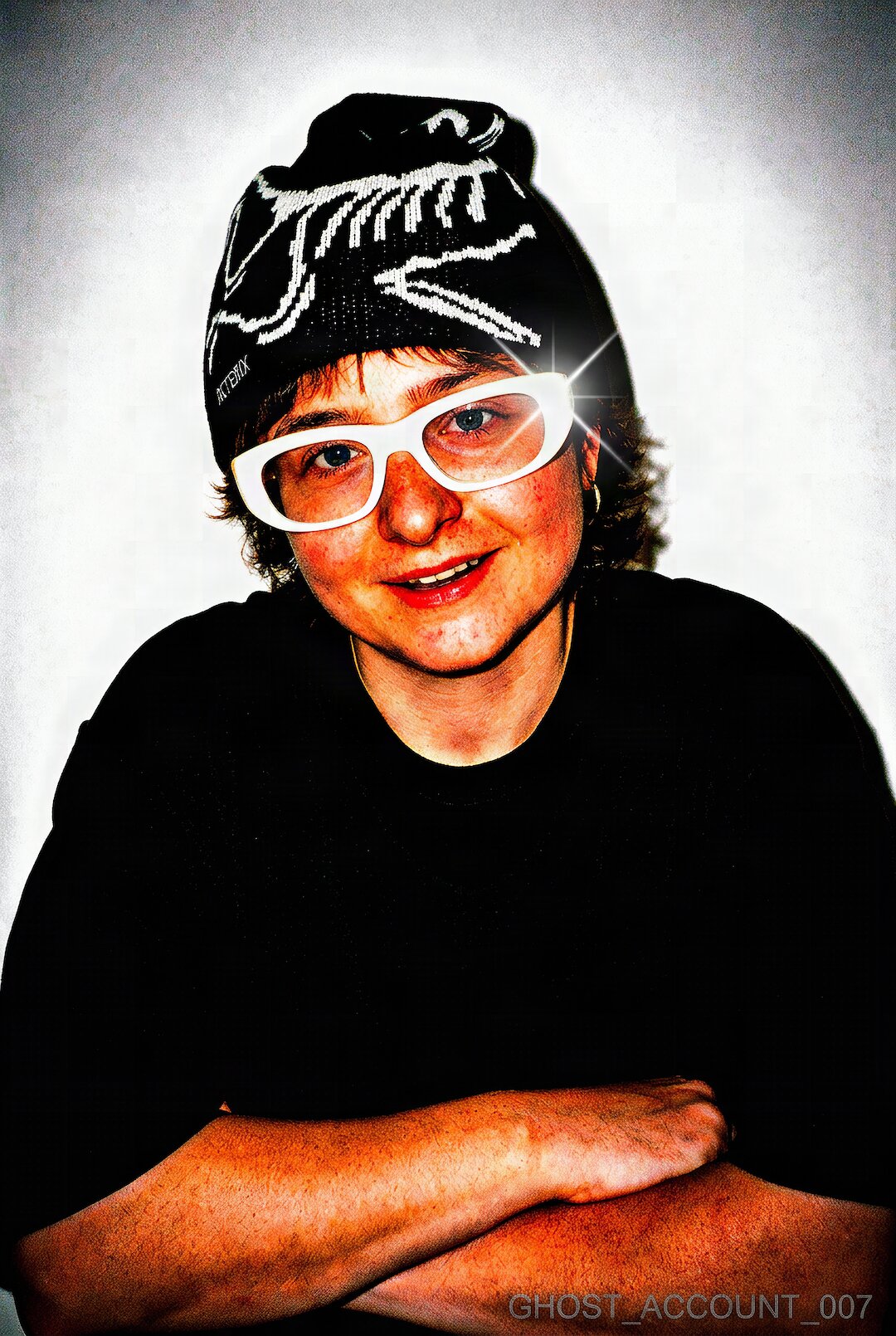
Deep Fried
Transform this photograph into a deep fried image that has been reposted, screenshotted and resaved hundreds of times. The image must be in full colour, never black and white, with saturation pushed to the absolute maximum until reds burn and skin glows radioactive orange, contrast is crushed, and sharpening halos ring every edge. JPEG artifacts tile the frame in visible 8 by 8 blocks, colour banding steps through every gradient, and a faint watermark ghost from a previous invented account lingers in a corner. A lens-flare sparkle sits on one highlight for no reason. The image is cooked, crunchy and barely holding together, and that is the point. Keep the subject, pose, framing and composition exactly as they are.
Kidcore.
Kidcore is real materials: construction paper, stickers, glitter glue. Tactility is what separates it from a bright filter.
Image edit · Nano Banana Pro.
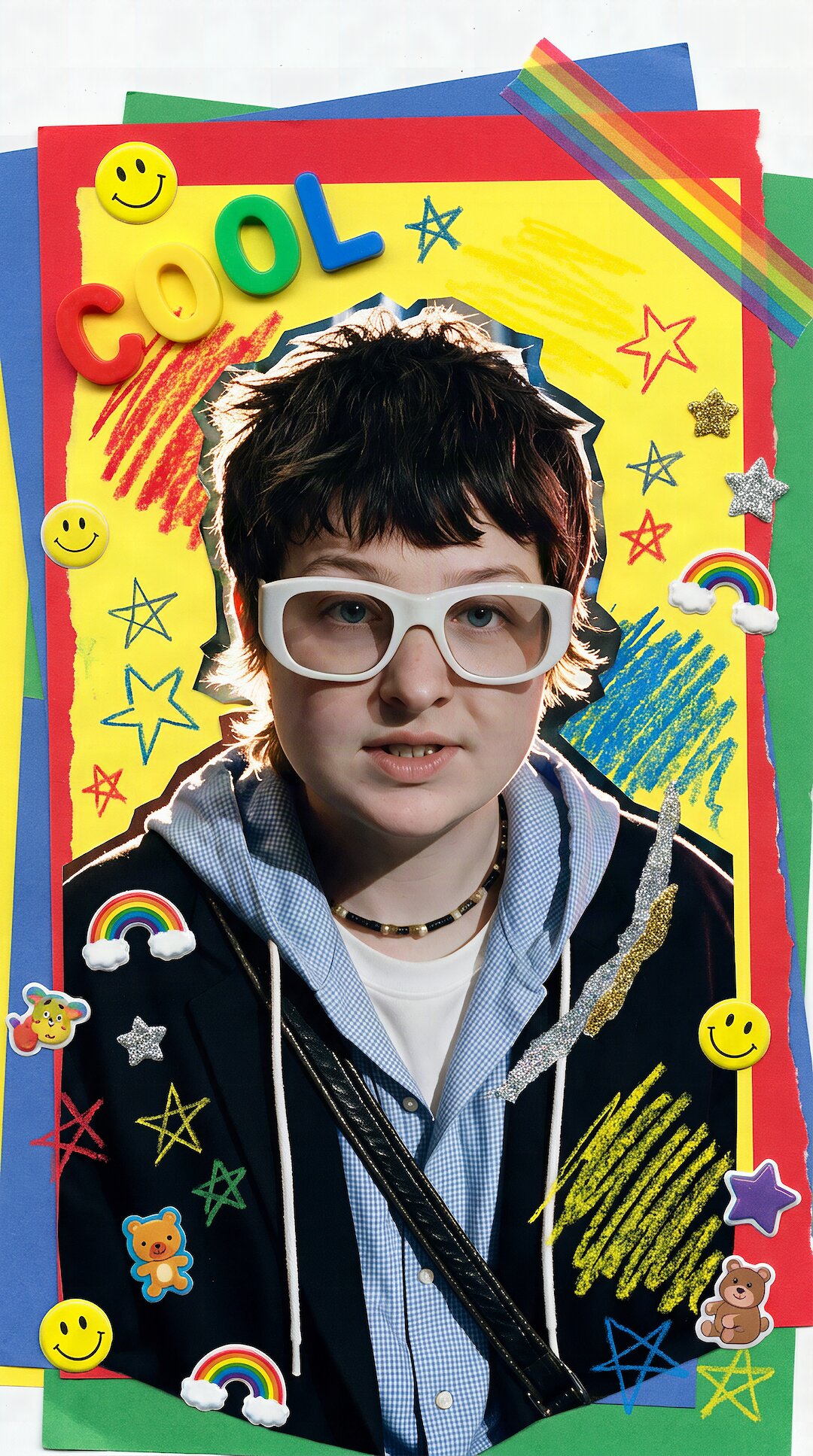
Kidcore
Transform this photograph into a kidcore collage made from a 1990s childhood: The subject is cut out with visible scissor edges and glued into a composition of primary red, yellow, blue and green construction paper, surrounded by puffy stickers, smiley faces, alphabet magnets, crayon scribbles and star doodles. A strip of rainbow washi tape holds one corner. Textures are real and tactile: paper grain, marker streaks, sticker gloss, a bit of glitter glue catching light. The palette is loud and happy with no muted tones allowed anywhere. Keep the subject, pose, framing and composition exactly as they are.
RPG HUD.
The HUD makes it a game: health bar, hotbar, minimap, chat. The interface is the aesthetic; the render is background.
Image edit · Nano Banana Pro.
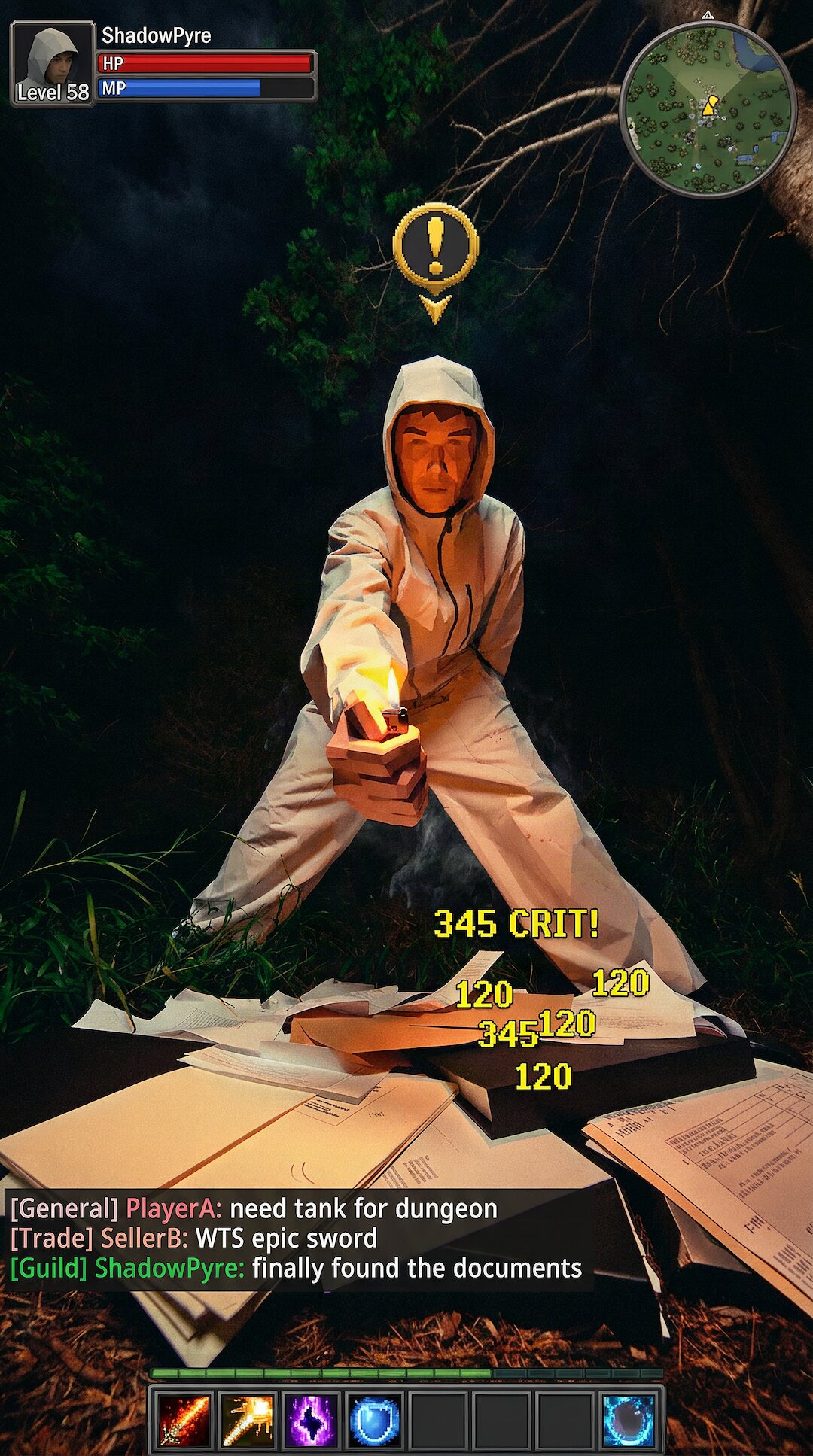
RPG HUD
Transform this photograph into a screenshot from a 2005 fantasy MMO, with the subject rendered as an in-game character on screen. The image re-renders with videogame lighting and slightly low-poly geometry, and the full interface sits on top: a health and mana bar in the top corner with an invented character name and level, a hotbar of spell icons along the bottom, a minimap in the top right, and a chat window in the lower left with a few lines of invented player chatter in coloured text. Floating yellow damage numbers and a quest marker hang in the scene. Keep the subject, pose, framing and composition exactly as they are.
Anaglyph 3D.
Anaglyph is two inks that disagree. The red and cyan fringes must diverge more on whatever pops toward you.
Image edit · Nano Banana Pro.
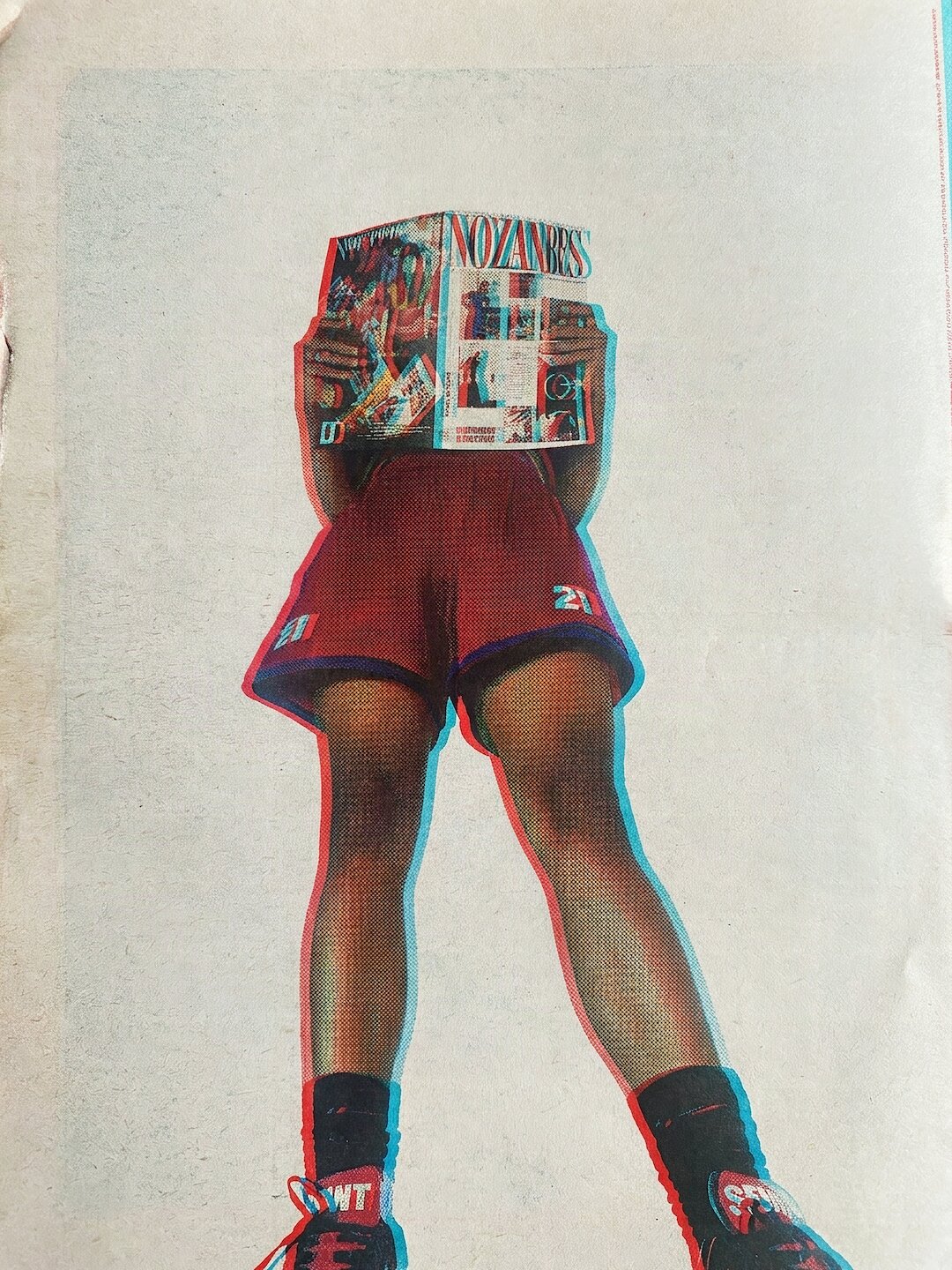
Anaglyph 3D
Transform this photograph into an anaglyph 3D print from a 1990s comic insert, made to be viewed through red and cyan paper glasses. The image splits into two offset copies, one printed in red ink and one in cyan, diverging further on anything meant to pop out of the page and converging on the background. Edges double and fringe in complementary colours, the underlying print is slightly newsprint-rough with visible dot pattern, and the whole frame has the cheap thrill of a free gift bound into a magazine. Keep the subject, pose, framing and composition exactly as they are.
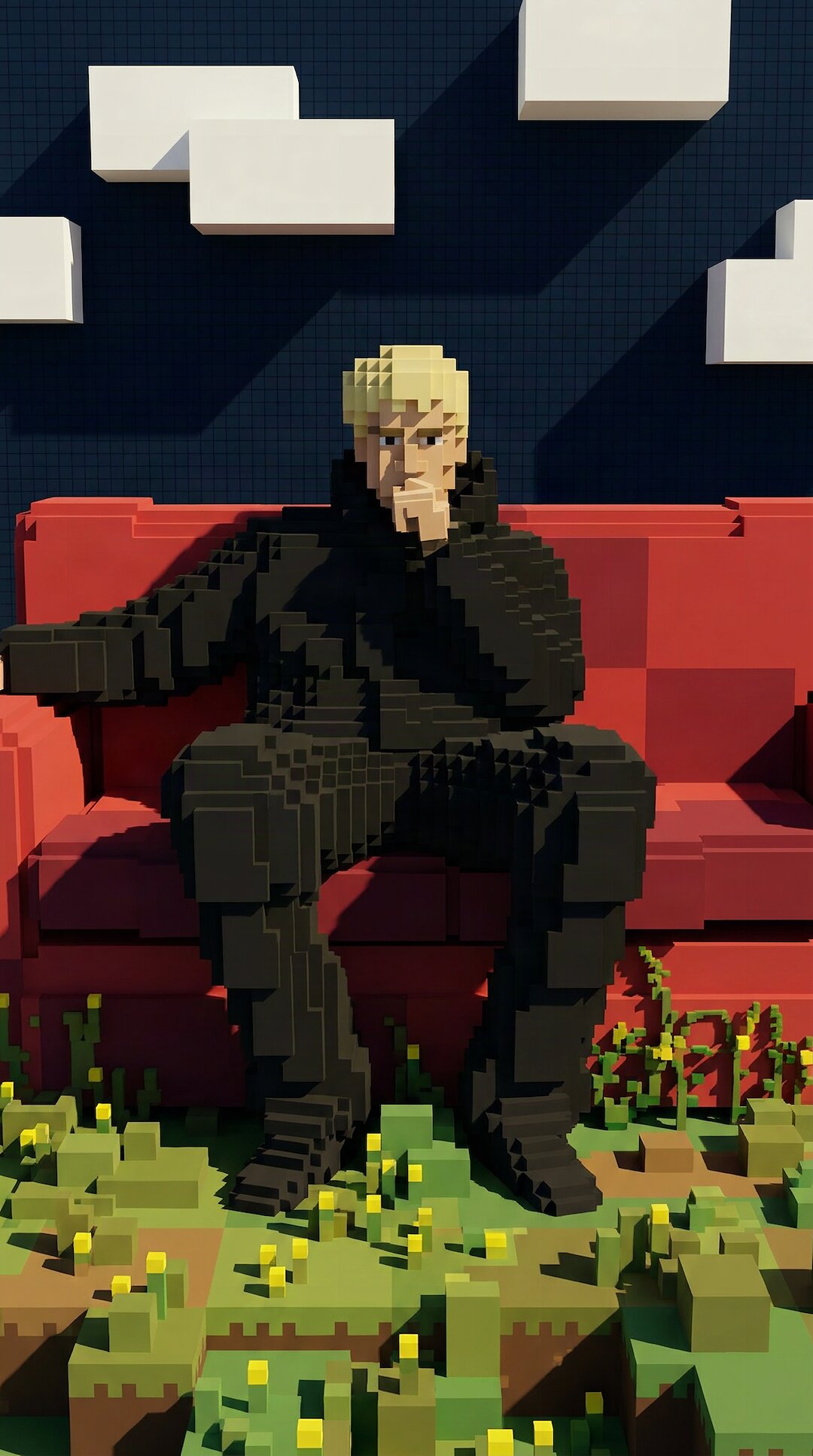
Voxel.
Voxels are a rule: everything becomes cubes, one sun, hard shadows. Rules transfer perfectly to models.
Image edit · Nano Banana Pro.
Voxel
Transform this photograph into a voxel diorama from a blocky sandbox game. The entire scene rebuilds from uniform cubes: the subject becomes a stepped stack of coloured blocks, each face flat-shaded with a subtle pixel texture, edges perfectly sharp. Light falls in the game's simple way, one sun direction, hard block shadows and slightly darker cube sides. The background simplifies into chunky voxel terrain and square clouds. Scale reads toy-like, as if the whole frame could be held in a hand. Nothing curved survives; every form is cubes. Keep the subject, pose, framing and composition exactly as they are.
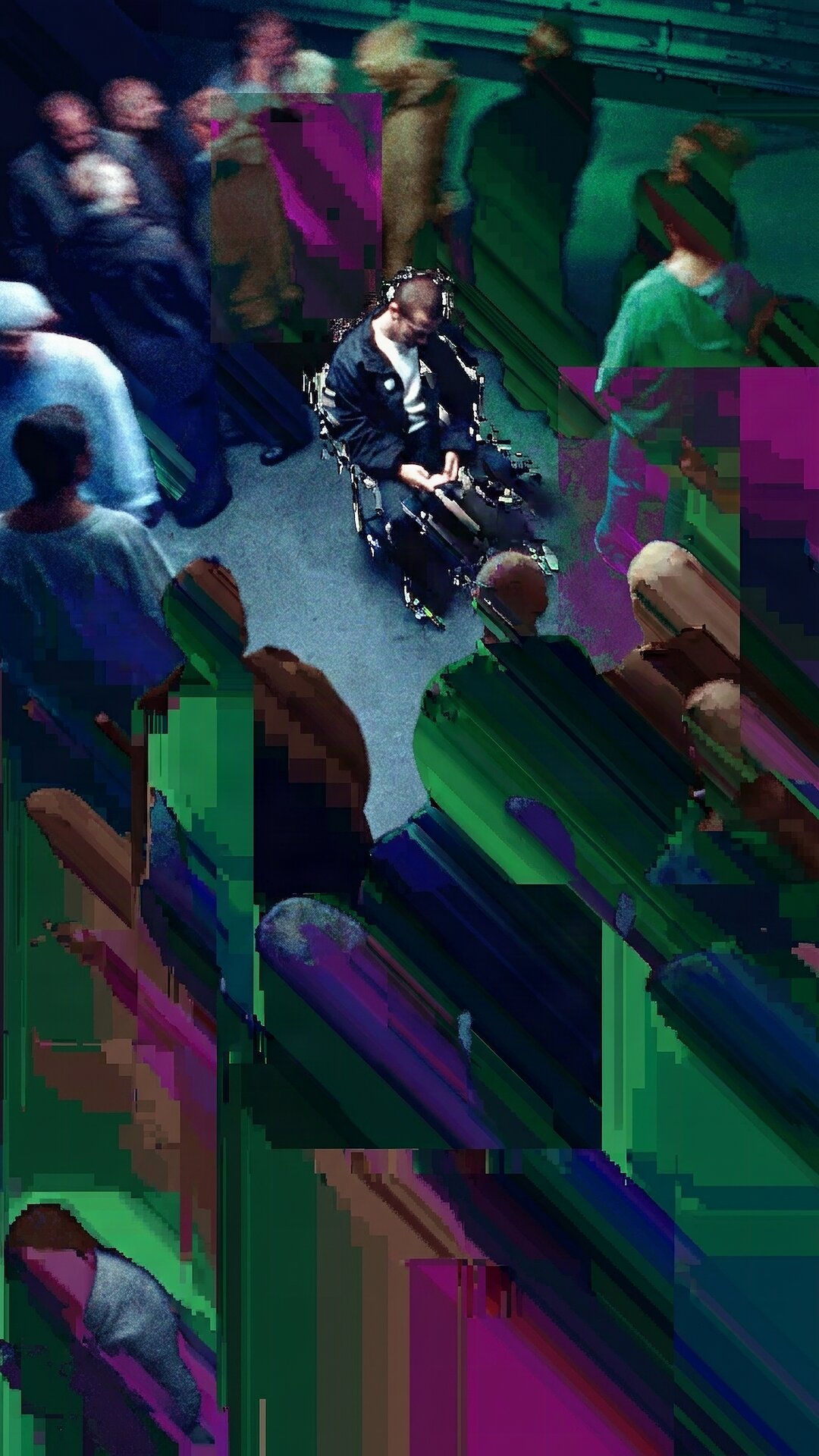
Datamosh.
Datamosh is a decoder failing mid-motion. Dragged macroblocks and ghosted frames, with part of the subject left sharp.
Image edit · Nano Banana Pro.
Datamosh
Transform this photograph into a datamoshed video frame where the compression has broken mid-motion. Large regions of the image dissolve into dragged macroblocks: pixels smear in the direction of movement, leaving long rectangular trails of colour that no longer describe anything. Parts of a previous frame ghost through in the wrong place, blocks of the image sit displaced and quantised, and the palette shifts into wrong greens and magentas where the decoder lost the plot. Some of the subject survives sharp while the world around it liquefies into moshed blocks. Keep the subject, pose, framing and composition exactly as they are.
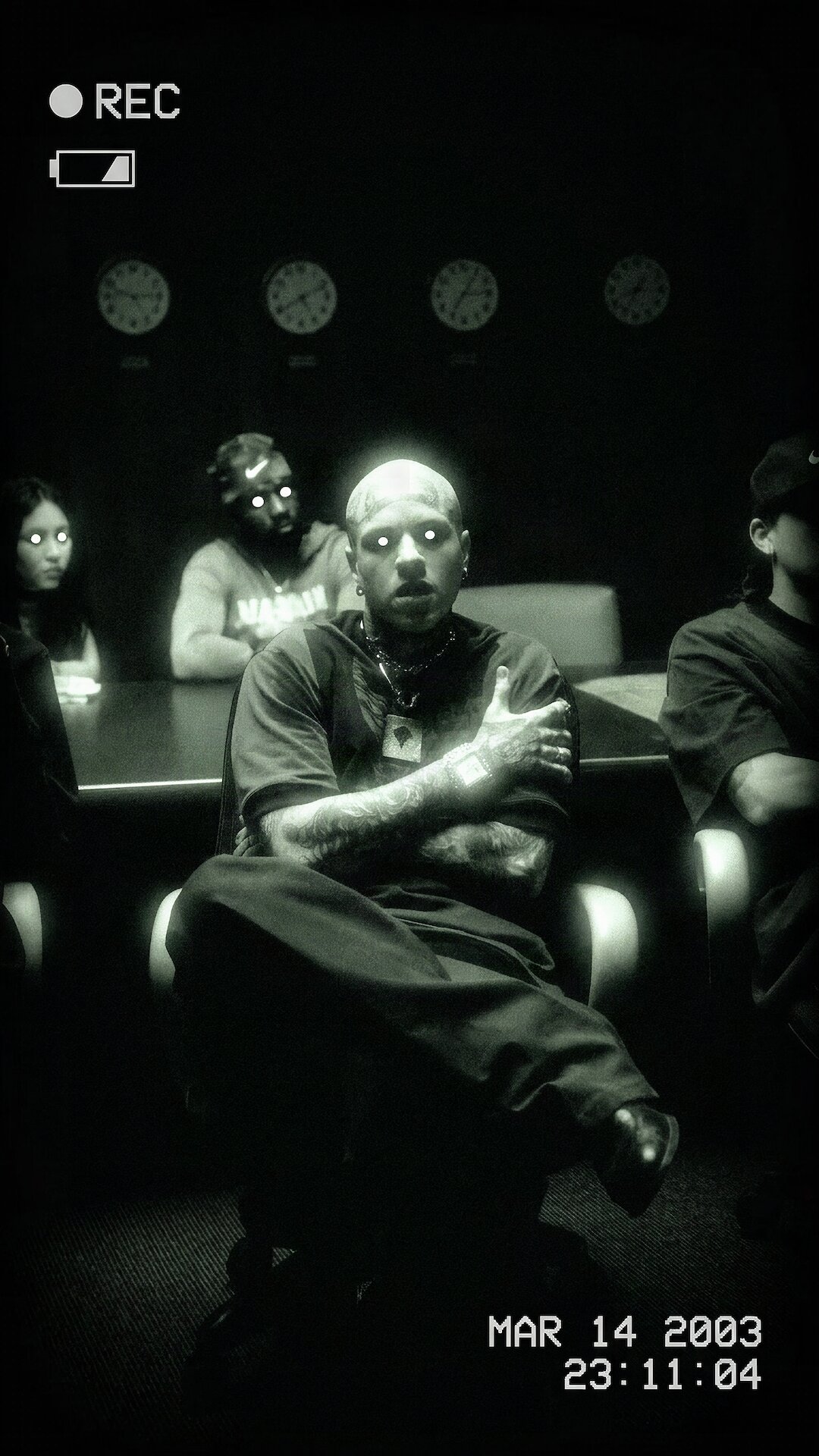
Night Vision.
IR night mode glows flat and close, and eyes flash white. The REC overlay turns a portrait into found footage.
Image edit · Nano Banana Pro.
Night Vision
Transform this photograph into a frame shot on a camcorder's infrared night mode in a pitch-dark room. The image renders in luminous green-grey monochrome, lit by an invisible IR lamp that makes surfaces glow flat and close. Eyes flash back as bright white discs. Grain is coarse and crawling, edges soft, highlights bloom into haze, and the corners fall off dark. A small REC dot, battery icon and invented timestamp sit in the corners in white camcorder type. The frame feels found, hand-held and slightly too quiet. Keep the subject, pose, framing and composition exactly as they are.
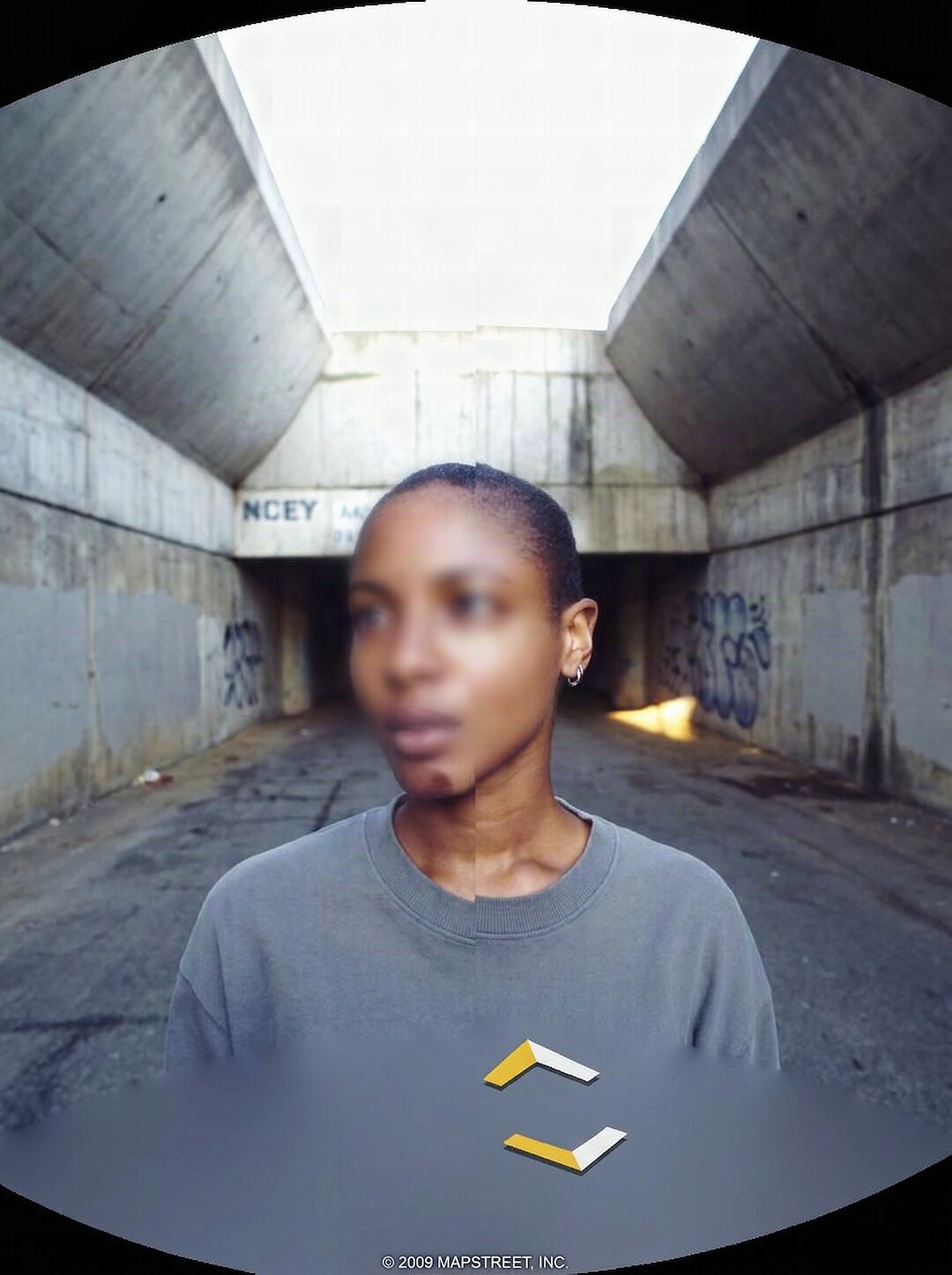
Street View.
Street view is evidence: stitching seams, blurred faces, a watermark. The bureaucratic tells make it real.
Image edit · Nano Banana Pro.
Street View
Transform this photograph into a frame from a 2009 street-mapping car camera. The image takes on the stitched panorama look: a wide slightly fisheye projection with a visible stitching seam where two lenses met, misaligned by a few pixels. Resolution is modest, colours flat and sun-bleached, and the sky blows out to white. Any face in the frame carries the tell-tale soft blur patch. A small invented copyright watermark sits at the bottom centre, and a fragment of navigation chevron floats on the ground plane. It is evidence, not photography. Keep the subject, pose, framing and composition exactly as they are.
Bootleg DVD.
The bootleg DVD is a physical object with wrong typography. Five-star quotes from nobody and a dead barcode do the comedy.
Image edit · Nano Banana Pro.
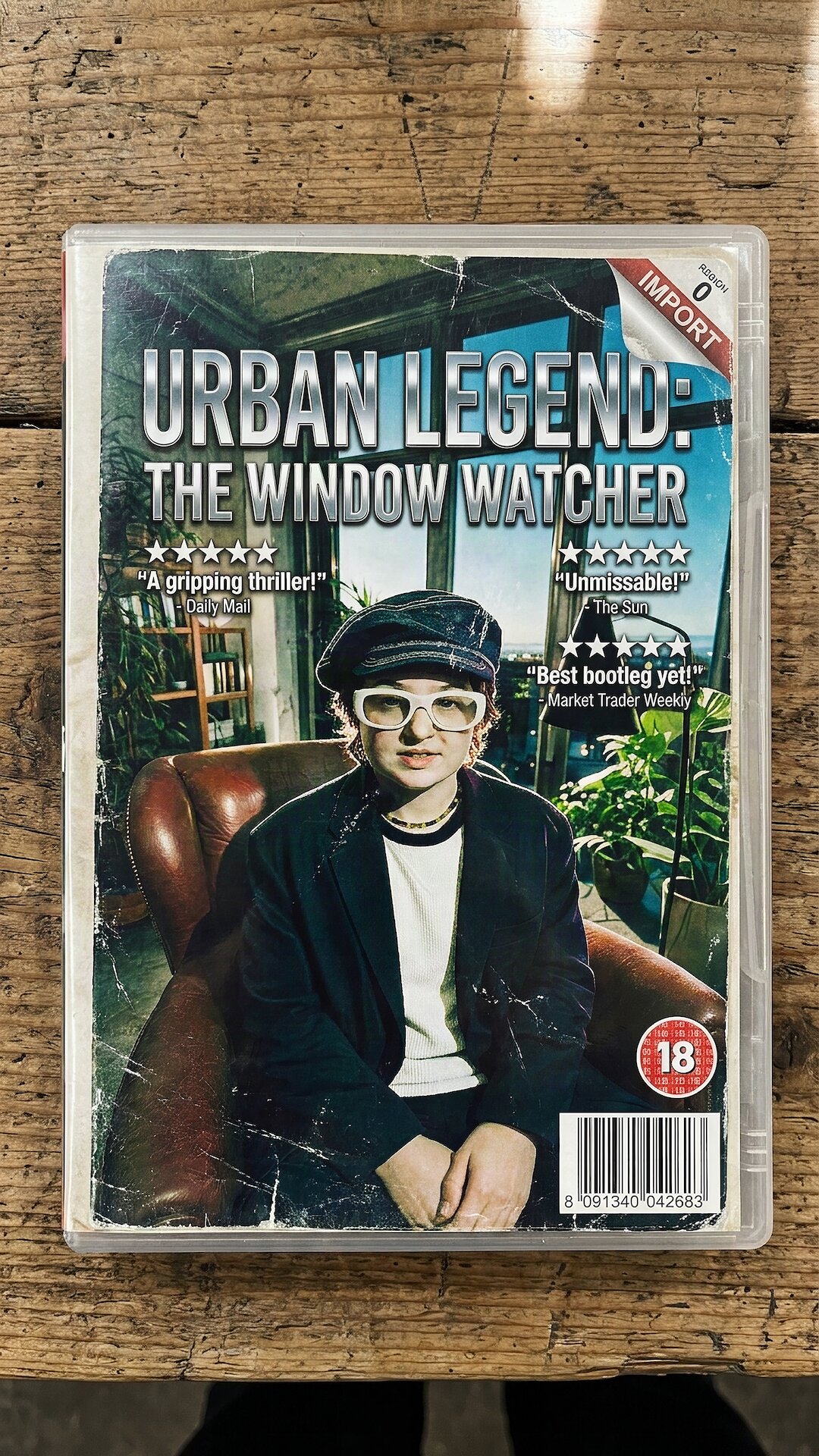
Bootleg DVD
Transform this photograph into the cover of a bootleg DVD found at a 2003 market stall, photographed as the physical object in its scuffed plastic case. The photograph becomes the cover art, badly resaved with oversharpened edges and shifted colours, laid out with an invented blockbuster title in a mismatched chrome font, invented review quotes with five stars, an age rating that looks almost right and a barcode that scans nothing. The print is slightly off-centre in the sleeve, the case is scratched and catching glare, and a region sticker sits half peeled in a corner. Keep the subject, pose, framing and composition exactly as they are.
The point.
Anyone can add a grain filter. Knowing that PS1 textures swim because the mapping was affine, that frutiger aero was selling you a cleaner future, that deep fried is compression as culture: that's the part you can't download. Taste beats tech. Always has.
Take it with you.
BUILD AI CREATIVE SYSTEMS · 2027 EDITION
Start your one-person studio.
Make the campaigns, ads and films brands pay agencies thousands for. On your own, from your bedroom, with AI doing a team’s job. Then get paid for it.
800+ creatives trained37 countries225K+ follow along
The full 2027 Edition
$797$597
Founding rate until 9 Dec
Get the courseOne payment. Instant access. The 2027 Edition is yours for life.
- Make an advert film
- Shoot a product campaign
- Build a fashion campaign
- Make a music video
- Cast like a director
- Build your AI studio
Everything inside
- The full course. Brief to paid job, in the order I use it on real work.
- 6 mini courses inside. Advert film, product campaign, fashion campaign, music video, casting, your AI studio.
- Hotline: 90+ ready-made skills. The course running inside your own Claude or ChatGPT.
- The locked prompts and skills from freebies like this one. New freebies land in the course first, in full.
- Get paid. What to sell, what to charge, and the proposal that wins the job.
- Lessons in 15 languages. Captions and text in yours.
- Quarterly updates for 12 months. What changed in the tools, tested first.
- One payment. The 2027 Edition is yours for life.
On this freebie
Free here
- All 33 aesthetic prompts
- The image each prompt made
Course members
- 90+ ready-made skills in Hotline