
FREE WORKFLOW · KLING + NANO BANANA
The AI brand label workflow.
Hyper-real clothing label animations in Kling. Known brands like Nike and Supreme, plus the Nano Banana method for your own logo.
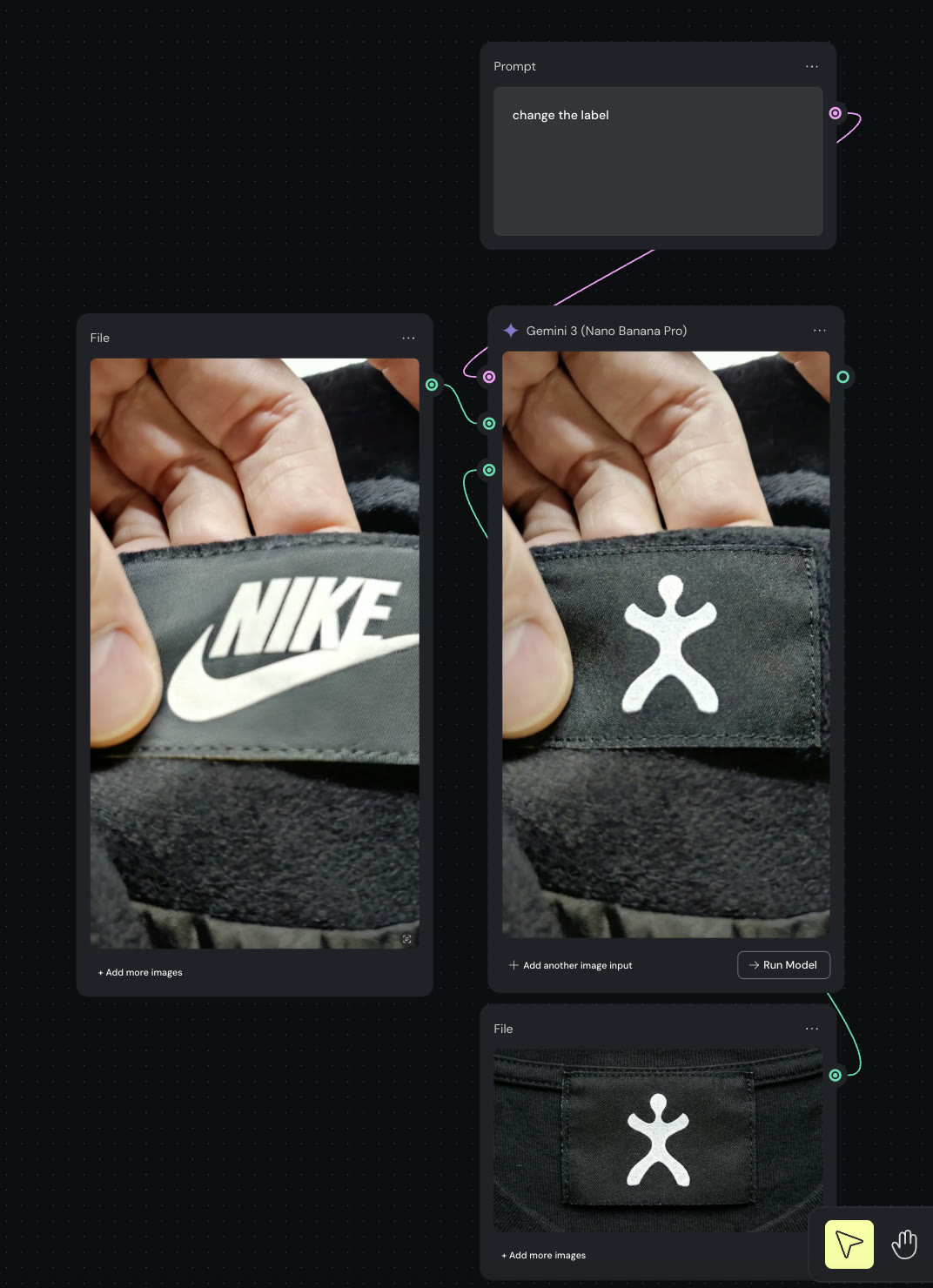
Kling can generate incredible fabric textures and well-known brand labels. It nails the Nike swoosh and the Supreme box logo because those logos exist in its training data. Try your own logo, your brand or your client's, and it falls apart: the text warps, the logo mutates, the label looks nothing like what you uploaded. The model doesn't know your brand, so you need to teach it.
Why known brands work and yours doesn't.
The rule: if the logo isn't in the data, build the label first. Then animate.
- Kling's training data contains millions of images of Nike, Supreme, Adidas and so on. It already "knows" what those labels look like on fabric.
- Your logo has zero representation in the training data. The model is guessing, and guessing badly.
- Better prompting won't fix it. Give the model a reference it can actually work from.
The workflow for known brands.
For logos Kling already knows (Nike, Supreme, Adidas and so on).
Step 1, generate the starting image: use Nano Banana or your preferred AI image tool to create a close-up of the clothing item with the brand label visible.
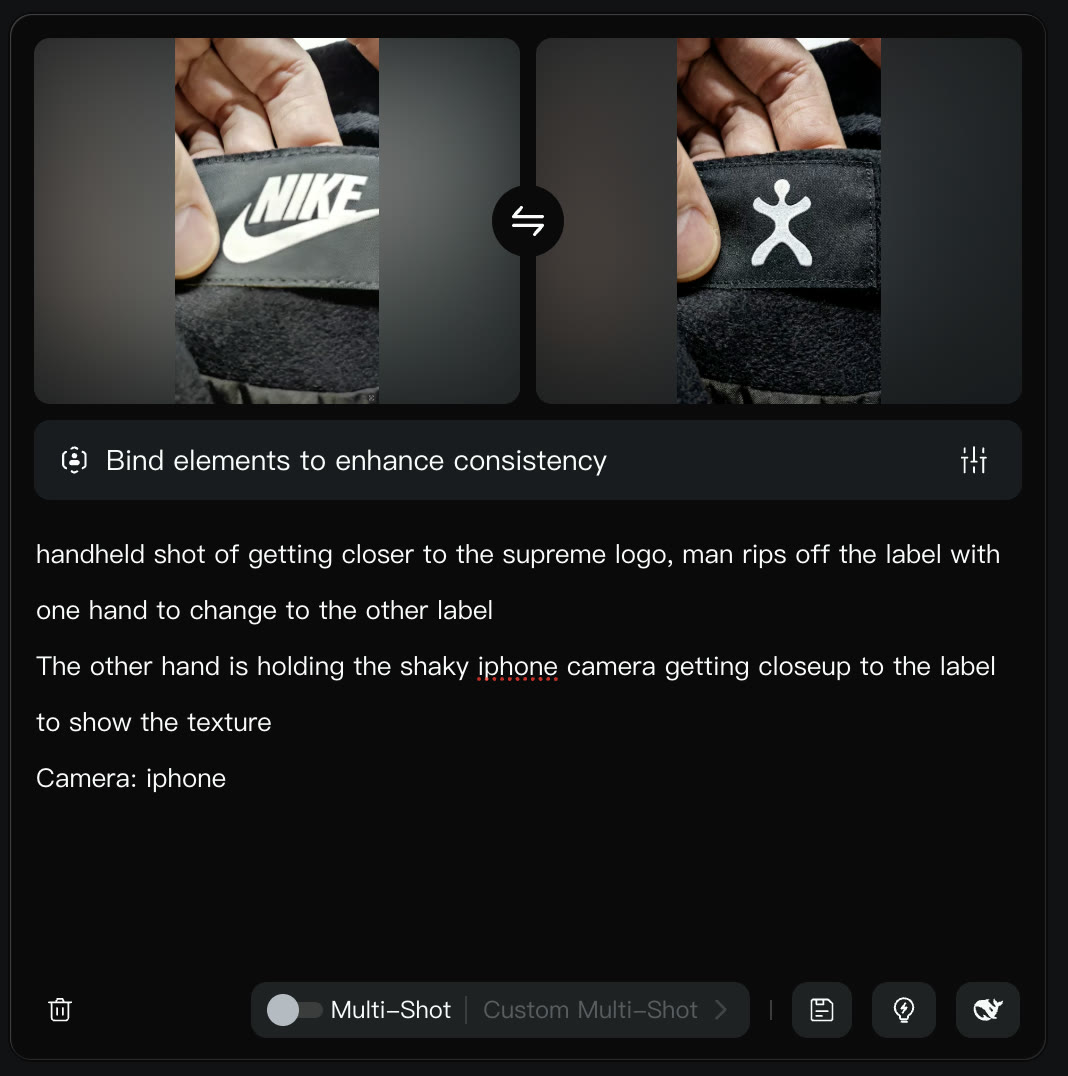
Step 2, set up the video: upload your starting image to Kling, use Multi-Shot or Custom Multi-Shot mode, and set the camera to handheld or iPhone style.
Step 3, write the motion prompt below.
Step 4, bind elements: switch on "Bind elements to enhance consistency". It keeps the label, fabric and hand movements coherent across frames.
Step 3: the motion prompt
handheld shot of getting closer to the [brand] logo,
man rips off the label with one hand to change to the other label.
The other hand is holding the shaky iphone camera getting closeup
to the label to show the texture
Camera: iphone
The workflow for your own logo.
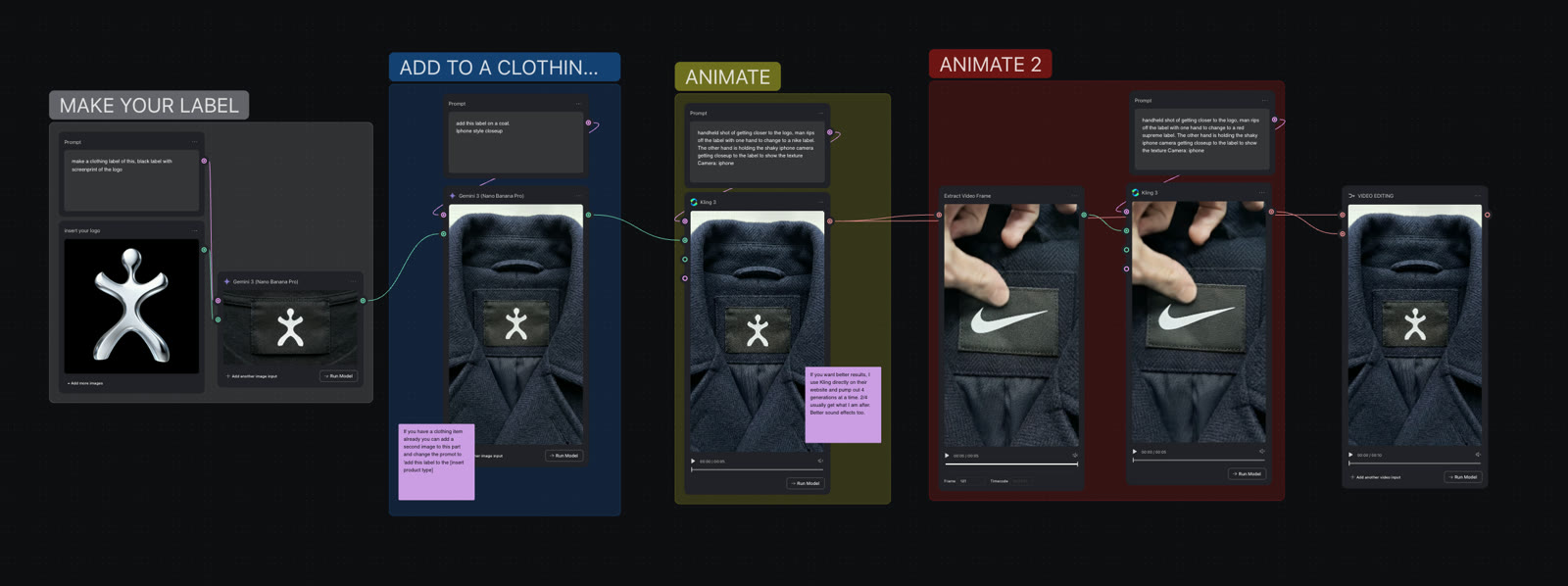
For logos that aren't in Kling's training data: your brand, your client's brand. This is the Nano Banana method.
Step 1, prepare your logo: a clean PNG on a black or transparent background, high contrast, clear edges. If it's a complex logo, simplify it for the label format.
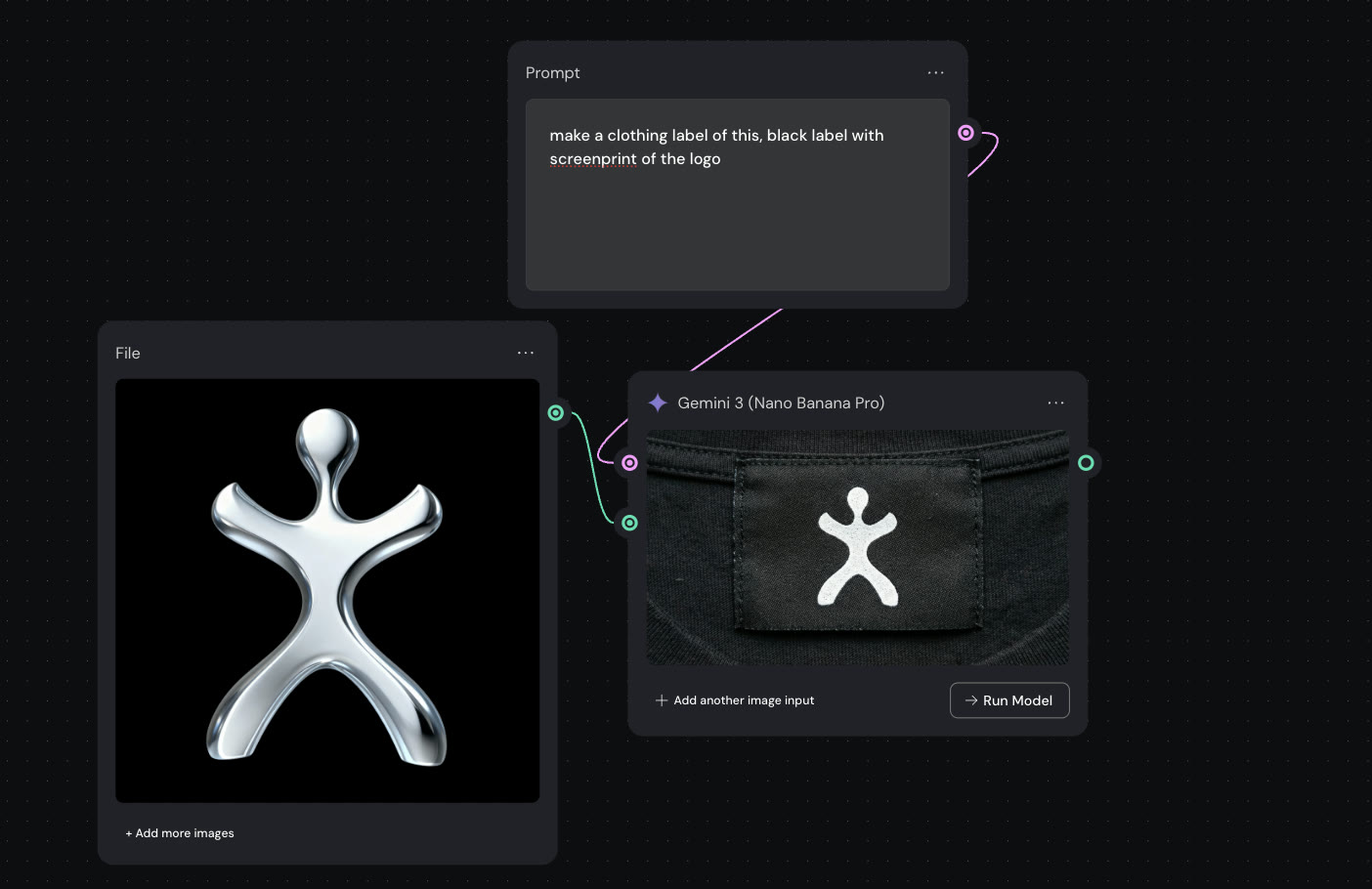
Step 2, build the label with Nano Banana: upload your logo as the reference image and use the prompt below. The model generates a realistic woven or screenprinted label with your logo in the fabric. Run several generations and pick the cleanest.
Step 3, use the generated label as your start frame: take the best Nano Banana output and use it as the starting image for Kling.
Step 4, animate with the same motion prompt from the known brands workflow. Kling doesn't need to "know" your logo any more, because it's already in the image.
Step 2: the label prompt
Prompt structure:
make a clothing label of this, black label with screenprint of the logo
Prompt templates.
Starting image prompts first, then motion prompts.
Starting image: hoodie neck label
Close-up of a black fleece hoodie neck label, [brand] logo embroidered
in white thread, macro detail on fabric texture, handheld iPhone photo,
natural indoor lighting
Starting image: denim jacket tag
Course membersA macro close-up of a woven brand tag on a dark denim jacket. Course members run it in Hotline. In Hotline, ask for “the locked Starting image: denim jacket tag prompt from the The AI brand label workflow freebie”.
Motion: peel back the label
Course membersFingers peel back one label to reveal a different brand underneath. Course members run it in Hotline. In Hotline, ask for “the locked Motion: peel back the label prompt from the The AI brand label workflow freebie”.
Motion: reveal the inside label
Course membersA hand pulls back the collar and the camera moves in on the label. Course members run it in Hotline. In Hotline, ask for “the locked Motion: reveal the inside label prompt from the The AI brand label workflow freebie”.
Take it with you.
The full pack, plus 90+ skillsEvery locked prompt on this page, plus 90+ ready-made skills running in your own Claude or ChatGPT through Hotline.Unlock with the courseBUILD AI CREATIVE SYSTEMS · 2027 EDITION
Start your one-person studio.
Make the campaigns, ads and films brands pay agencies thousands for. On your own, from your bedroom, with AI doing a team’s job. Then get paid for it.
800+ creatives trained37 countries225K+ follow along
The full 2027 Edition
$797$597
Founding rate until 9 Dec
Get the courseOne payment. Instant access. The 2027 Edition is yours for life.
- Make an advert film
- Shoot a product campaign
- Build a fashion campaign
- Make a music video
- Cast like a director
- Build your AI studio
Everything inside
- The full course. Brief to paid job, in the order I use it on real work.
- 6 mini courses inside. Advert film, product campaign, fashion campaign, music video, casting, your AI studio.
- Hotline: 90+ ready-made skills. The course running inside your own Claude or ChatGPT.
- The locked prompts and skills from freebies like this one. New freebies land in the course first, in full.
- Get paid. What to sell, what to charge, and the proposal that wins the job.
- Lessons in 15 languages. Captions and text in yours.
- Quarterly updates for 12 months. What changed in the tools, tested first.
- One payment. The 2027 Edition is yours for life.
On this freebie
Free here
- The label swap motion prompt
- The custom label prompt
- The hoodie label starting image
Course members
- The denim tag starting image
- Two more motion prompts: peel back, inside label
- 90+ ready-made skills in Hotline