
FREE PROMPT PACK · SEEDANCE 2.5 4K
Seedance 2.5 4K: skin that holds up close.
The prompts behind the 4K test: a portrait that looks shot on film, and the skin block that holds when the camera gets inches from the face.
Two steps are here for free: the portrait and the skin. The full reaction clip is for course members, as a ready-made skill in Hotline.
Step 1: the portrait.
Seedream 5.5, square, 2K. This is the person Seedance will copy, so the skin has to be real here first.
The trick is naming faults. Write "pores" and you get a beauty ad. Write the raw patch round the nostrils, the spot on the chin and the purple under the eyes, and you get a person.
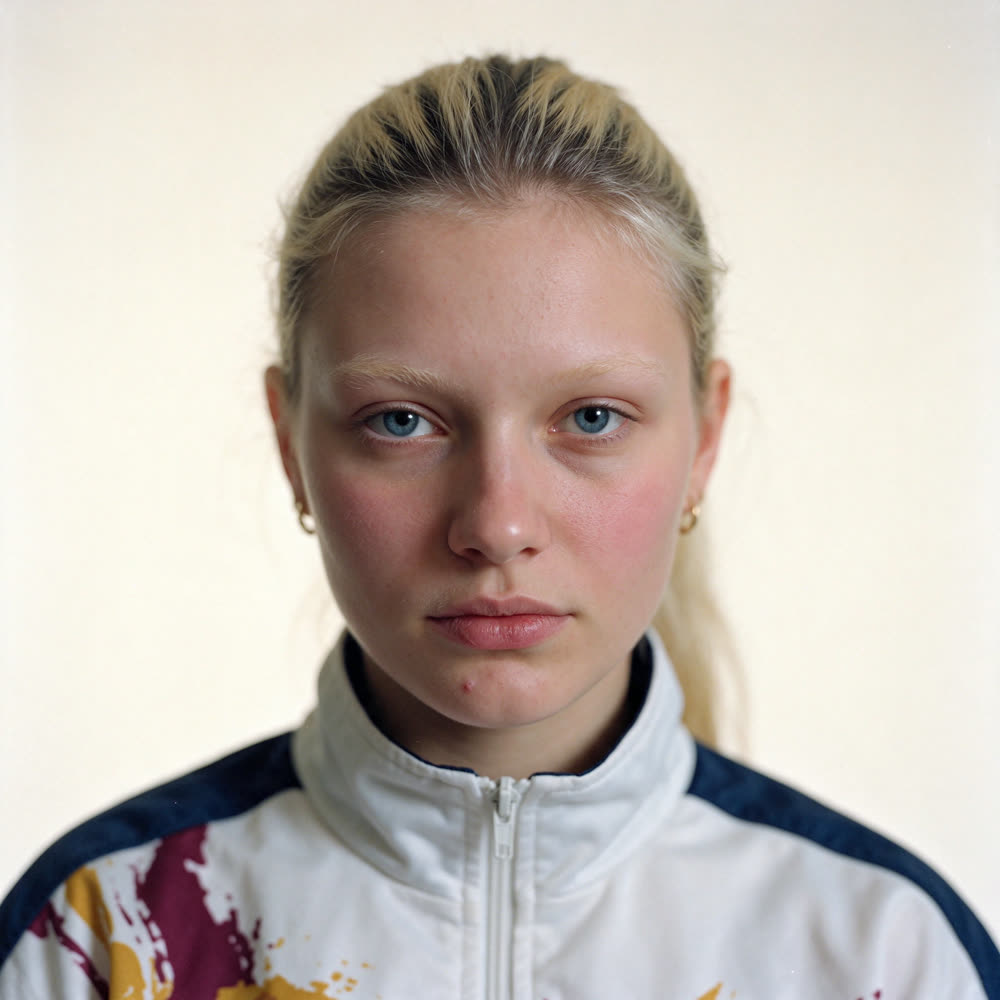
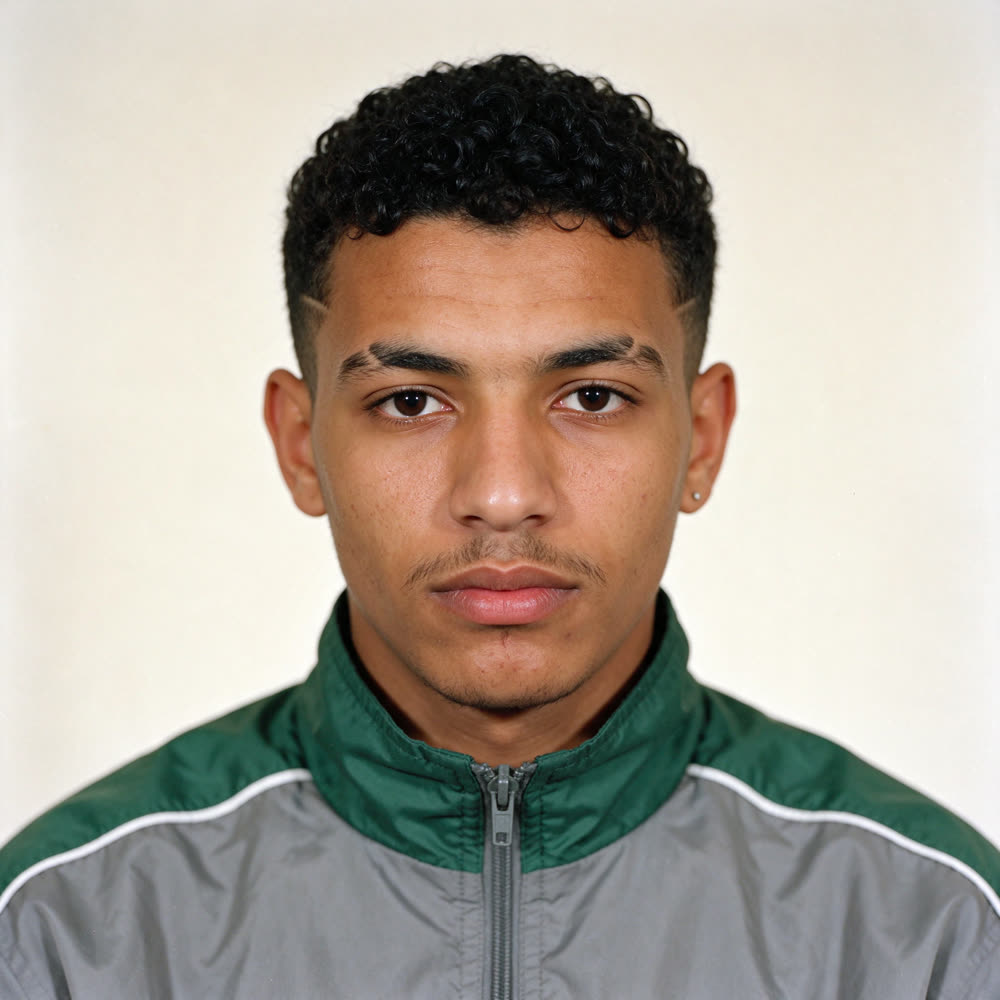
Passport portrait template (Seedream 5.5)
A 1990s medium-format studio portrait shot on a Mamiya RZ67 with a 110mm lens and Kodak Ektar film, scanned soft with coarse grain, not digital. Passport framing, shot from a little further back: the camera is at eye level and dead square to the face. A thin strip of backdrop shows above the head. The head takes up the top half of the frame. Both shoulders are fully in frame and run out to the left and right edges, and the bottom edge cuts across the chest.
The background is a plain off-white paper backdrop with a faint warm cast. Skin tones are natural and true. Nothing is saturated.
One large soft flash sits straight in front of the face, so the light is flat and even. The backdrop goes almost white. The only shadows are a soft one under the chin and a faint one under each ear.
[AGE, WHO THEY ARE, HAIR]. [SKIN: 4 to 6 real faults, e.g. visible pores on the nose, peach fuzz on the jaw, a small spot on the chin, redness round the nostrils, faint purple under the eyes, dry lips]. [EYES AND BROWS]. No makeup, no retouching. [ONE SMALL DETAIL: earring, chain]. They face the camera straight on with shoulders square, mouth closed, completely expressionless, staring straight into the lens. They wear [GARMENT, COLOURS, FABRIC], the fabric creased and catching small highlights from the flash.
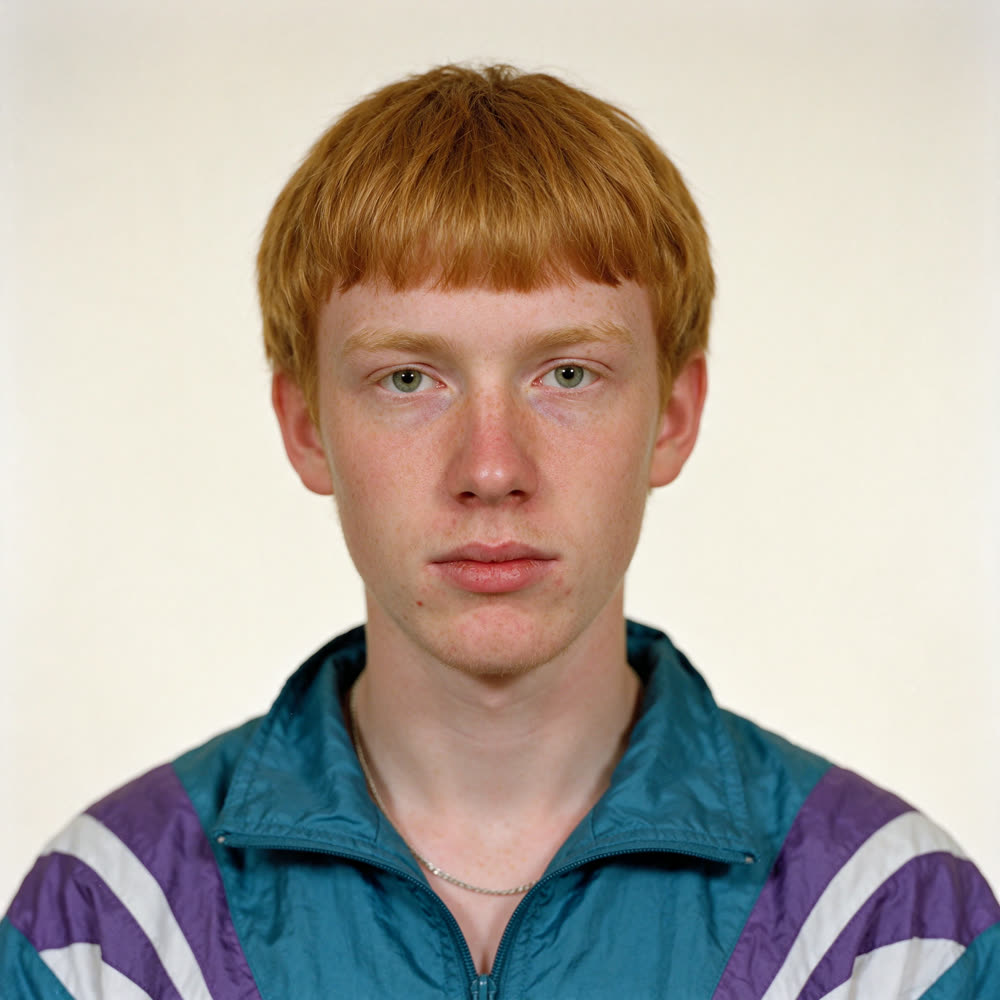
Filled in: the ginger lad
A lanky lad of about 19 with thick ginger hair cut into a home-done bowl cut with a blunt, slightly wonky fringe. Pale skin covered in dense freckles, visible pores on the nose and cheeks, peach fuzz on the jaw, raw pink patches around the nostrils, a couple of small spots on the chin, faint purple under the eyes, dry chapped lips. Pale grey-green eyes, sandy eyebrows and lashes. No makeup, no retouching. He faces the camera straight on with his shoulders square, mouth closed, completely expressionless, staring straight into the lens. A thin silver chain sits on his collarbone. He wears a shiny 1990s nylon shell-suit jacket zipped to the neck, teal body with purple and white chevron panels across the shoulders, the fabric creased and catching small highlights from the flash.
Step 2: skin that holds at 4K.
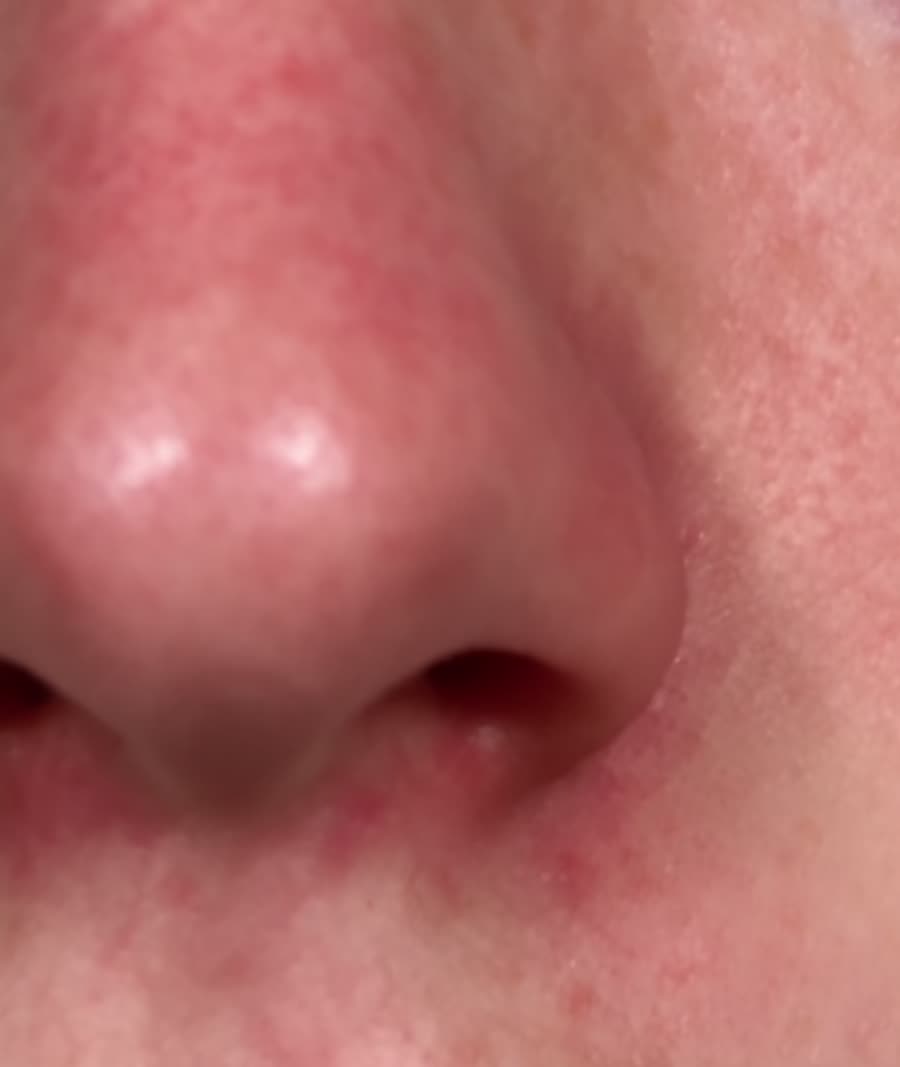
Get the camera close and AI skin goes plastic. Writing "realistic skin" does nothing. What works is a block that lists what skin looks like from a few inches away, and tells the model the skin moves when they talk.
Paste this into the video prompt and swap the details for your person.
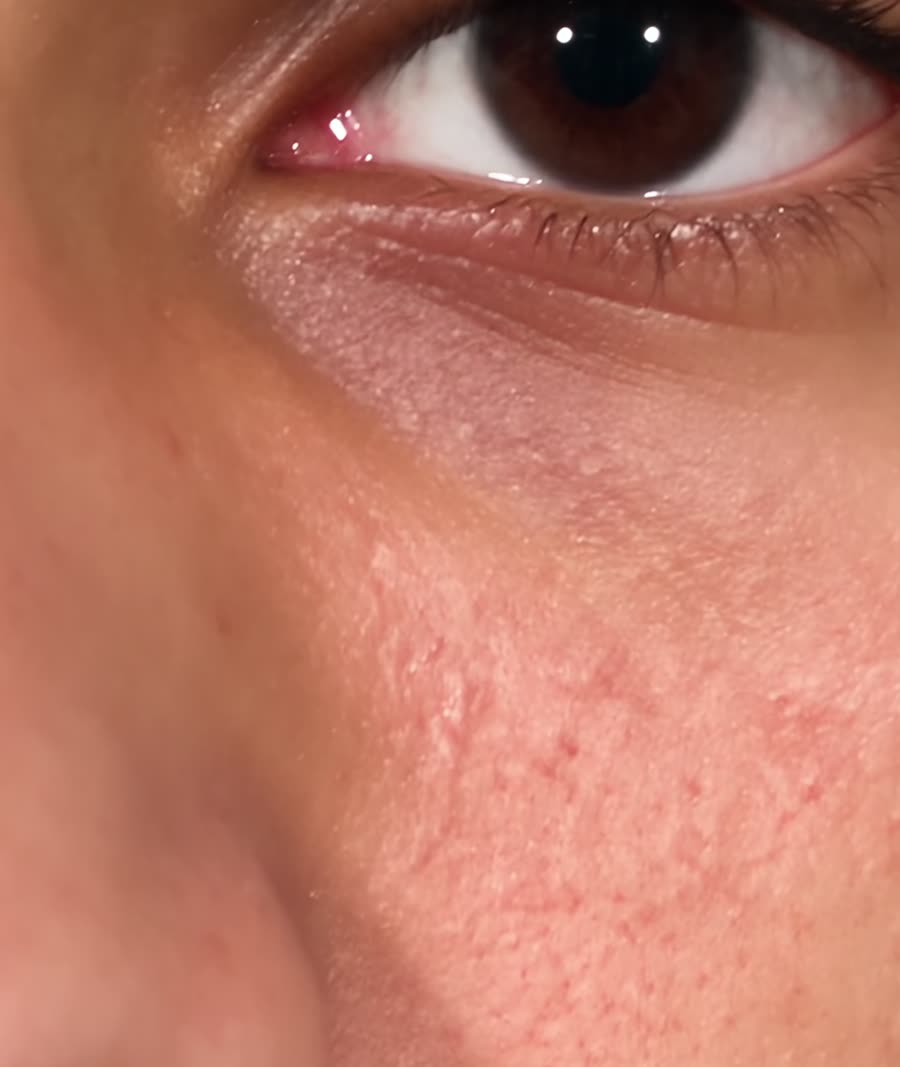
Close-up skin block
SKIN UP CLOSE: when the camera is inches away the skin is real skin, not smooth: open pores across the nose and cheeks, an oily shine on the nose tip and forehead, uneven tone with darker patches around the mouth and under the eyes, small raised bumps along the jaw, faint acne marks, single coarse hairs in the stubble and stray hairs between the brows, fine lines and dry texture in the lips, tiny red veins in the whites of the eyes, moisture on the lower lid. Skin moves when they talk and creases when they smile.
Step 3: the reaction clip.
Seedance 2.5, your portrait in as an image reference (not a start frame), 9:16, 8 seconds, sound on, 4K.
The idea: a mate films them between photos and gets too close. The camera creeps in, they try to hold it together, then crack. Two voices, timed beat by beat, and the person on camera says almost nothing. That's what makes it feel real.
Handheld reaction prompt (Seedance 2.5)
Course membersThe full prompt: camera beats, both voices timed, the lines that stop people saying each other's words. Course members run it as the Skin at 4K skill in Hotline. In Hotline, ask for the Skin at 4K skill.
What gives it away.
Three things break a clip like this: fake brand logos stitching themselves onto the clothes, people saying each other's lines, and a different voice behind the camera in every clip of the series.
Each one has a fix, and they're built into the skill below.
Take it with you.
Skin at 4K, plus 90 more skillsThe ready-made skill: portrait, skin, the full reaction clip and the draft check, running in your Claude or ChatGPT through Hotline.Unlock with the courseMade with Seedream 5.5 and Seedance 2.5 on Higgsfield. Spec test: nobody here is a real person.
BUILD AI CREATIVE SYSTEMS · 2027 EDITION
Start your one-person studio.
Make the campaigns, ads and films brands pay agencies thousands for. On your own, from your bedroom, with AI doing a team’s job. Then get paid for it.
Skin at 4K is one of the skills inside Hotline.
800+ creatives trained37 countries225K+ follow along
The full 2027 Edition
$797$597
Founding rate until 9 Dec
Get the courseOne payment. Instant access. The 2027 Edition is yours for life.
- Make an advert film
- Shoot a product campaign
- Build a fashion campaign
- Make a music video
- Cast like a director
- Build your AI studio
Everything inside
- The full course. Brief to paid job, in the order I use it on real work.
- 6 mini courses inside. Advert film, product campaign, fashion campaign, music video, casting, your AI studio.
- Hotline: 90+ ready-made skills. The course running inside your own Claude or ChatGPT.
- The locked prompts and skills from freebies like this one. New freebies land in the course first, in full.
- Get paid. What to sell, what to charge, and the proposal that wins the job.
- Lessons in 15 languages. Captions and text in yours.
- Quarterly updates for 12 months. What changed in the tools, tested first.
- One payment. The 2027 Edition is yours for life.
On this freebie
Free here
- The portrait prompt
- The close-up skin block
Course members
- The full reaction-clip prompt, both voices timed
- Skin at 4K skill: from a portrait to a 4K clip in one go
- The draft check for fake logos, crossed lines and plastic skin
- 90 more skills in Hotline