
THE DOODLE EDIT
Doodle edits with no animation skills.Doodle edits
with no animation
skills.
The full method from the reel. Claude cuts your footage down to 6 frames a second, an image model draws over every single frame, and Claude stitches it back together. Then you finish it on a real invideo timeline.
Paid partnership with invideo. Made with Claude and invideo.
You don't need to draw and you don't need to animate. You need a short clip, Claude, and the invideo connector. Every still on this page is from my edit in the reel.
Why it works.
Three things make it look hand-drawn rather than filtered.
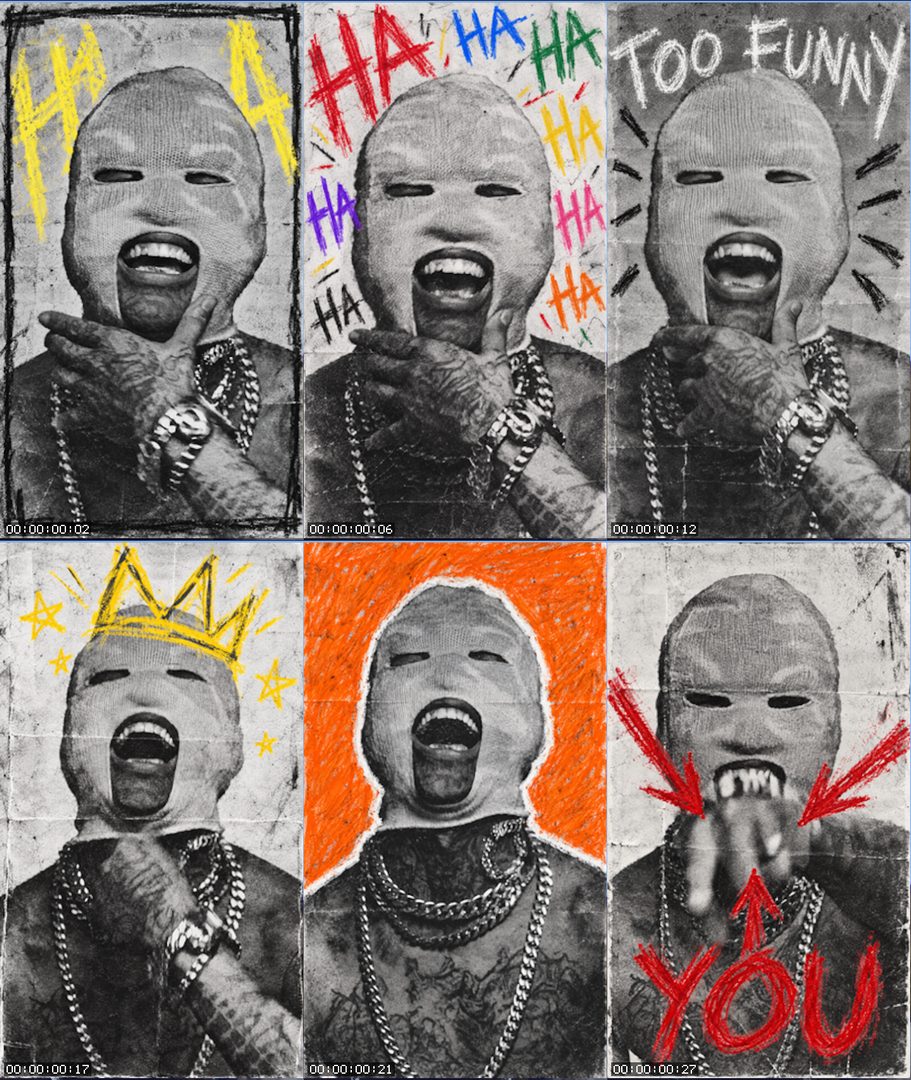
- It steps: the footage plays at 6 frames a second, so it jumps like stop motion. That choppiness is what reads as drawn by hand.
- Every frame is a new drawing: the crayon is redrawn on every frame, so the lines wobble and boil. Draw once and reuse it and it dies.
- One idea at a time: a word or a doodle builds over two or three frames, then something new starts. Busy, but you can still read it.
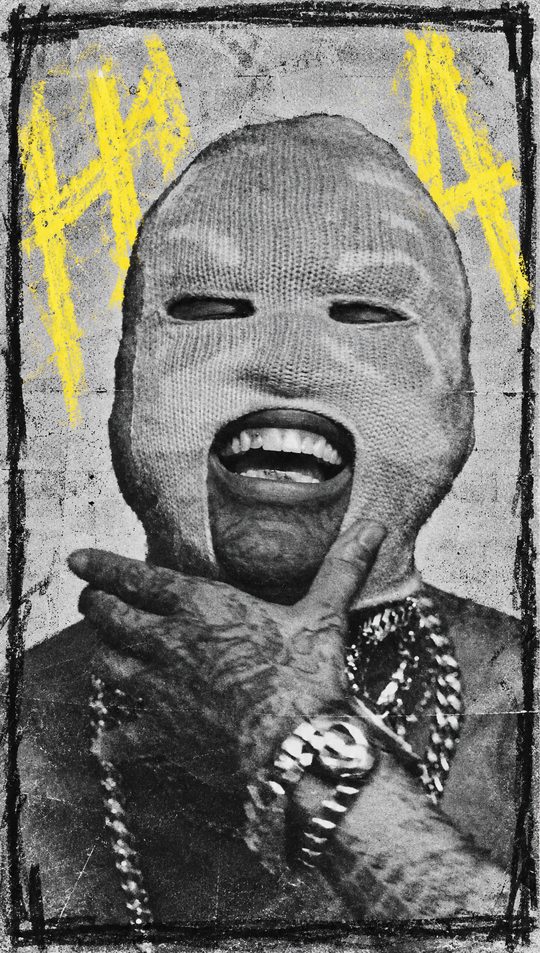
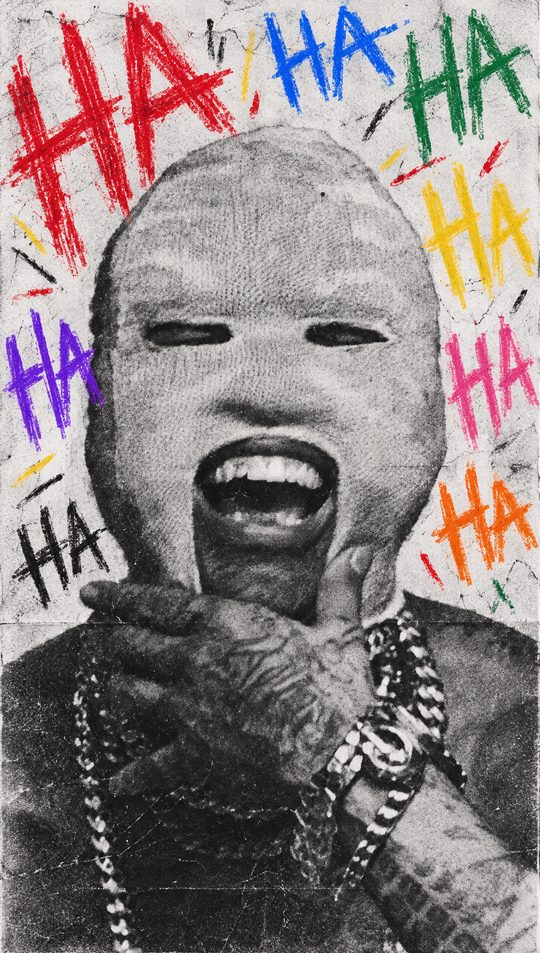
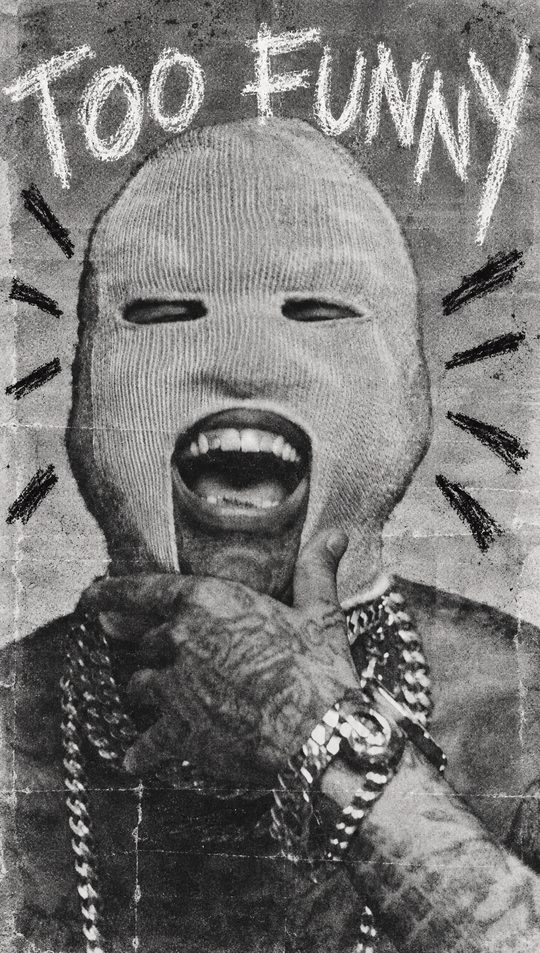
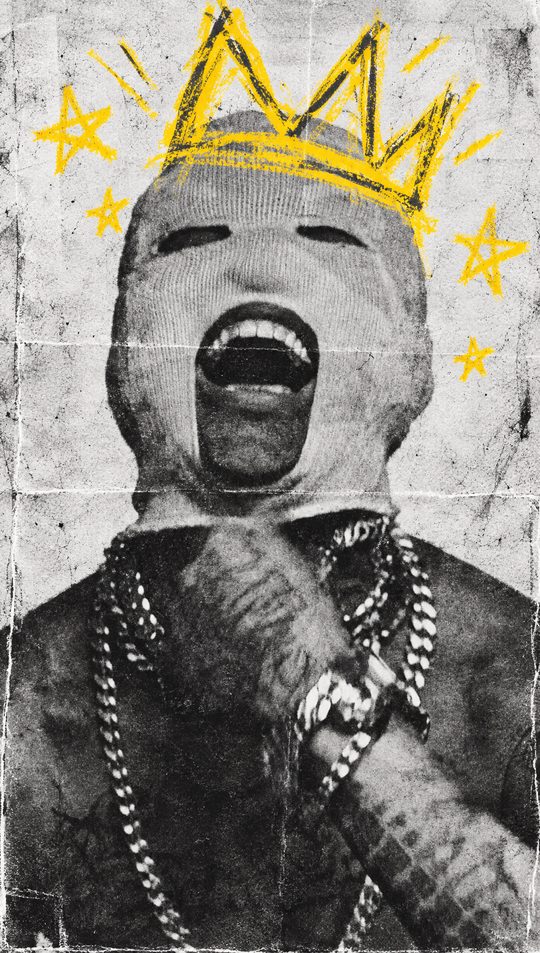
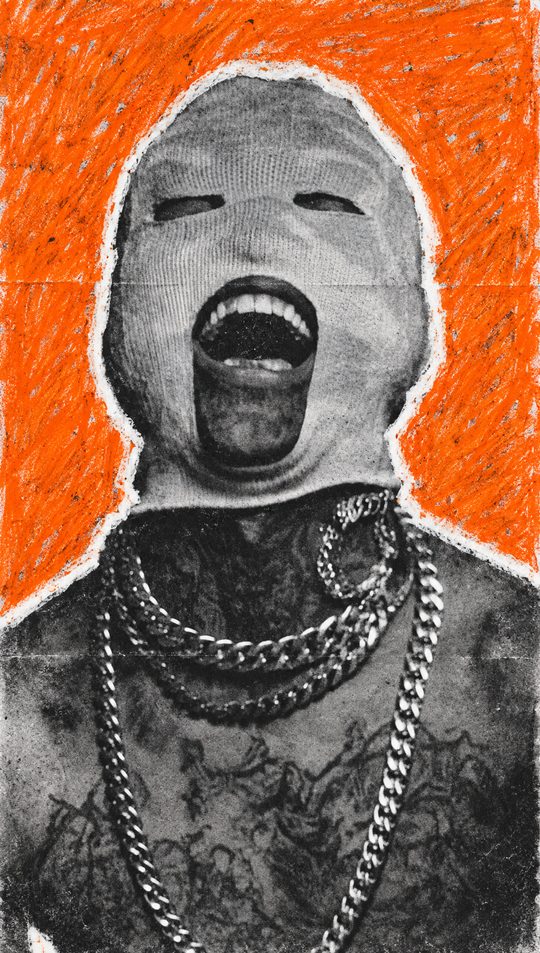
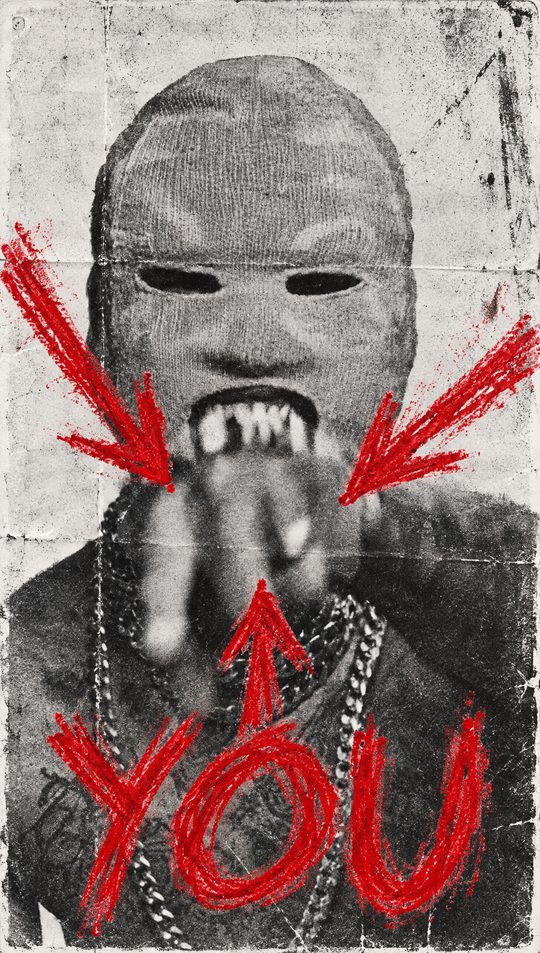
One second of the edit, frame by frame. Same photo underneath, a fresh drawing on top each time.
Cut it down to 6 frames a second.
Pick a clip of 3 to 6 seconds with one clear moment in it: a laugh, a turn, a hand coming up to the camera. Still footage makes a dull doodle. Give it to Claude and ask for the frames.
AStep the clip
Claude · your clip attached
Here's my clip. Drop it to 6 frames per second and save every frame as a numbered image, in order. Then make me a contact sheet of all of them so I can see the whole moment at once. Tell me how many frames there are and where the main moment happens.
A 5 second clip gives you 30 frames, so 30 drawings. That's the right size. Longer clips mean a lot more drawings for not much more impact.
Brief the drawings.
This is the part that decides whether it looks good. Before anything gets drawn, get Claude to plan one drawing per frame, so the edit has a rhythm. Things that work:
- Words: one or two big handwritten words over empty space. A lyric, a name, a reaction. Spell them out in capitals so they come back right.
- Marks around the subject: a wobbly crayon outline, stars, arrows, laugh lines, a crown.
- Colour: crayon filled into the background or the clothes, going over the lines.
- A frame: a scratchy border, or the whole picture drawn into a TV set.
- The ending: your name or a title, written big across the last few frames.
BPlan the frames
Claude · after the contact sheet
Plan one drawing for every frame, as a numbered list. The feel is [the song, the mood, the joke]. The words I want in it are [WORDS]. Build each idea over 2 to 4 frames, then move to the next one, and tie every drawing to what's happening in that frame. Never cover the face. End on [my name or a title] written big for the last 4 frames. Keep each line short, like "frame 7: red crayon arrows pointing at his hand".
Then the drawing itself. Send each frame with its line from the plan. The words that matter are crayon, handwritten, messy and "keep the photo". Without them the model tidies everything up and it looks like a filter.
CDraw one frame
Image model · the frame attached · one per frame
Keep this exact photo, same framing, same person, same pose, and draw over it by hand like someone went over a photocopy with wax crayons and a fat marker. Rough strokes, wobbly lines, real crayon texture with gaps, colour going over the edges. Draw: [the line for this frame]. Any words are handwritten in thick crayon and spelled exactly [WORDS]. Leave the face clear. Don't restyle the photo, don't add people, and don't make it neat.
Connect invideo.
Thirty drawings one by one is slow. Connect invideo to Claude and Claude can use invideo's image model to make every drawing for you, then work on a real timeline later.
- Add it: open the invideo Editor connector and press Connect.
- Sign in: log in to invideo when it asks. It uses your existing invideo plan.
- Start a new chat: the connector shows up under Connectors. Attach your frames, or keep going in the chat where Claude made them.
DDraw them all
Claude · with the invideo connector on
Use invideo's image model to draw over every frame, one image per frame, with the frame attached each time and its line from the plan. Use the drawing brief I gave you for every one. Keep them numbered in the same order as the frames. When they're done, show me all of them side by side and tell me which ones have a misspelled word or a changed face, then redo just those.
New to invideo? Get up to 50% off annual plans ↗
Line them up and stitch it.
The image model shifts the photo a tiny bit every time it draws, so if you just play the drawings in a row the picture jitters about. Claude fixes that by lining each drawing back up to its own original frame before it stitches them together.
EStitch it back together
Claude · the frames and drawings in the chat
Line every drawing up to its original frame, matching the middle of the picture so the person doesn't jump around, but don't crop anything the model drew on purpose, like a border. Then put them back together as a video: hold each drawing for 4 frames at 24 frames per second, so it plays at 6 drawings a second. If a frame is missing, hold the one before it. Add a light film grain, put my clip's original sound back on, and export it as an MP4.
Finish the cut on the timeline.
Same connector, now on the timeline. Claude puts the edit on a real invideo timeline you can open and change by hand: add the music and sound, move the big words onto the beat, hold the last frame a little longer.
FOnto the timeline
Claude · with the invideo connector on
In my invideo editor, make a new 1080 x 1920 timeline called [name] and put the doodle edit on it. Add [the song or a beat that fits] underneath and line the cuts and the big words up with the beat. Add a scratchy pencil sound on the frames where a word appears. Then tell me what you did so I can tweak it by hand.
What's next.
That's the full method. Run it on one clip first: a few seconds with one move in it, like a smile, a turn or a hand coming up. Once that lands, do the next one faster.
IN THE COURSE
The full version is in the course.
- More of the systems behind my reels, broken down like this
- 12 months of quarterly updates as the tools change
BUILD AI CREATIVE SYSTEMS · 2027 EDITION
Start your one-person studio.
Make the campaigns, ads and films brands pay agencies thousands for. On your own, from your bedroom, with AI doing a team’s job. Then get paid for it.
800+ creatives trained37 countries225K+ follow along
The full 2027 Edition
$797$597
Founding rate until 9 Dec
Get the courseOne payment. Instant access. The 2027 Edition is yours for life.
- Make an advert film
- Shoot a product campaign
- Build a fashion campaign
- Make a music video
- Cast like a director
- Build your AI studio
Everything inside
- The full course. Brief to paid job, in the order I use it on real work.
- 6 mini courses inside. Advert film, product campaign, fashion campaign, music video, casting, your AI studio.
- Hotline: 90+ ready-made skills. The course running inside your own Claude or ChatGPT.
- The locked prompts and skills from freebies like this one. New freebies land in the course first, in full.
- Get paid. What to sell, what to charge, and the proposal that wins the job.
- Lessons in 15 languages. Captions and text in yours.
- Quarterly updates for 12 months. What changed in the tools, tested first.
- One payment. The 2027 Edition is yours for life.